Chromebook Challenge for Commercial Township Schools
star
star
star
star
star
Last updated over 7 years ago
20 Nsɛmmisa
Hyɛ no nsow a efi ɔkyerɛwfo no hɔ:
@CTschools
1
1
1
1

1

1
1
1
1
1
1
1
1
1
1
1
1
1
1
1
@CTschools
I use my Google account to sign into my chromebook.
Select all that are correct
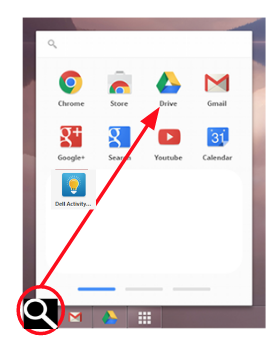
The item circled above is called the _______ _______________.
The app the arrow is pointing to is called _________ _________.
Name this app
Name this app
The tool that is an autocorrect for pictures you draw is called ________________.
This is the keyboard shortcut for delete all.
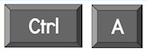
This is the keyboard shortcut for Undo (Oops!)
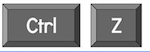
What does this keyboard shortcut do?

Which keyboard shortcut is Copy?
Which keyboard shortcut is Paste?
Which keyboard shortcut is Find?
Which keyboard shortcut is bold?
The trail you leave when you visit sites or apps on the Internet is called your digital footprint.
Using your chromebook is okay for playing games as long as no one is looking.
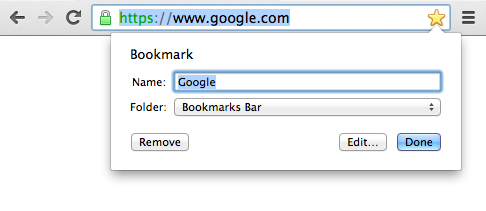
Clicking on the star is one way to save a web page. What is another way?
What was your favorite thing you like about having your own Chromebook?
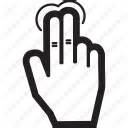
Tapping on the track pad with 2 fingers is a way to right click.
Sliding two fingers on the track pad is a way to scroll on a Chromebook.