1
1
1
1
1
1
1
1
1
1
1
1
1
1
1
1
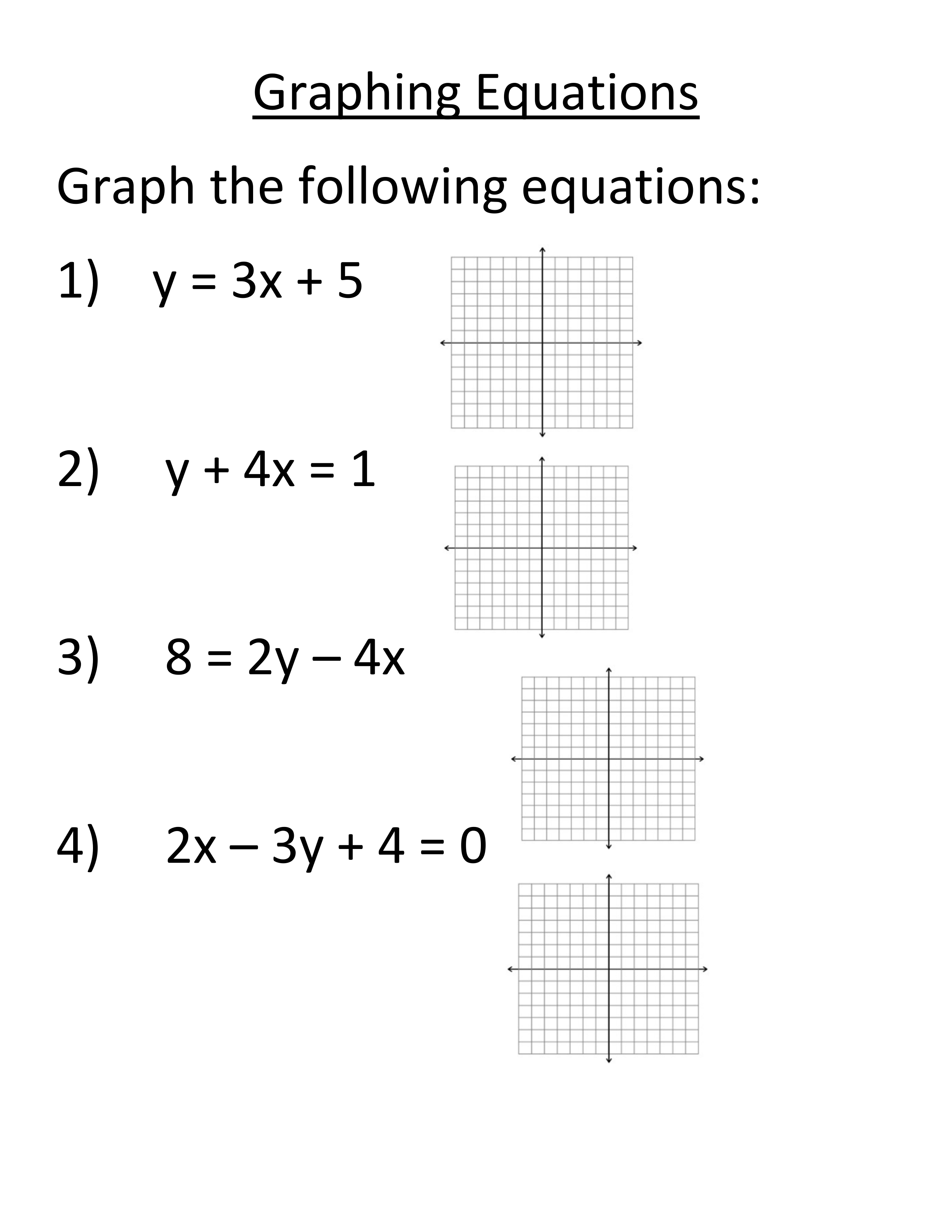
Upload a picture of the graph from your calculator.
Upload a picture of the graph from your calculator.
Upload a picture of the graph from your calculator.
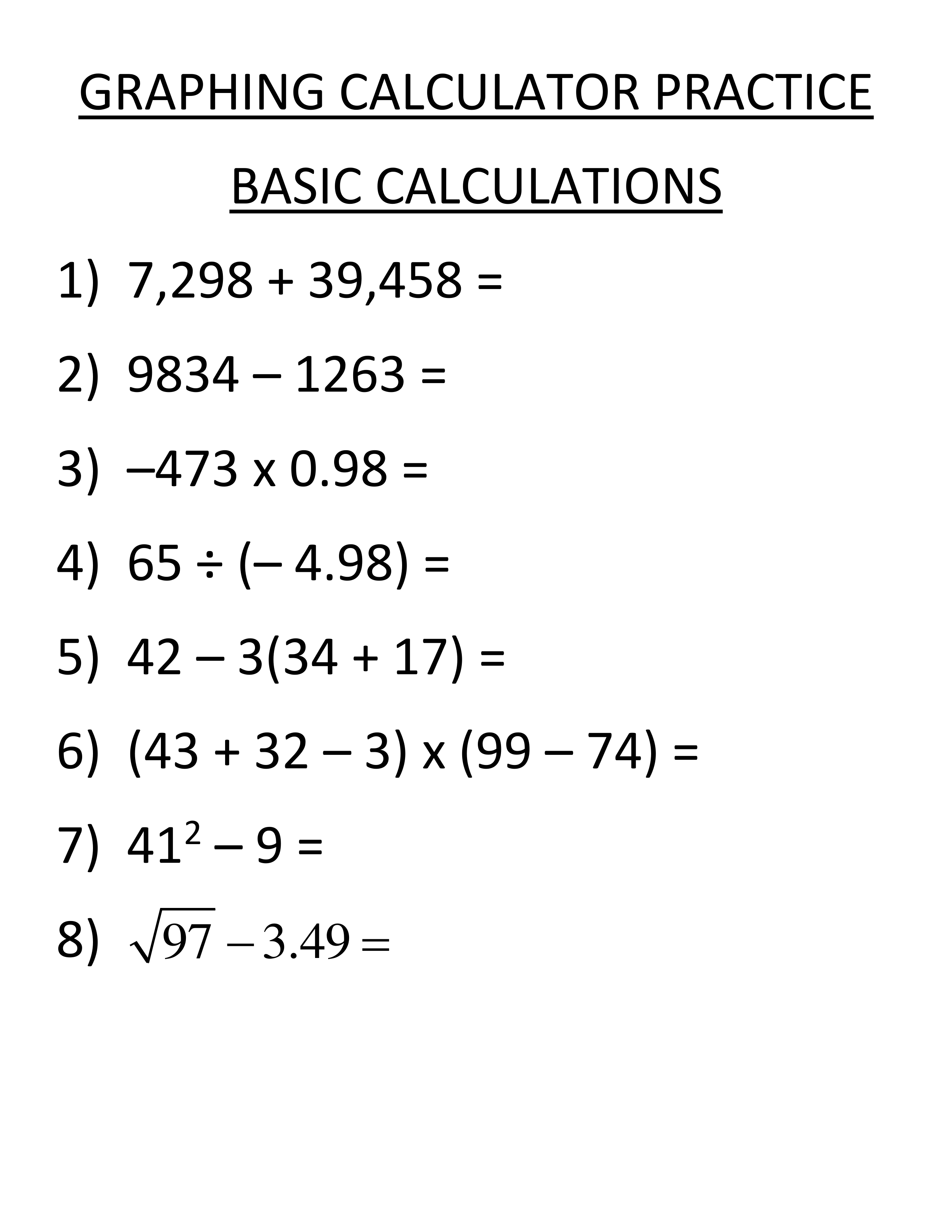
Take a picture of your calculator with the expression and answer in it, and upload it to the "show your work" box below.
Type your answer to #1 here to check your work.
Take a picture of your calculator with the expression and answer in it, and upload it to the "show your work" box below.
Check your answer for #2 here.
Take a picture of your calculator with the expression and answer in it, and upload it to the "show your work" box below.
Check your answer for #3 here.
Take a picture of your calculator with the expression and answer in it, and upload it to the "show your work" box below.
Check your answer to #4 here. Round to the thousandths place.
Take a picture of your calculator with the expression and answer in it, and upload it to the "show your work" box below.
Check your answer to #5 here.
Take a picture of your calculator with the expression and answer in it, and upload it to the "show your work" box below.
Check your answer to #6 here.
Take a picture of your calculator with the expression and answer in it, and upload it to the "show your work" box below.
Check your answer to #7 here.
Take a picture of your calculator with the expression and answer in it, and upload it to the "show your work" box below.
Check your answer to #8 here. Round to the nearest thousandths place.
Upload a picture of the graph from your calculator.