1
Identify
Identify
1
1
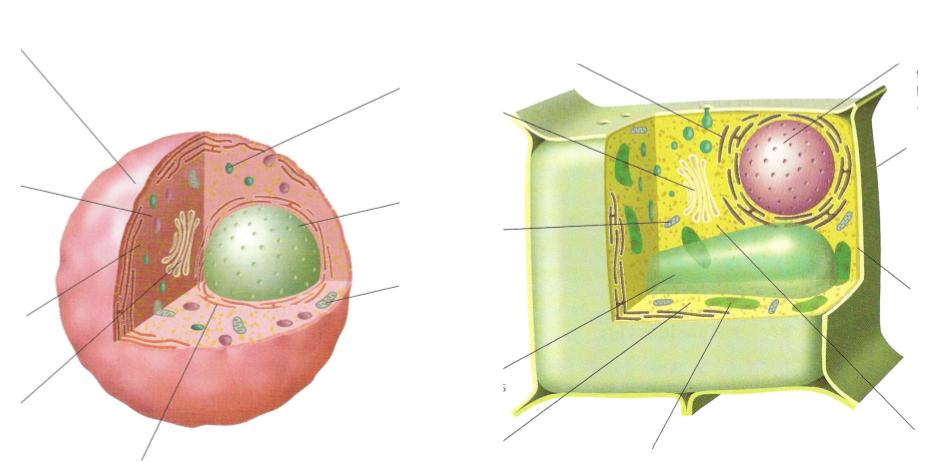
You can use Formative to help your students label diagrams and share their understanding of concepts. Simply create a Show Your Work question and upload a diagram as a background image! Your students can then use the draw tool and text tool on the sidebar to label it!
You can also add an image or PDF using the Enhance option and use that to ask questions. The benefit to doing it this way is that it allows autoscoring.
Identify
A way to use Formative collaboratively is to have a question where the answer is the group member's names. One person's device is used by all members of the group.
After the "names" question below (#7) there are several ways to proceed. One example is below (#8):
Who are the members of this group?
Complete the following diagram by using the word bank and the text tool to fill in the numbered spaces. Make sure each group member uses a different color.
You can use various types of questions, depending on how much scaffolding you want to give, to collect lab reports from students. A short answer question allows for more open response. A totally open response would be to give an essay type and have them enter the entire report in one question. The more specific the question in terms of answers available, the more scaffolded the question. E.g. For primary students, we may have them experiment with colour, and when they mix red and blue, we expect purple. We could give them multiple choice, even without words and only colour pictures where they need to identify their results.
What is your Question or Purpose for this Experiment?
The categorize question type is a quick way to assess understanding of concepts. In a lab report question as given below, it determines if they understand the vocabulary of the categories and can apply it to the experimental items.
Please put the variables into the correct locations.
Size of bubble
Type of Gum
Size of Gum Piece
Person Making Bubble
Independent
Dependent
Control
Please check off each step as you complete it.
The show your work question can be as basic as the one below that allows students to fill in a table using the show your work text tools or could be more flexible where students need to upload a picture of their observations. For young children, you could even upload different observation possibilities such as colours or sizes and they just need to circle what they saw.
Fill out the table with your observations.
Audio questions and responses allow for quick information as for many students it might be easier to say what they discovered, and to understand the verbal question. One example would be ESL students, or, very young students.
Resequence is an excellent type of question when the order matters for something such as a cycle or particular order of events such as how waste water is processed, the exact steps in an experiment or the development stages of a butterfly.
Put the steps of the scientific method into the correct order.
Materials
Question
Procedure
Conclusion
Hypothesis
Observations
In this example of adding a graphic organizer, students are visiting different energy stations. They can choose which stations to complete and then their job is to find the information they need to complete the following data tables below. To open the links on the image, they must right click on them. For this Formative, I highly recommend that you have students open each in a new window so that they can add the information as they find it without having to tab over while trying to remember.
If an element has ______________, ____________________, and is _________________, then it is a _________________.
Identify
This organelle is responsible for energy production in the cell.