1
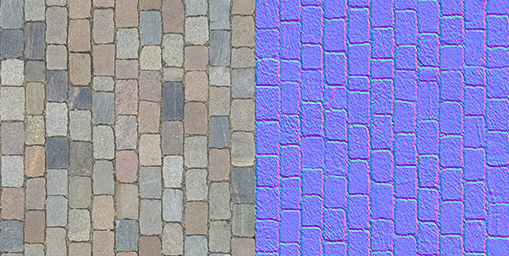
This image shows what two texutre maps?
This image shows what two texutre maps?
This quiz tests the knowledge of texture maps, how they are made, and what they do for our game objects.
This image shows what two texutre maps?
Explain the differences between a texture, material, a shader, and how they work together to create the look of our game assets.
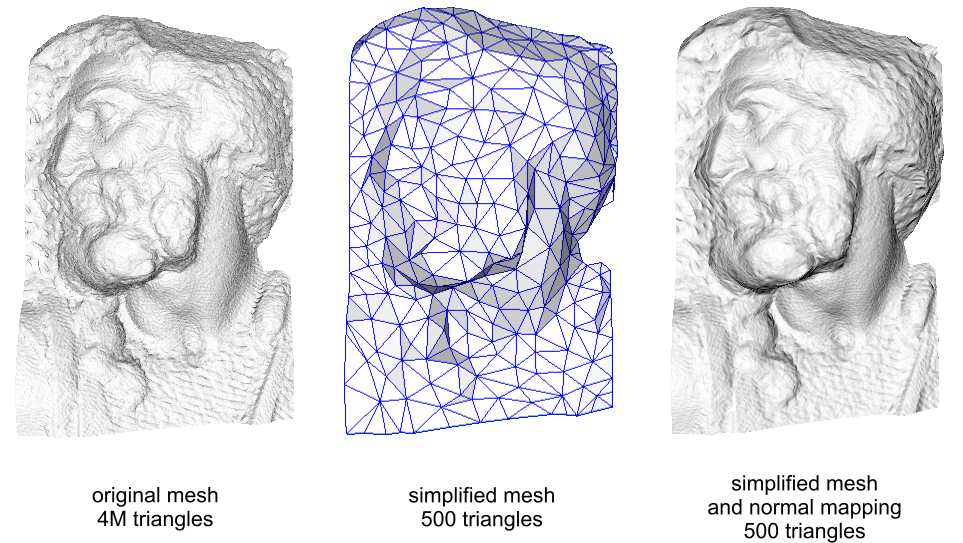
Explain what this image is showing, and why this step is important for performance.
The Normal Map is the texture that gives a game object its look or color.
What does a "Shader" do for our game objects?
PBR stands for...
The Occlusion Map creates deeper shadows and brighter highlights.
Which texture maps can be found in the "Filter" drop down menu of Photoshop?
The Height map creates a sense of displacement on our object allowing low poly assets appear to have greater detail.
You cannot simulate higher detail with textures only. If you want high resolution, high detail models you must create high poly count game objects.