True or False: As you answer questions, the dots at the top left of the Formative screen will become filled in with color.
Multiple Selection: Select the activities that are sports. Select all that apply.
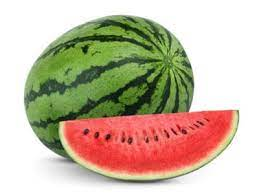
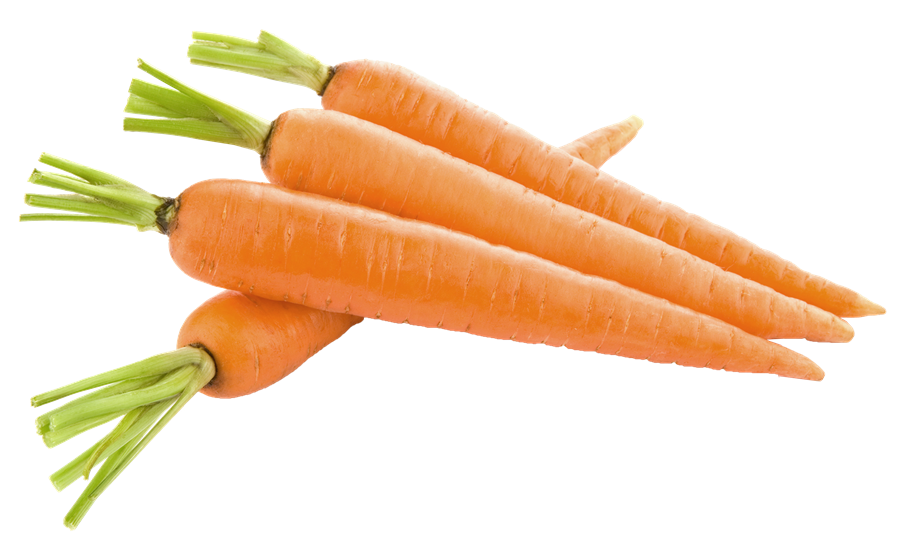
Categorize: Drag each food on the left into the correct category on the right.
Oranges
Green beans
Bananas
![]()
Broccoli
Fruits
Vegetables
Matching: Drag the items on the left up and down until they match the correct colors on the right.
Hint: Assume that there is no yellow snow!
| Stavka koja se može prevući | arrow_right_alt | Odgovarajuća stavka |
|---|---|---|
Grass | arrow_right_alt | Blue |
Sun | arrow_right_alt | Green |
Snow | arrow_right_alt | Yellow |
Sky | arrow_right_alt | White |
Spelling: Listen to this word:
Spell the word you heard in the response field. Write only the word.
For this item, capitalization of the first letter does NOT matter.
Resequence: Drag the days of the week into chronological order.
Thursday
Tuesday
Monday
Wednesday
Friday
Numeric (math input): Open the math input keyboard and use it to write ONE of the two equations below.
Do NOT add spaces in your response.
Formative Graphing: In this item, graph the line representing the function
Always zoom and pan your graphs to establish an appropriate viewing window.
The way you leave your graph is the way your teacher sees it for grading and feedback.
Desmos Graphing:
Open Desmos's graphing calculator at desmos.com/calculator in a new tab for a little more screen real estate as you work.
Graph the line representing the function
Zoom and pan your graph to establish an appropriate viewing window.
Capture a screenshot of your graph and add it to the Show Your Work canvas. On a Chromebook, initiate a screenshot using ctrl+shift+(the key above 6).

Show Your Work: Explore the basic tools provided on the "show your work" canvas and use them to complete the tasks listed below.
Pro Tips:
★ Hover your cursor over a tool's icon to reveal its name
★ Each item you add to the canvas then behaves like an image that can be moved, rotated, and resized using the Select tool.
Complete the following:
◆ Draw a flagpole (try the Scribble, Line, and Shape tools)
◆ Add a text box and type something (use the Text tool)
◆ Upload an image from your computer (use the Image tool)
◆ Add a green rectangle (adjust Color, Line Thickness, and Options, then use the Rectangle tool)
◆ Add a purple circle (adjust Color, Line Thickness, and Options, then use the Circle tool)

True or False: Formative items (questions) can be answered in any order.
Type your name in the response field and use the Show Your Work canvas to write your initials.
Use the shape tool to add a solid orange rectangle to the canvas.
Draw a smiley face on paper or on a whiteboard and use the camera tool to add an image of it to the canvas.
Matching: When Formative assignments are set to return scores immediately, the dots at the top turn colors other than blue.
Use your intuition to match the type of response on the left with the color you expect its dot to turn on the right.
| Stavka koja se može prevući | arrow_right_alt | Odgovarajuća stavka |
|---|---|---|
Partial Credit | arrow_right_alt | Green |
Correct | arrow_right_alt | Red |
Needs graded by the teacher | arrow_right_alt | Yellow |
Incorrect | arrow_right_alt | Gray |
True or False: Not only can you receive Formative Chat messages from your teacher on specific items, you can ask for help on any item right within Formative.
🔔 As you work, watch out for feedback notifications on the bell icon at the top right of your screen.
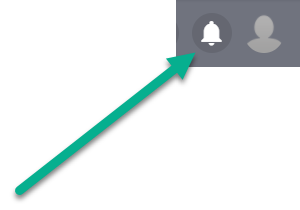
You should view notifications frequently to receive feedback promptly and clear the alert badge.
Respond to teacher feedback with questions or comments as needed.
🥇 Pro-Tip: Since clicking on a notification may open a new Formative assignment and take you away from your current work, consider duplicating the tab in your web browser before clicking. 😉
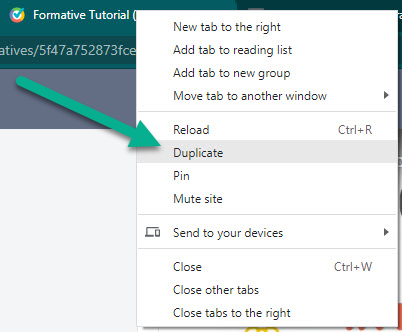
What can you add to a Formative Chat conversation with your teacher? Select all that apply.
Identify the body part indicated here by writing one of the words from this bank:
antennae
head
thorax
wings
abdomen
legs
Respond with only one word.
Identify the body part indicated here by writing one of the words from this bank:
antennae
head
thorax
wings
abdomen
legs
Respond with only one word.