1
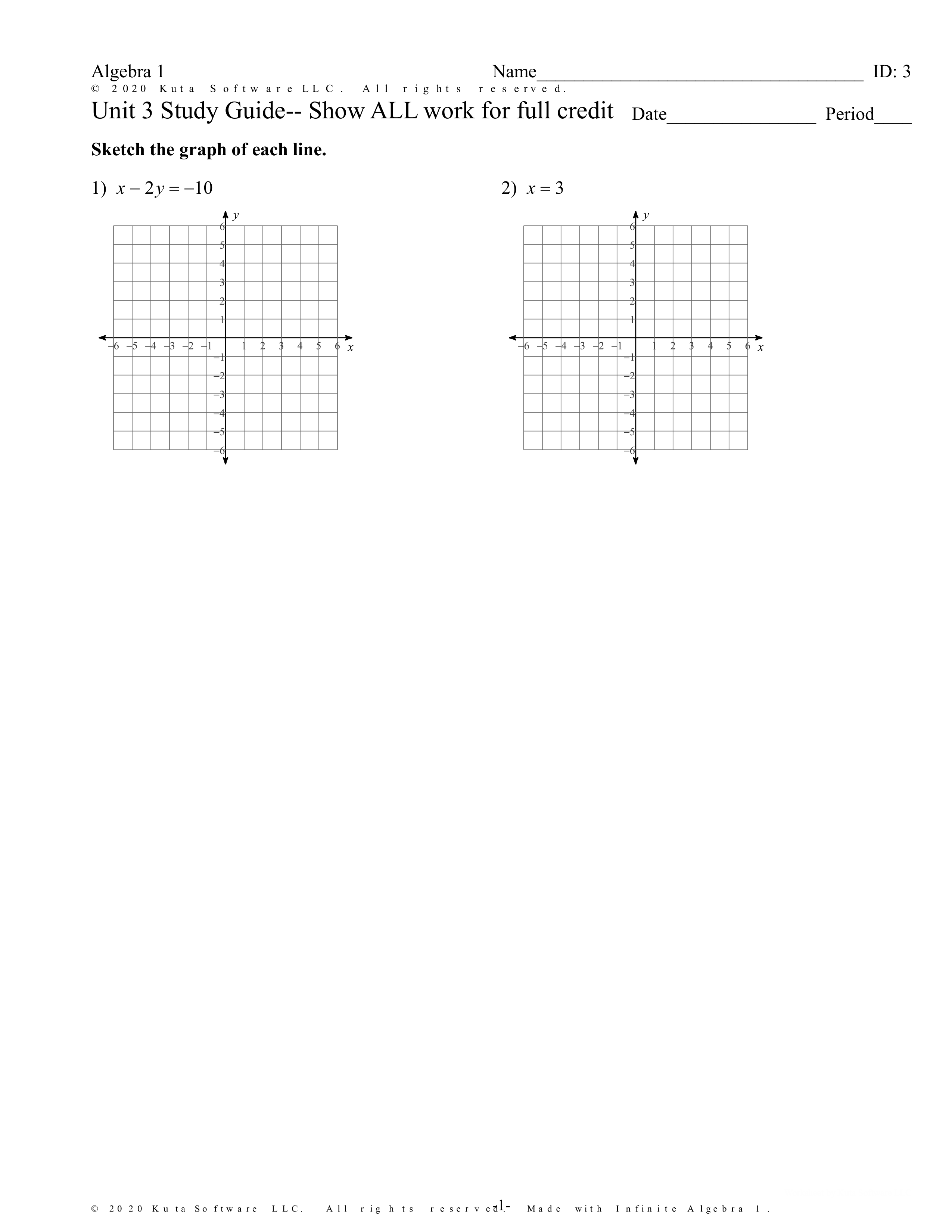
Sketch the graph of the line
Sketch the graph of the line
A1.F.IF.C.6a
1
Sketch the graph of the line
Sketch the graph of the line
A1.F.IF.C.6a
Sketch the graph of the line
Sketch the graph of the line
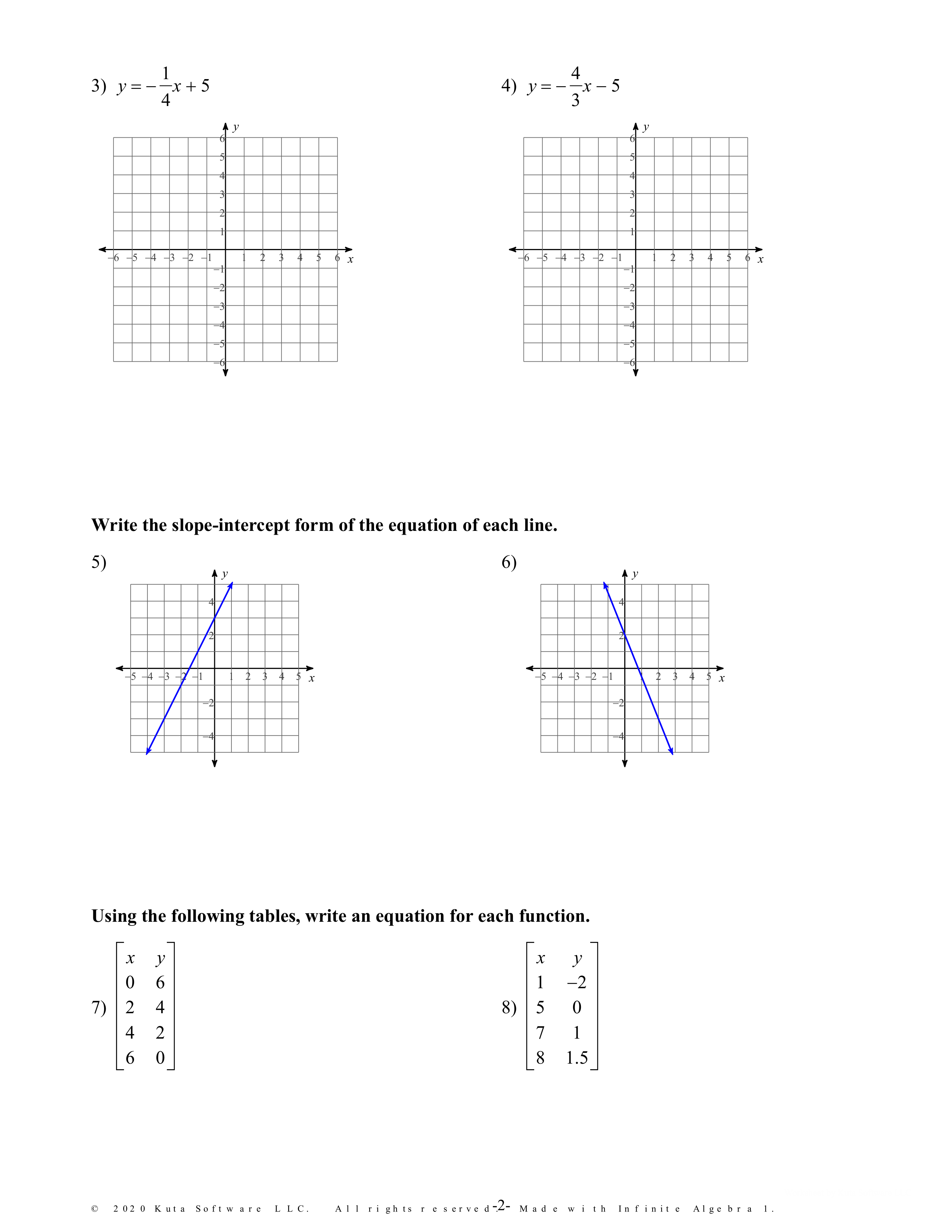
Sketch the graph of the line
Write the slope intercept form of the equation of a line.
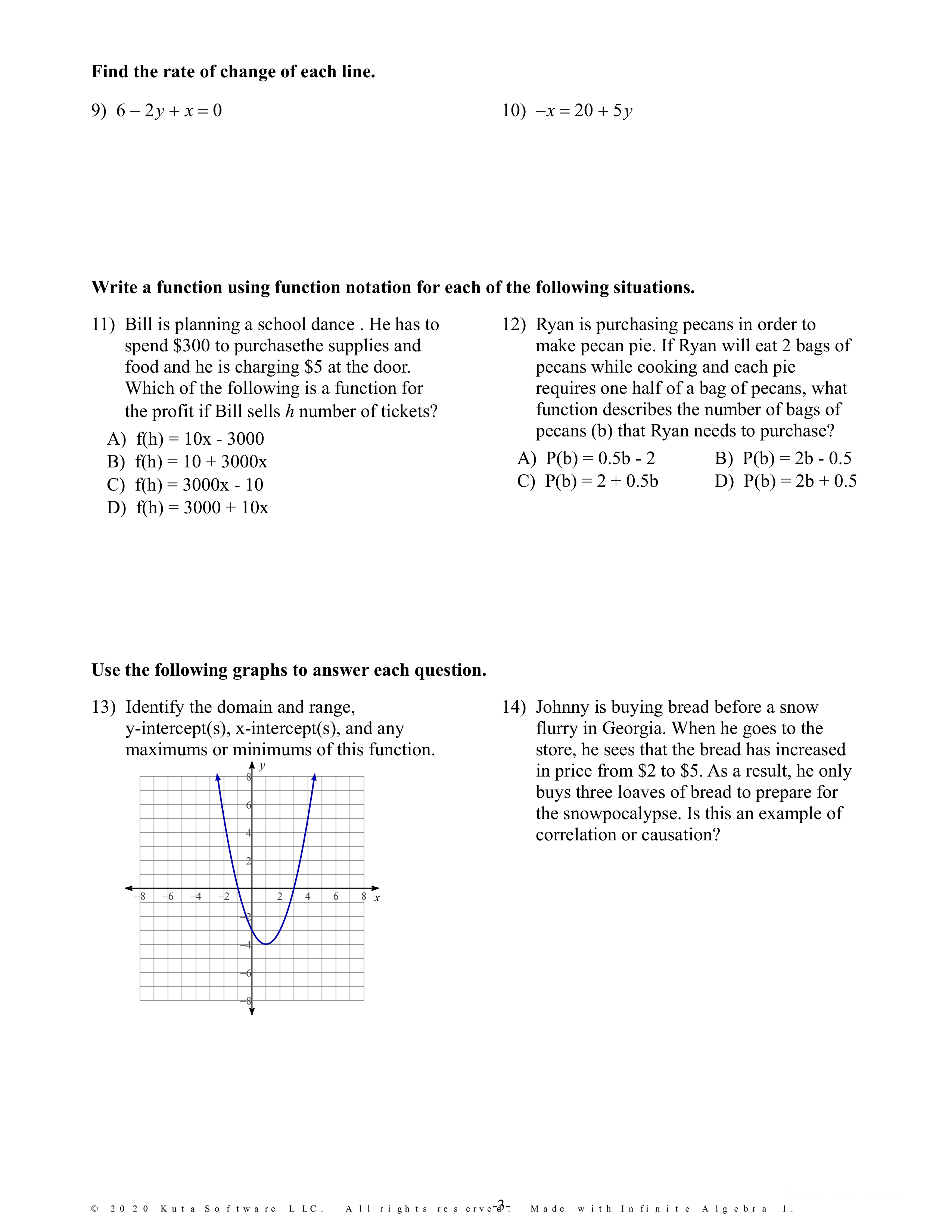
What is the rate of change of the line
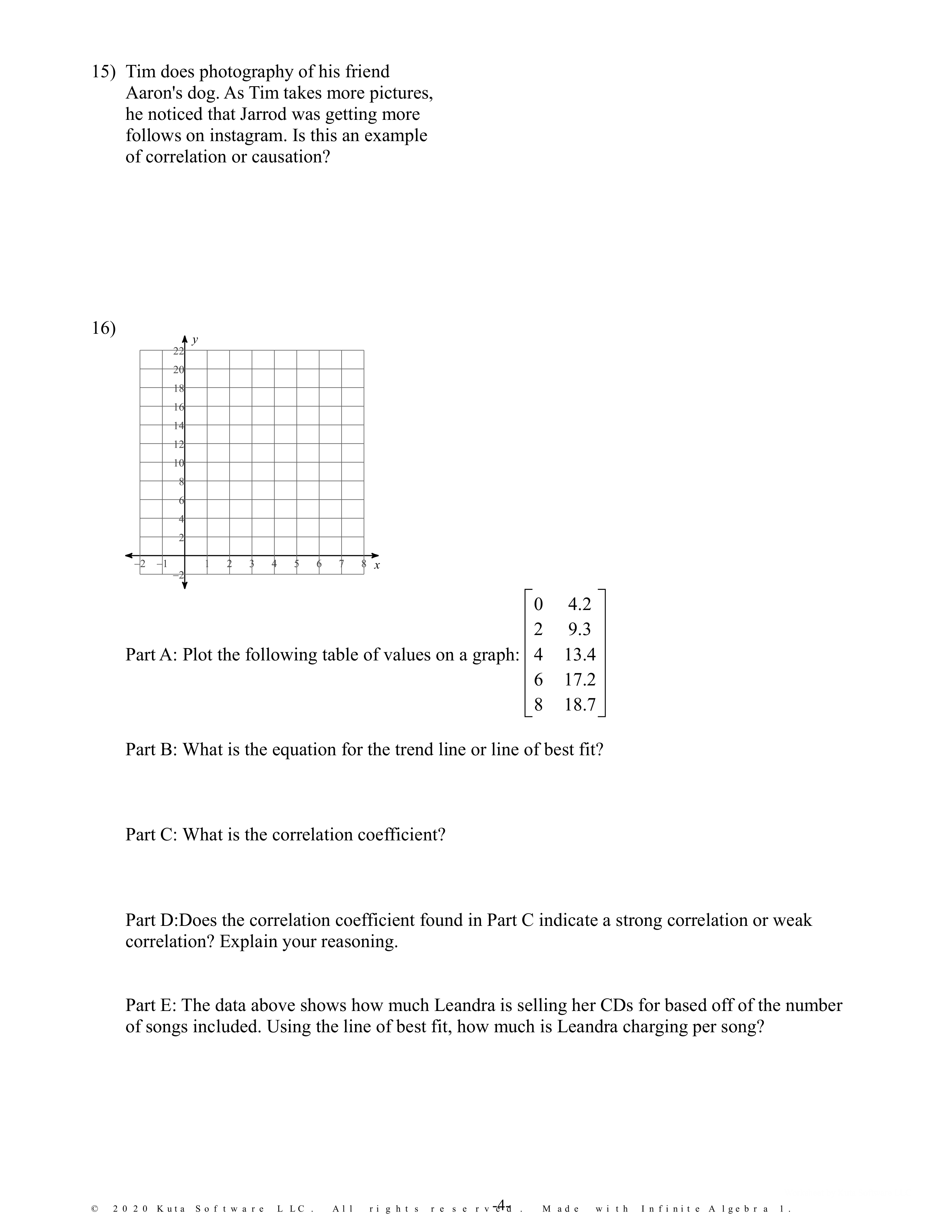
Graph the following table.
What is the correlation coefficient?
Sketch the graph of the line
Write the slope intercept form of the equation of a line.
Using the tables, write an equation for each function.
Using the tables, write an equation for each function.
What is the equation of the line of best fit?
Does the correlation coefficient indicate a strong or weak correlation. Explain.
Using the line of best fit, how much is she charging per song?
Write in standard form
Write in standard form
Write in slope intercept form.
Slope=0, y-intercept=5
Write in slope intercept form.
Slope=-2/3, y-intercept=-1
Write in standard form.
Through (5,4); slope=4/5
Write in standard form.
Through (-2,2); slope=5/2
Write in point-slope form.
Through (5,3) and (0,3)
Write in point-slope form.
Through (-5,-3) and (-4,4)
Which of are solutions to y=x+2
Explain how you know that these are the solutions.
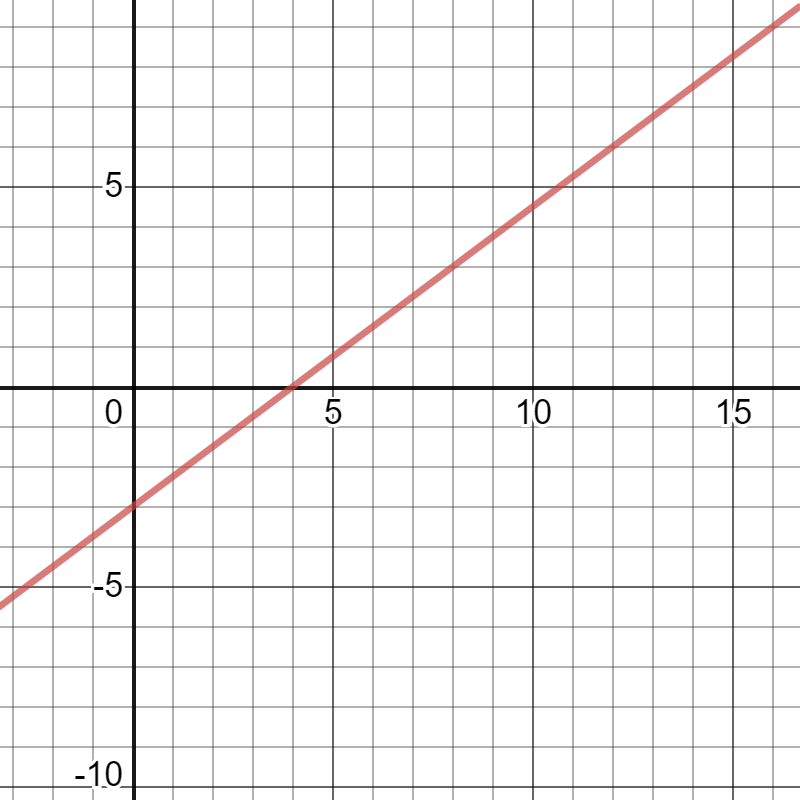
List 4 points that are solutions to this graph
A candlestick burns at a rate of 0.2 inches per hour. After eight straight hours of burning, the
candlestick is 13.4 inches tall. Write and solve a linear equation to find the original height of the
candle.
Write the equation of the line of best fit,find the correlation coefficient, & estimate the value of the car at 95,000 miles.
What type of correlation is shown?
What type of correlation is shown?
What type of correlation is shown?