Writing the equation of the line shown.
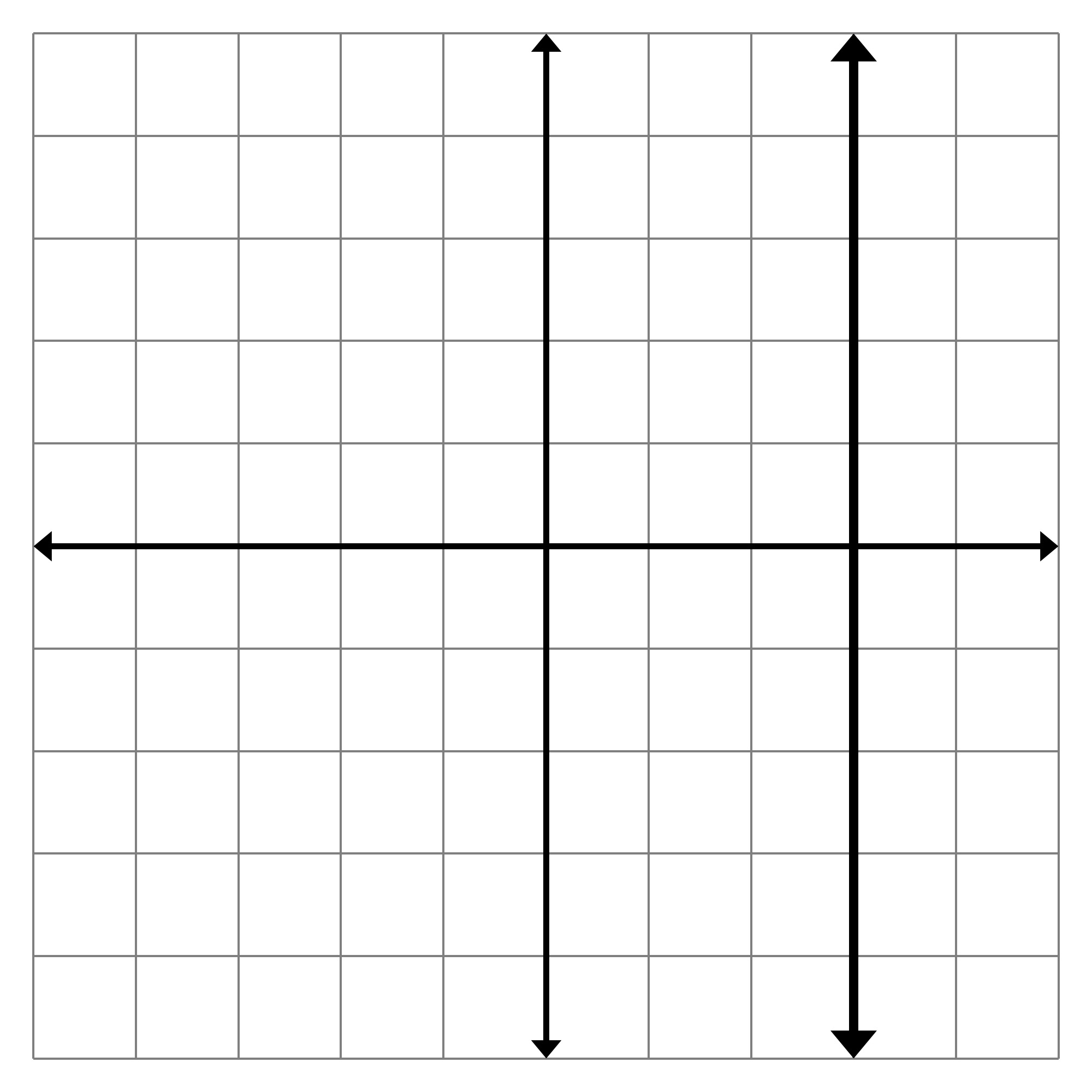
Writing the equation of the line shown.
Graph the equation using an input output table. Follow the steps below to make an input output table using the Desmos Calculator.
1) Press the "+" button in the upper right corner
2) Hit "Table" to create the table in Desmos calculator
3) Fill in values for x & y based on your equation.
4) Type the equation as you see it in the line below to draw a line through your points.
If your line does not go through the points, fix your table.
Hit the "home" button to re-center your graph.
Graph the equation using an input output table. Follow the steps below to make an input output table using the Desmos Calculator.
1) Press the "+" button in the upper right corner
2) Hit "Table" to create the table in Desmos calculator
3) Fill in values for x & y based on your equation.
4) Type the equation as you see it in the line below to draw a line through your points.
If your line does not go through the points, fix your table.
Hit the "home" button to re-center your graph.
Graph the equation using an input output table. Follow the steps below to make an input output table using the Desmos Calculator.
1) Press the "+" button in the upper right corner
2) Hit "Table" to create the table in Desmos calculator
3) Fill in values for x & y based on your equation.
4) Type the equation as you see it in the line below to draw a line through your points.
If your line does not go through the points, fix your table.
Hit the "home" button to re-center your graph.
Graph the equation using an input output table. Follow the steps below to make an input output table using the Desmos Calculator.
1) Press the "+" button in the upper right corner
2) Hit "Table" to create the table in Desmos calculator
3) Fill in values for x & y based on your equation.
4) Type the equation as you see it in the line below to draw a line through your points.
If your line does not go through the points, fix your table.
Hit the "home" button to re-center your graph.
Graph the equation using an input output table. Follow the steps below to make an input output table using the Desmos Calculator.
1) Press the "+" button in the upper right corner
2) Hit "Table" to create the table in Desmos calculator
3) Fill in values for x & y based on your equation.
4) Type the equation as you see it in the line below to draw a line through your points.
If your line does not go through the points, fix your table.
Hit the "home" button to re-center your graph.
Graph the equation using an input output table. Follow the steps below to make an input output table using the Desmos Calculator.
1) Press the "+" button in the upper right corner
2) Hit "Table" to create the table in Desmos calculator
3) Fill in values for x & y based on your equation.
4) Type the equation as you see it in the line below to draw a line through your points.
If your line does not go through the points, fix your table.
Hit the "home" button to re-center your graph.
Fill in the table and graph the line on your the empty graph below graph below.
Use the line tool to draw a straight line through your points on the graph.
Fill in the table and graph the line on your the empty graph below graph below.
Use the line tool to draw a straight line through your points.
Fill in the table and graph the line on your the empty graph below graph below.
Use the line tool to draw a straight line through your points.
Fill in the table and graph the line on your the empty graph below graph below.
Use the line tool to draw a straight line through your points.
Writing the equation of the line shown.
Writing the equation of the line shown.
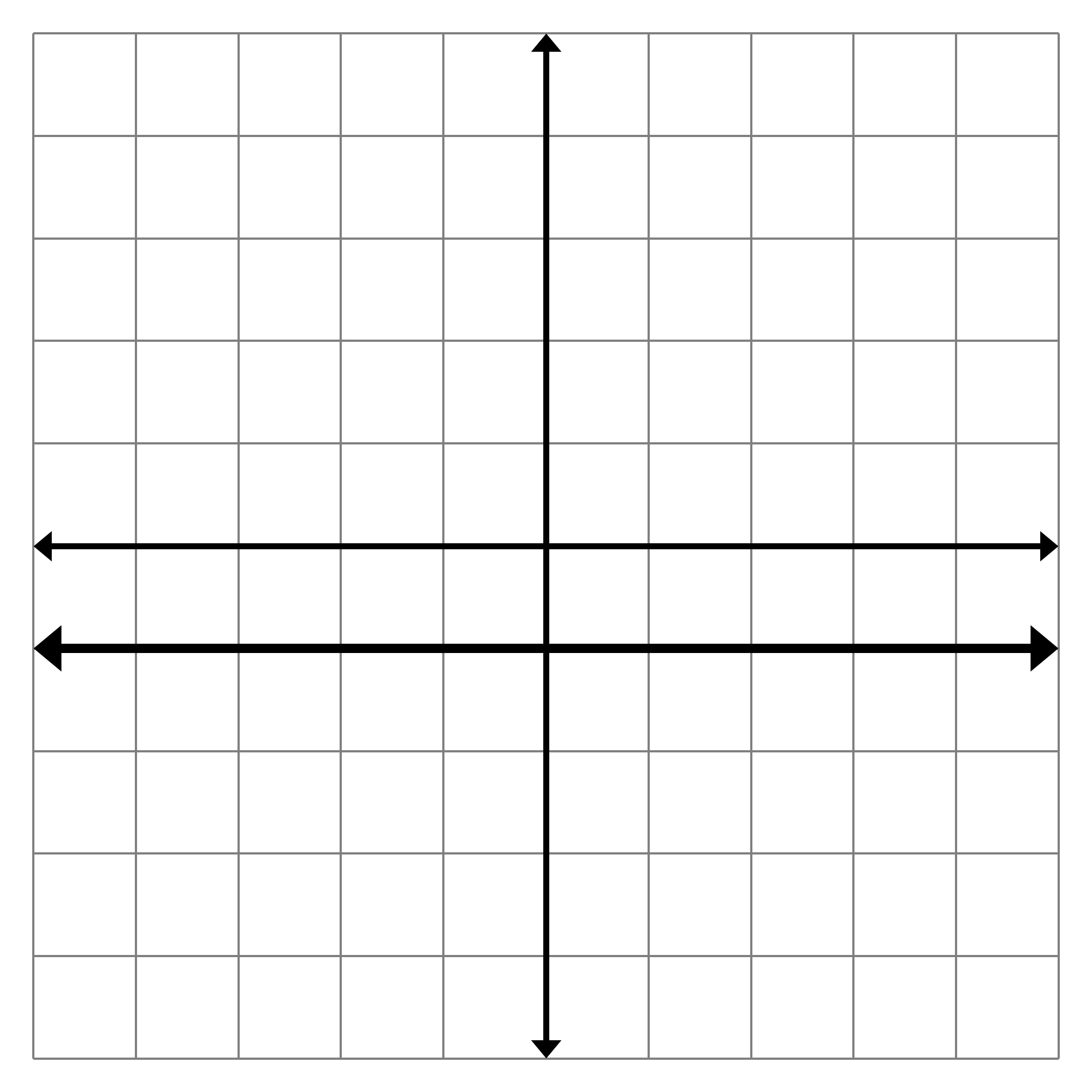
Graph the equation in the graph below.
Graph the equation in the graph below.