21-22 MM 3.6
star
star
star
star
star
Last updated about 1 month ago
22 Nsɛmmisa

1
1
1
1
1
1
1
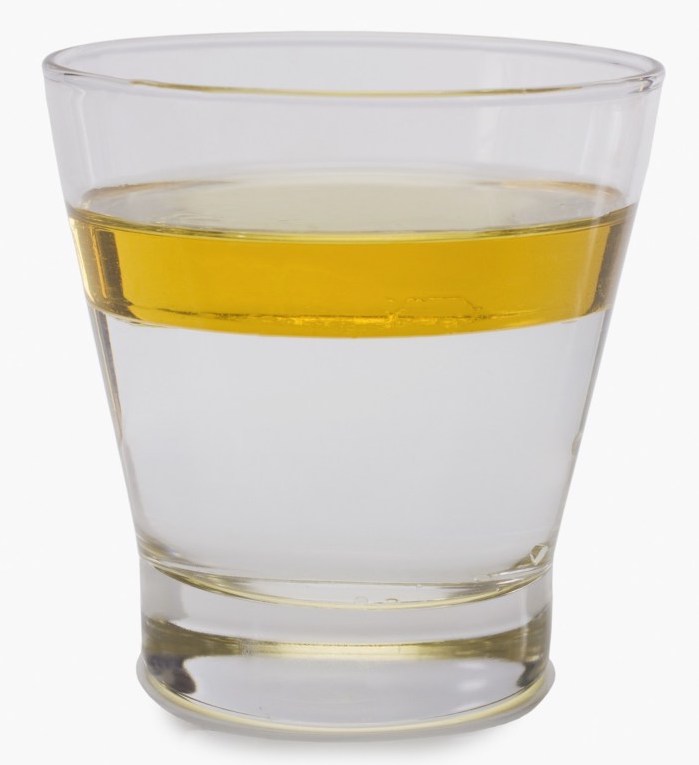
Do you observe (see) layers?
Does this mean the oil and water mix or not mix (separate)?

Do you observe (see) layers?
Does this mean the oil and water mix or not mix (separate)?
Now we are going to look at the oil and water (vinegar) mixtures at the nanoscale (molecules)
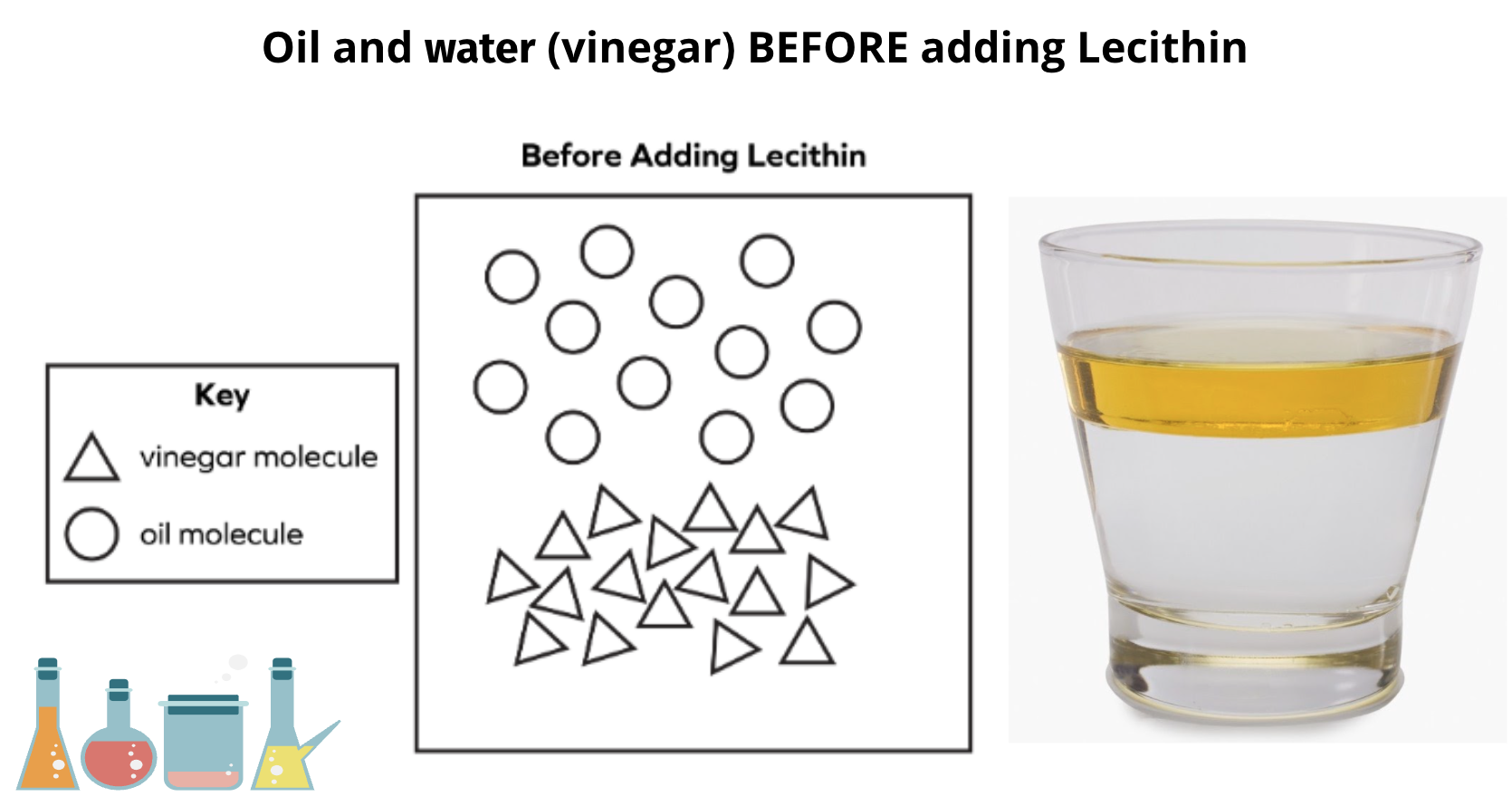
Does this model show vinegar molecules and oil molecules attracted (combined, connected) to each other?
Does this model show the oil and vinegar (water) molecule mixing or not mixing (staying separate)?
Click on the link to the model -
https://learning.amplify.com/modelingtool/#/tool/1443521044986/level/29_Emulsion_Model_id_1670
1. Choose one shape to represent each kind of molecule and drag each shape to the Key.
2. In the large box representing the mixture in the cup, create a nanovision model of an emulsifier. From the bottom of the screen, drag shapes you chose to the mixture in the cup.
What does the Emulsifier Model show?
Sentence starter: The emulsifier model shows ______________________________
Oil molecule is ____________________________ to vinegar molecule
Emulsifier molecule is ____________________________ to vinegar molecule
Emulsifier molecule is ____________________________ to oil molecule
Sandwich Model
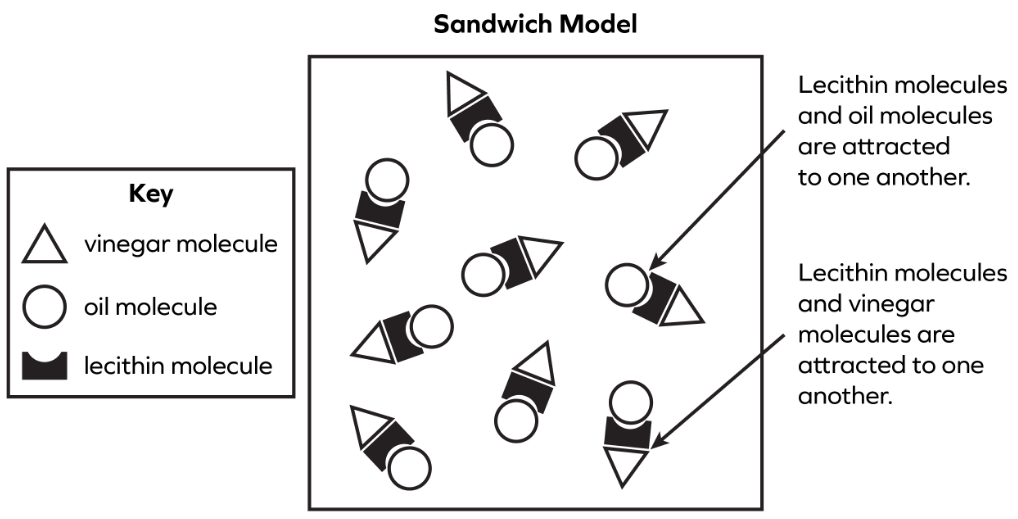
Is the lecithin (emulsifier) molecule attracted to the oil molecule?
Is the lecithin (emulsifier) molecule attracted to the vinegar molecule?
Surronding Model

Is the lecithin (emulsifier) molecule attracted to the oil molecule?
Is the lecithin (emulsifier) molecule attracted to the vinegar molecule?
Which model is more correct?
Are the oil molecules and water molecules attracted to each other?
Does this mean the oil molecules are attracted to the lecithin (emulisifier) molecules?
Does this mean the water molecules are attracted to the lecithin (emulisifier) molecules?
Which of the following is true for this model?
Is the sandwich model correct?
Which of the following is true for this model?
Is the surrounding model correct?
