Log in
Sign up for FREE
arrow_back
Library

Lab: Waves part 2 - Water/Sound/Light (Phet-simulation)

star
star
star
star
star
Last updated about 3 hours ago
20 questions
1
2
1
1
1
1
1
1
1
1
1
1
1
1
1
1
1
1
2
1
Waves


https://phet.colorado.edu/en/simulation/waves-intro
Click on the above link. Start simulation. Choose Water
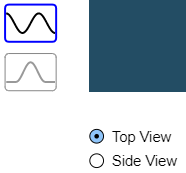
Click Side View, (bottom left) Choose the multi wave.
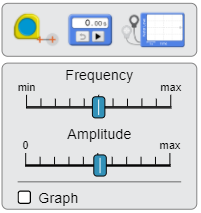
Set Frequency and Amplitude in the middle as shown above. Click the Graph.
Click on the green dot on the faucet and start the water flowing. Observe the waves. Compare what you see with the water to the waves on the graphs.
Question 1
1.

Now increase the frequency. What happens with the number of waves?

Question 2
2.

Increase the amplitude. Does the wave change? How?

Question 3
3.

Decrease the frequency, What happens with the number of waves?

Question 4
4.

What happens to the distance between waves (wavelength)?

Question 5
5.

Decrease the Amplitude, What happens with the waves?

Now choose the Speaker (sound) the bottom. Set to side view and the multiple waves. Put Frequency and Amplitude in the middle (just like you did with the water) Choose Play Tone and Waves.
Question 6
6.

You can have your sound. Push the green button for sound. What do you notice about the waves?

Question 7
7.

Notice the speaker movement. Now increase the frequency. How does the speaker movement change?

Question 8
8.

What happened to the pitch of the sound when you increased the frequency?

Question 9
9.

What happened to the number of waves when you increased the frequency?

Question 10
10.

What happened to the distance between waves (wavelength) when you increased the frequency?

Now choose Light at the bottom. Set the Frequency and Amplitude sliders in the middle.
Question 11
11.

What color is the light?

Question 12
12.

Slide the frequency to the left (so a lower frequency). What happens to the color?

Question 13
13.

What happens to the number of waves?

Question 14
14.

What happens to the distance between the waves (wavelength)?

Question 15
15.

Slide the frequency to the right (so a Higher frequency). What happens to the color?

Question 16
16.

What happens to the number of waves?

Question 17
17.

What happens to the distance between the waves (wavelength)?

Question 18
18.

Choose one color (frequency). Increase the Amplitude. Does the color (frequency) change?

Question 19
19.

Does the Brightness change? How?

Question 20
20.

Is the color of the light determined by the frequency?