Twa kɔ nsɛm atitiriw so
Log in
Sign up for FREE
arrow_back
Laabri

6.6 Reaction Rates Lab

star
star
star
star
star
Last updated almost 4 years ago
5 Nsɛmmisa
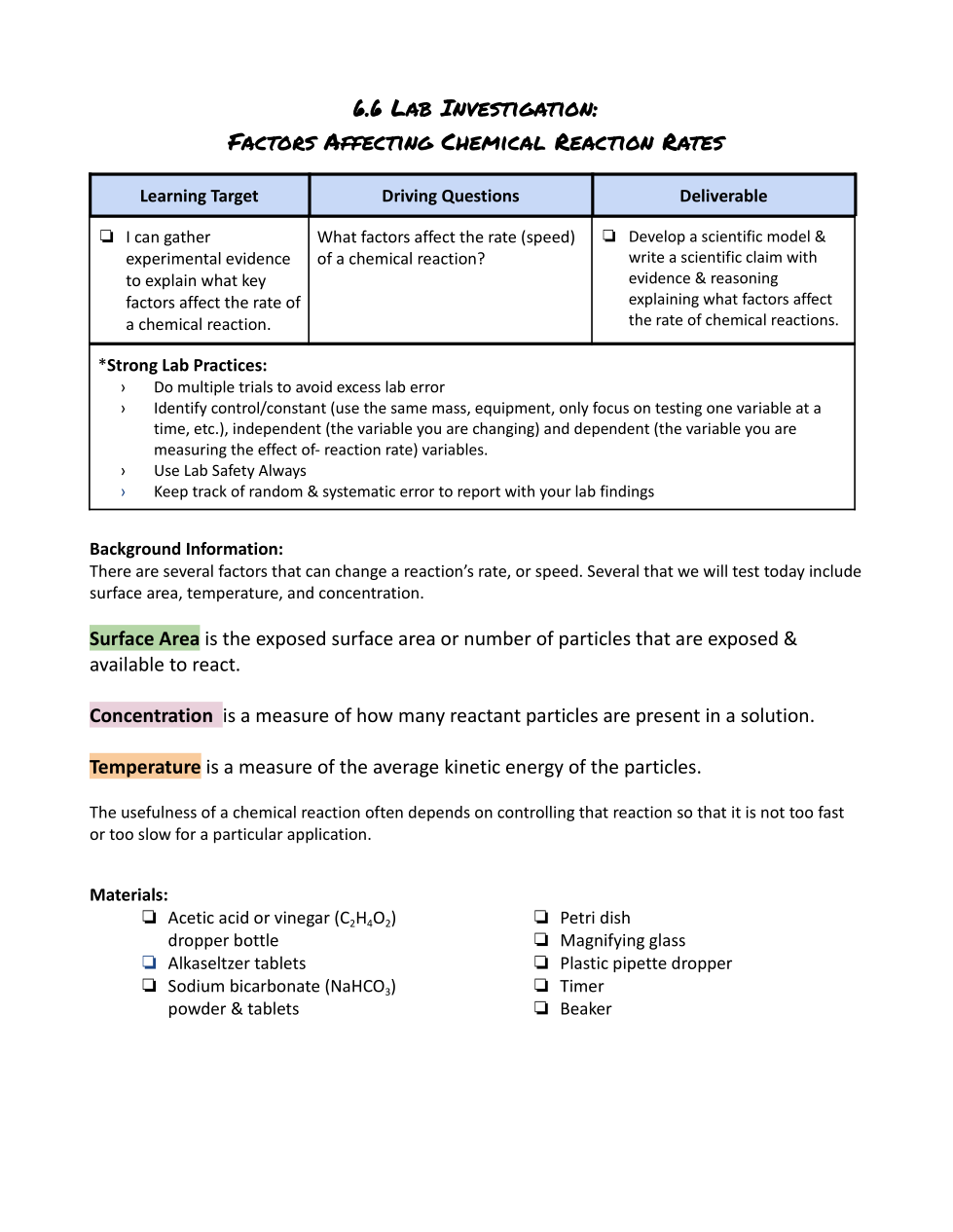
This is also posted on Activelylearn.com if you would like to use translations or audio features.

Esto también se publica en Activelylearn.com si desea utilizar traducciones o funciones de audio.

Lab Overview Video

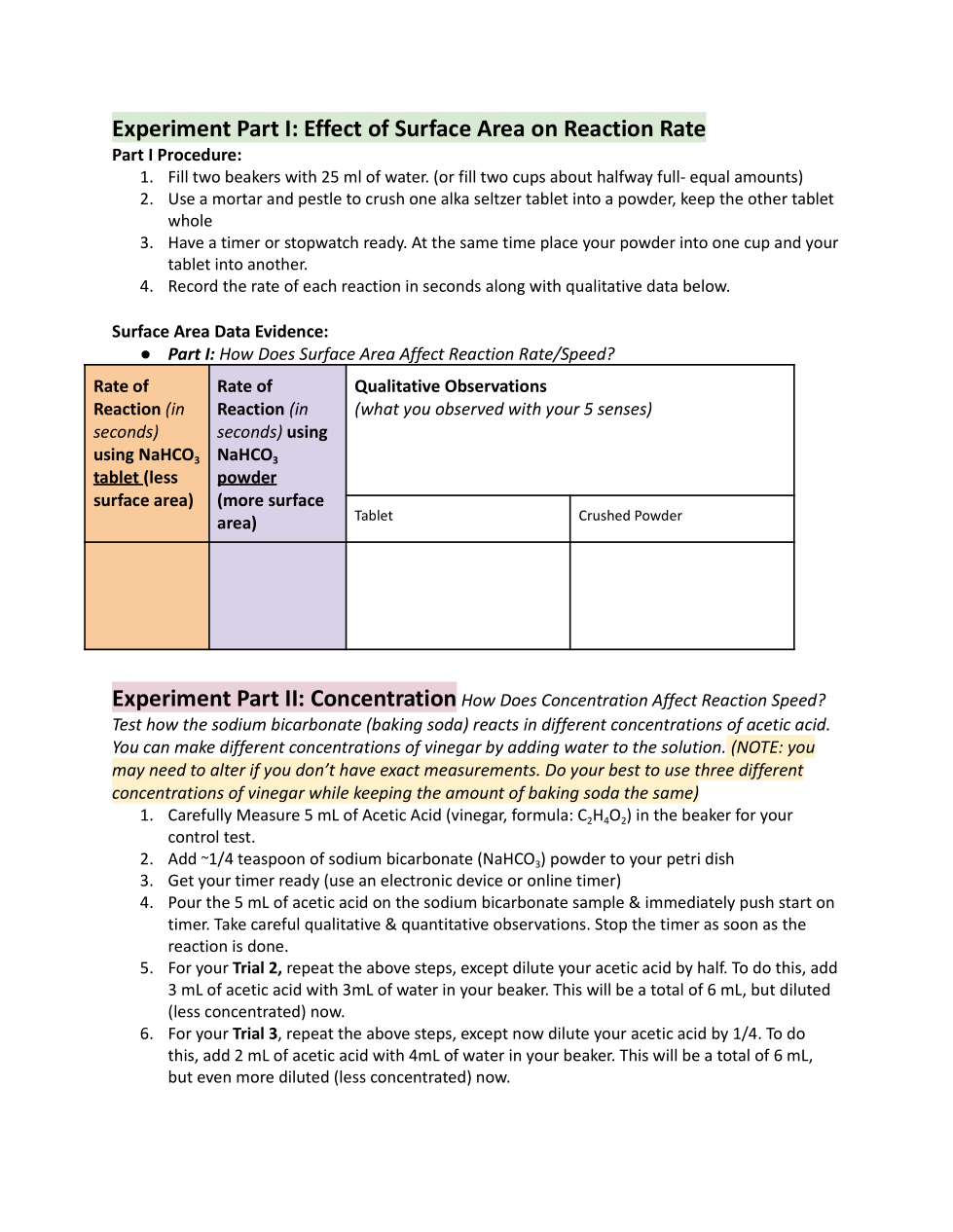
Carefully Read and perform experiment Part 1: Surface Area

1
Asemmisa {{asɛmmisaAhyɛnsode}}
1.

Record your data for Experiment 1: Surface Area here.
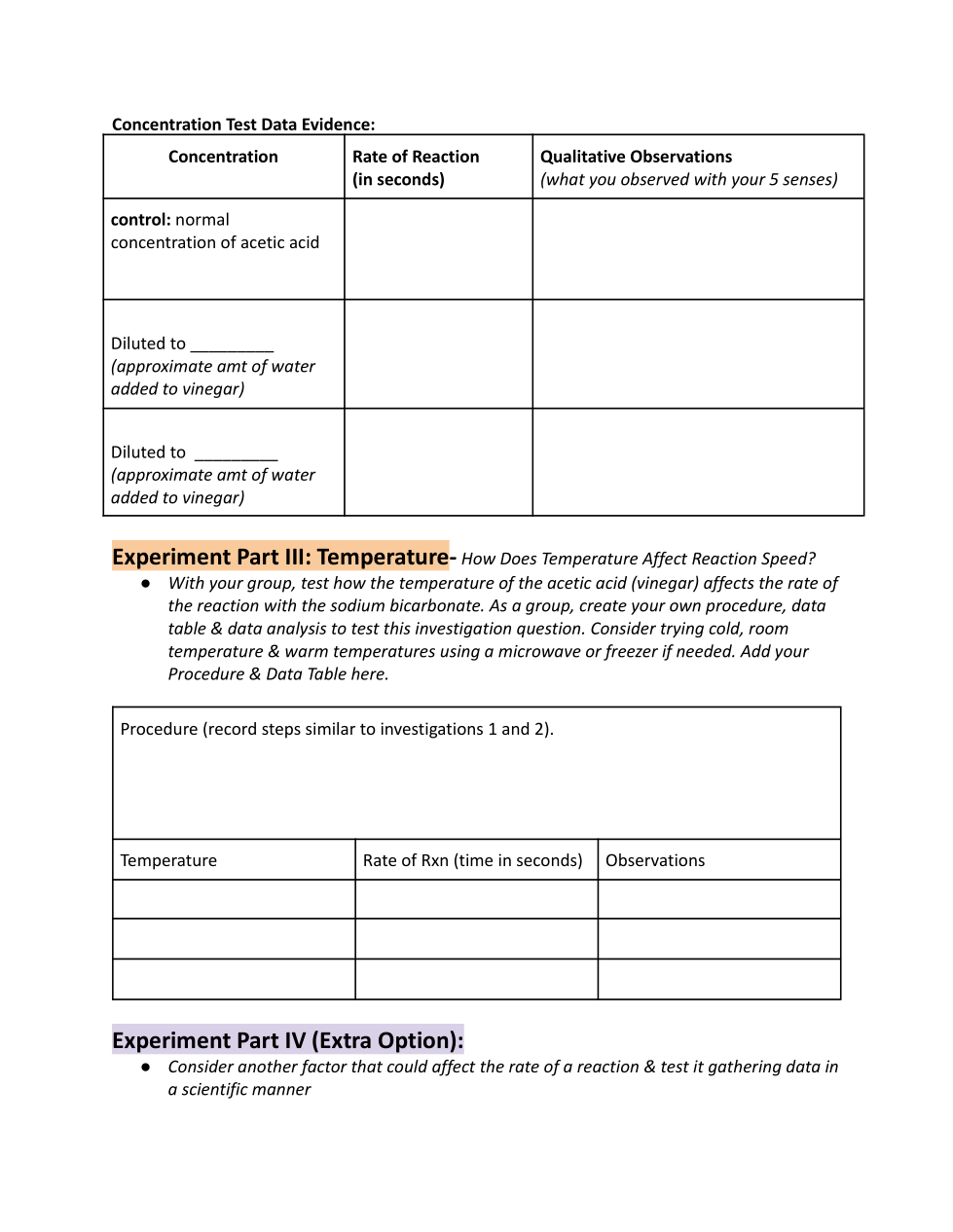
Carefully Read and perform experiment Part 2: Concentration

1
Asemmisa {{asɛmmisaAhyɛnsode}}
2.

Record your data for Experiment 2: Concentration here.

Carefully Read and perform experiment Part 3: Temperature

1
Asemmisa {{asɛmmisaAhyɛnsode}}
3.

Record your proceudre and data for Experiment 3: Temperature here.
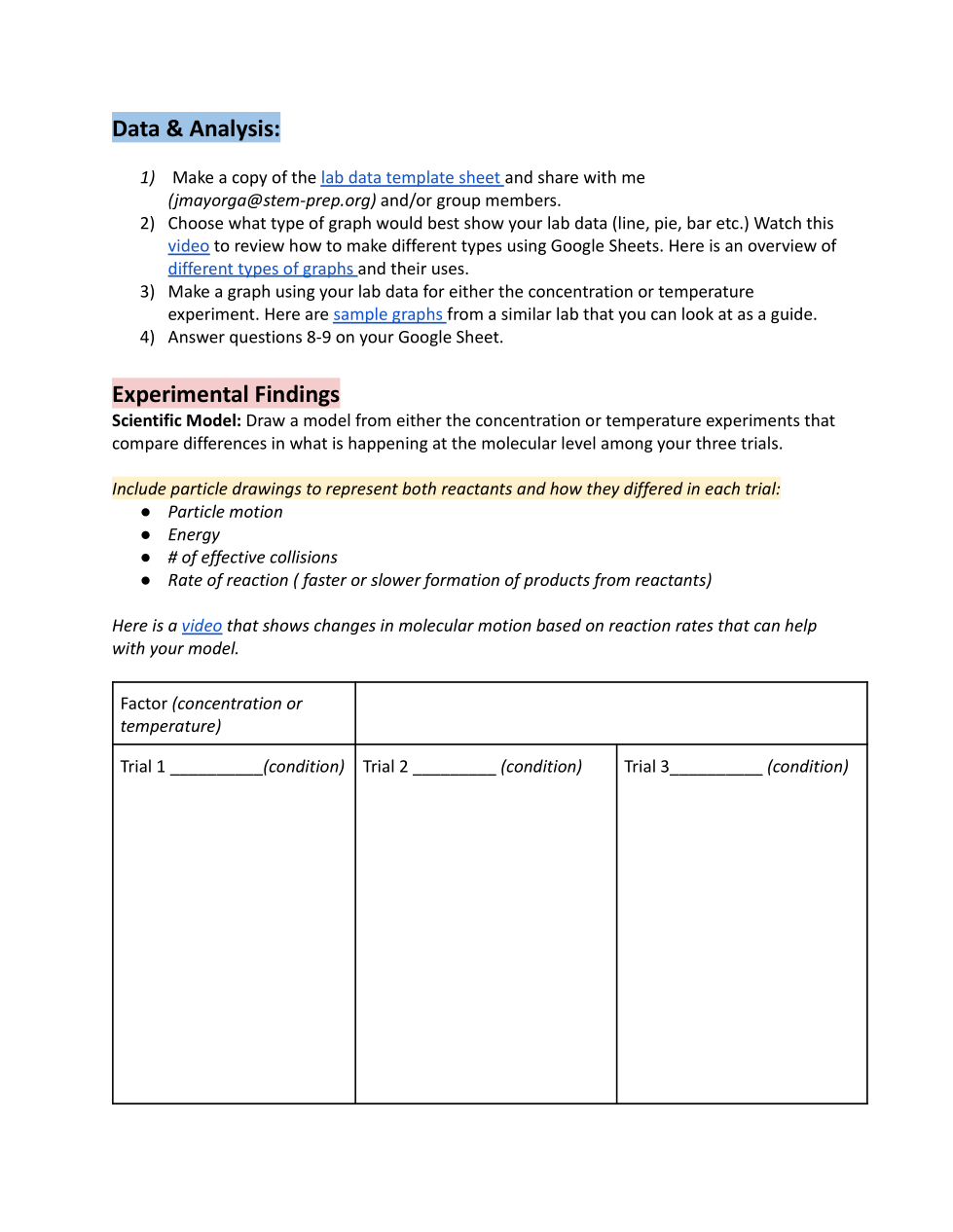
Data and Analysis: Complete the following steps

  1. Make a copy of the lab data template sheet and share with me (jmayorga@stem-prep.org) and/or group members.

  2. Choose what type of graph would best show your lab data (line, pie, bar etc.) Watch this video to review how to make different types using Google Sheets. Here is an overview of different types of graphs and their uses.

  3. Make a graph using your lab data for either the concentration or temperature experiment. Here are sample graphs from a similar lab that you can look at as a guide.

  4. Answer questions 8-9 on your Google Sheet.

1
Asemmisa {{asɛmmisaAhyɛnsode}}
4.

Create a particle model for either the concentration or temperature experiment.

Here is a video that shows changes in molecular motion based on reaction rates that can help with your model.
1
Asemmisa {{asɛmmisaAhyɛnsode}}
5.

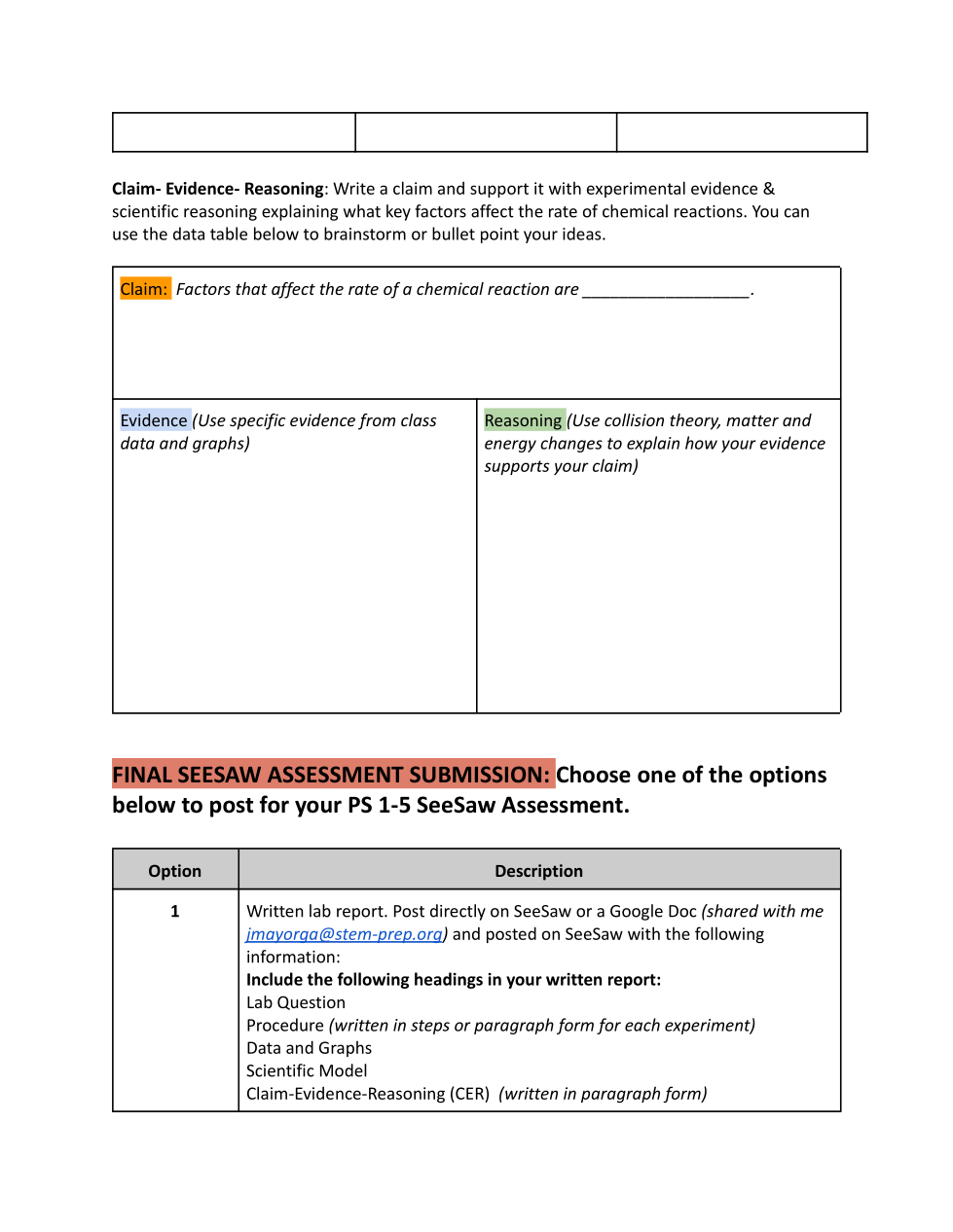
Write a draft Claim-Evidence-Reasoning explaining what key factors affect the rate of chemical reactions.
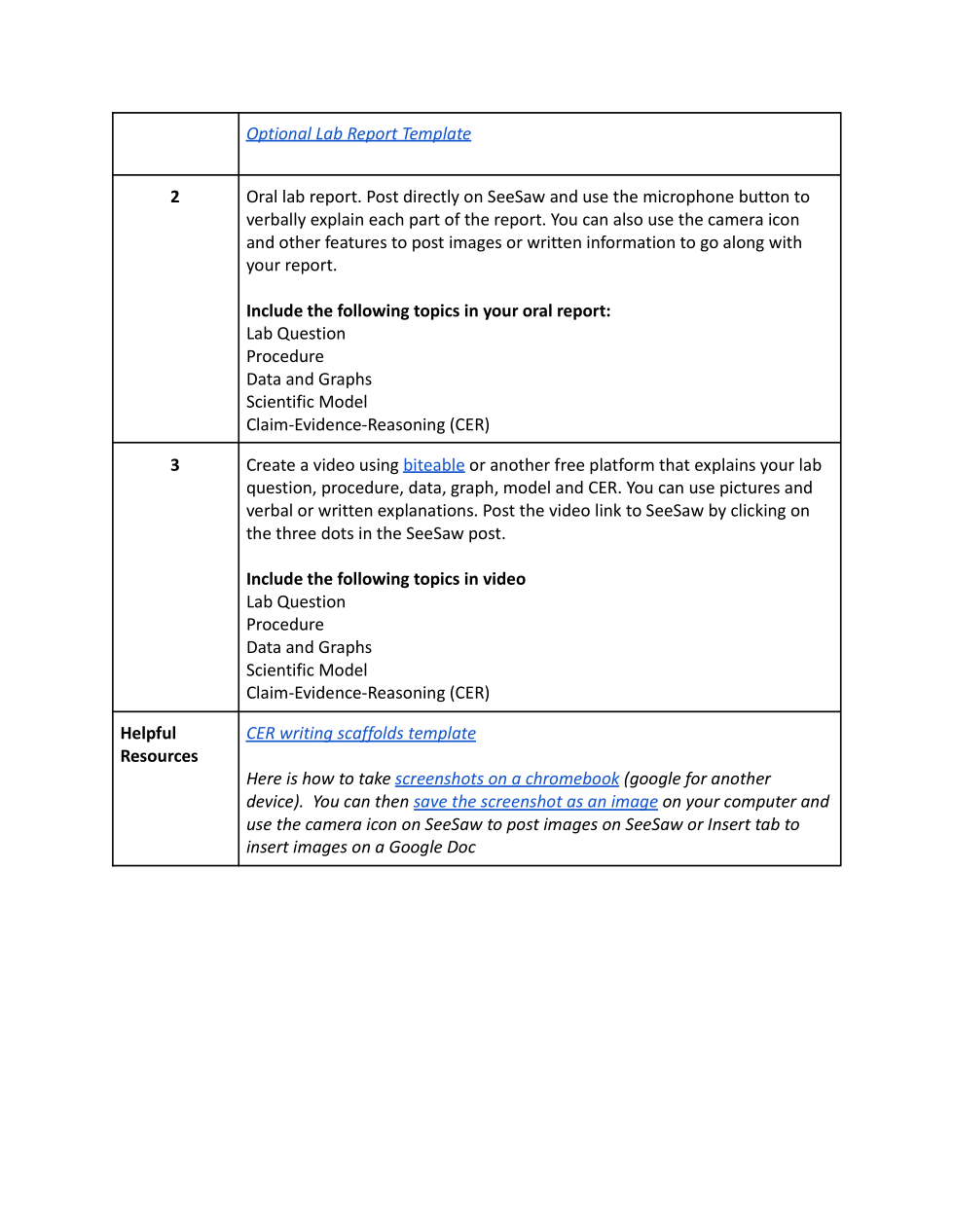
Carefully review the Final SeeSaw PS1-5 Assessment Options. Here are the links to optional resources provided in the options table.

Option 1: Optional Lab Report Template

Option 3: biteable video platform

Helpful Resources:

CER writing scaffolds template

Here is how to take screenshots on a chromebook (google for another device). You can then save the screenshot as an image on your computer and use the camera icon on SeeSaw to post images on SeeSaw or Insert tab to insert images on a Google Doc

Particle Theory and Rates of Reaction Video Explanation

Collision Theory and Reaction Rates Infographic of main ideas and concepts

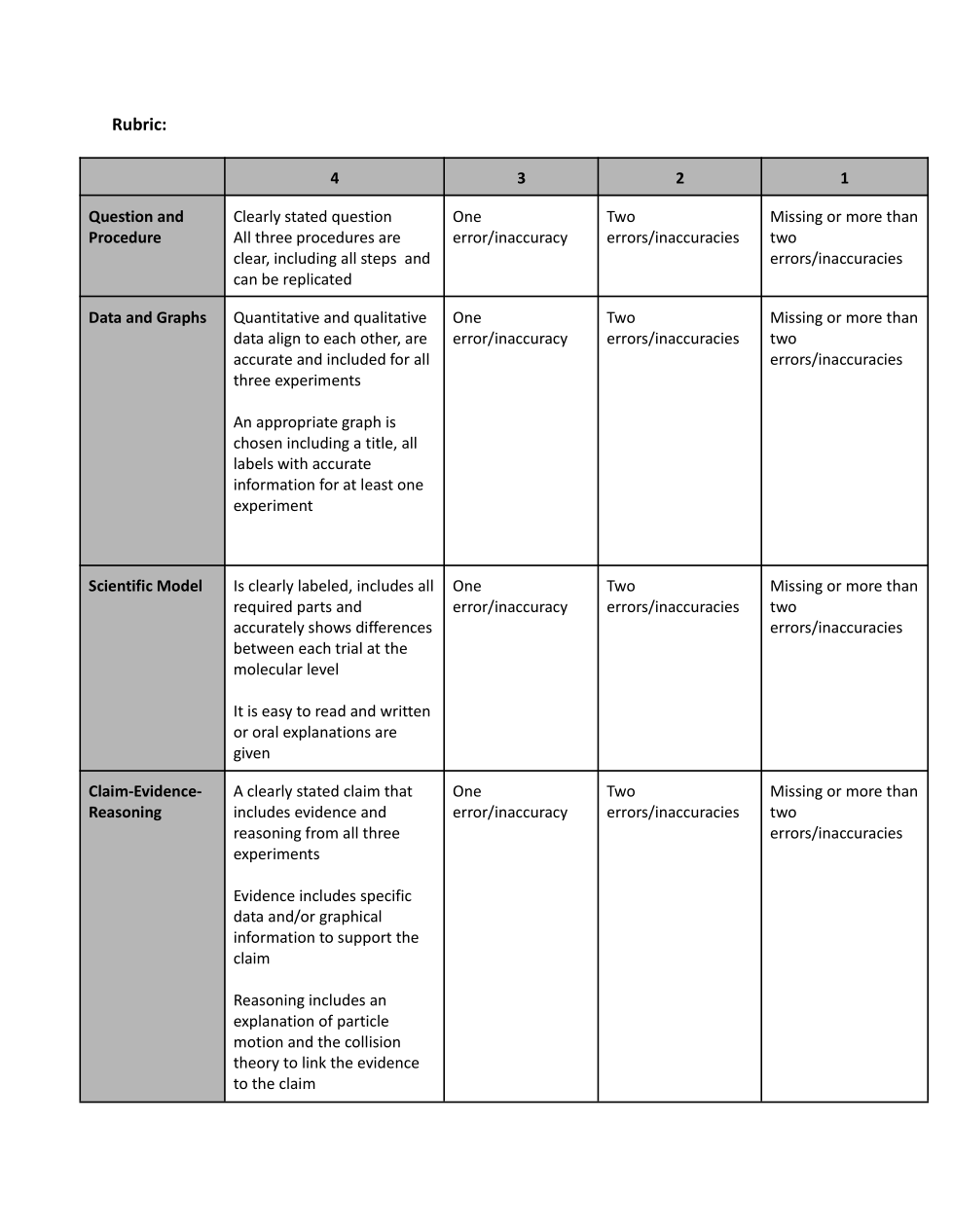
Carefully review the rubric before and self-assess on SeeSaw when you submit.