Polar and Nonpolar?
Polar and Nonpolar?
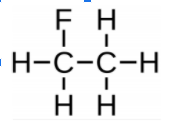
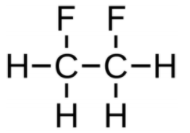
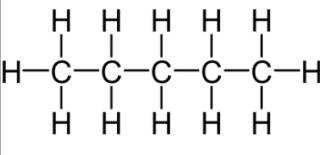
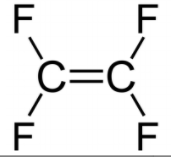
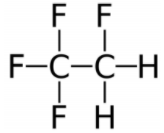
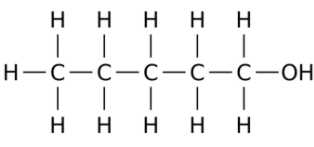
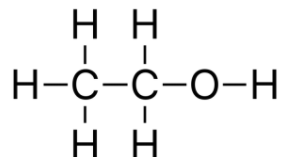
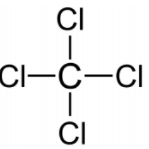
Polar
Nonpolar
Match the color of the atoms to the element they represent
| Draggable item | arrow_right_alt | Corresponding Item |
|---|---|---|
Red | arrow_right_alt | Carbon |
Green | arrow_right_alt | Hydrogen |
Blue | arrow_right_alt | Fluorine |
White | arrow_right_alt | Oxygen |
Black | arrow_right_alt | Nitrogen |
What do the colors on the "molecular surface" correspond to?
| Draggable item | arrow_right_alt | Corresponding Item |
|---|---|---|
Blue | arrow_right_alt | No charge (neutral) |
Red | arrow_right_alt | Positive |
Gray/white | arrow_right_alt | Negative |
Reset the simulation. Which elements are shown in the molecule before any changes are made?
Before any changes are made, the molecule is nonpolar.
Replacing a H with F (in any location) results in a polar molecule.
Replacing 2 Hs with Fs (in any location) results in a polar molecule.
Replace Hs with the other elements. What results do you find?
Contains C & H only
Contains C, H and O
Contains C, H and F
Contains C, H and N
Contains C and F only (replace all Hs)
Polar
Non polar
Try replacing the central carbons with nitrogen and oxygen. Do you create polar or nonpolar molecules?
Polar and Nonpolar?
Polar
Nonpolar