5/27/2021-Constructions

Last updated over 4 years ago
6 questions
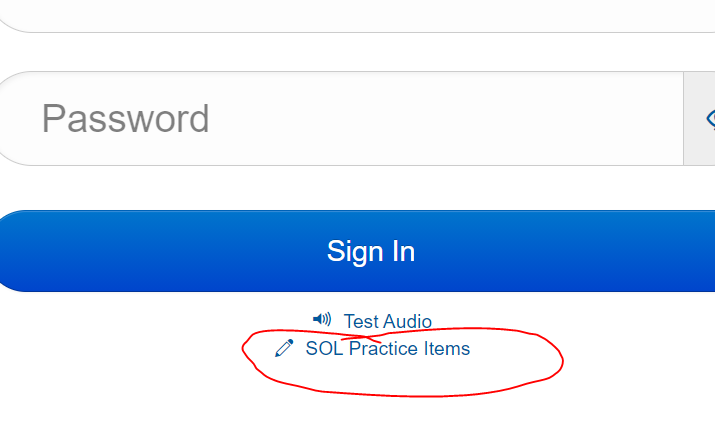
Go to TestNav under Classlink. DO NOT SIGN IN!!!!

Click the SOL Practice Items:
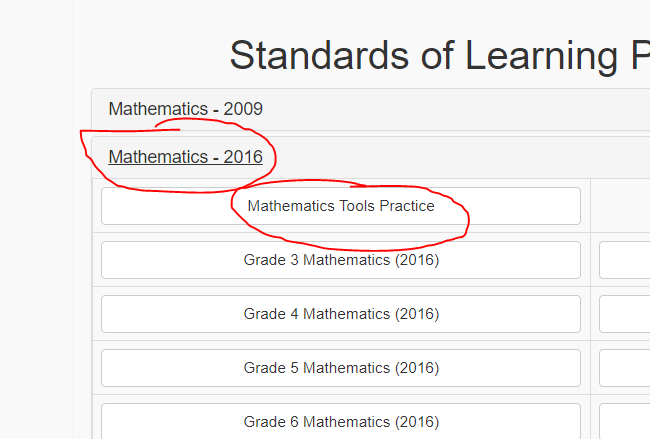
Click Mathematics-2016, Mathematics Tools Practice:
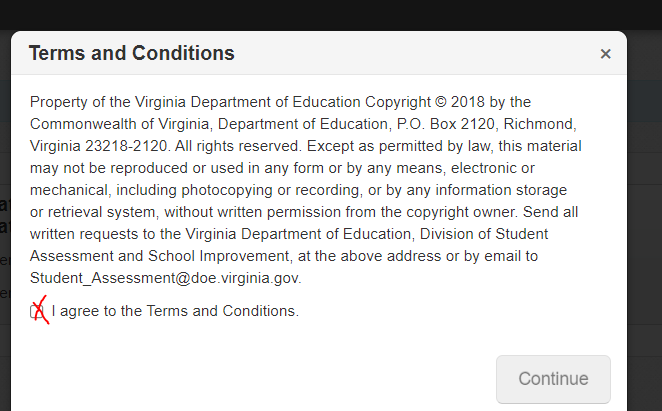
Click Start and then accept terms and conditions and click continue to begin:
The videos and questions will direct you to the page number you should be in throughout the assignment.
UPLOAD PICTURES INTO GOFORMATIVE: Take a screen shot of your work using ctrl and the screenshot key (six keys from the left on the top row of your chromebook.) Upload in the image tool in show your work.
Watch the following video.
1

In mathematics practice tools,

Go to page 3 OF 11 and perform the construction:

Construct a Segment Congruent to a Given Segment

Take a picture of your work and upload it into show your work.

Watch the following video.
1

In mathematics practice tools,

Go to page 4 OF 11 and perform the construction:

Construct an Angle Congruent to a Given Angle

Take a picture of your work and upload it into show your work.

1

In mathematics practice tools,

Go to page 5 OF 11 and perform the construction:

Construct a Perpendicular Bisector of a Segment

Take a picture of your work and upload it into show your work.

1

In mathematics practice tools,

Go to back to page 4 OF 11 and perform the construction:

Construct a Bisector of an Angle

Take a picture of your work and upload it into show your work.

1

In mathematics practice tools,

Go to page 7 OF 11 and perform the construction:

Construct a Perpendicular thru a point ON a line

Take a picture of your work and upload it into show your work.

1

In mathematics practice tools,

Go to page 7 OF 11 and perform the construction:

Construct a Perpendicular thru a point NOT ON a line

Take a picture of your work and upload it into show your work.