1
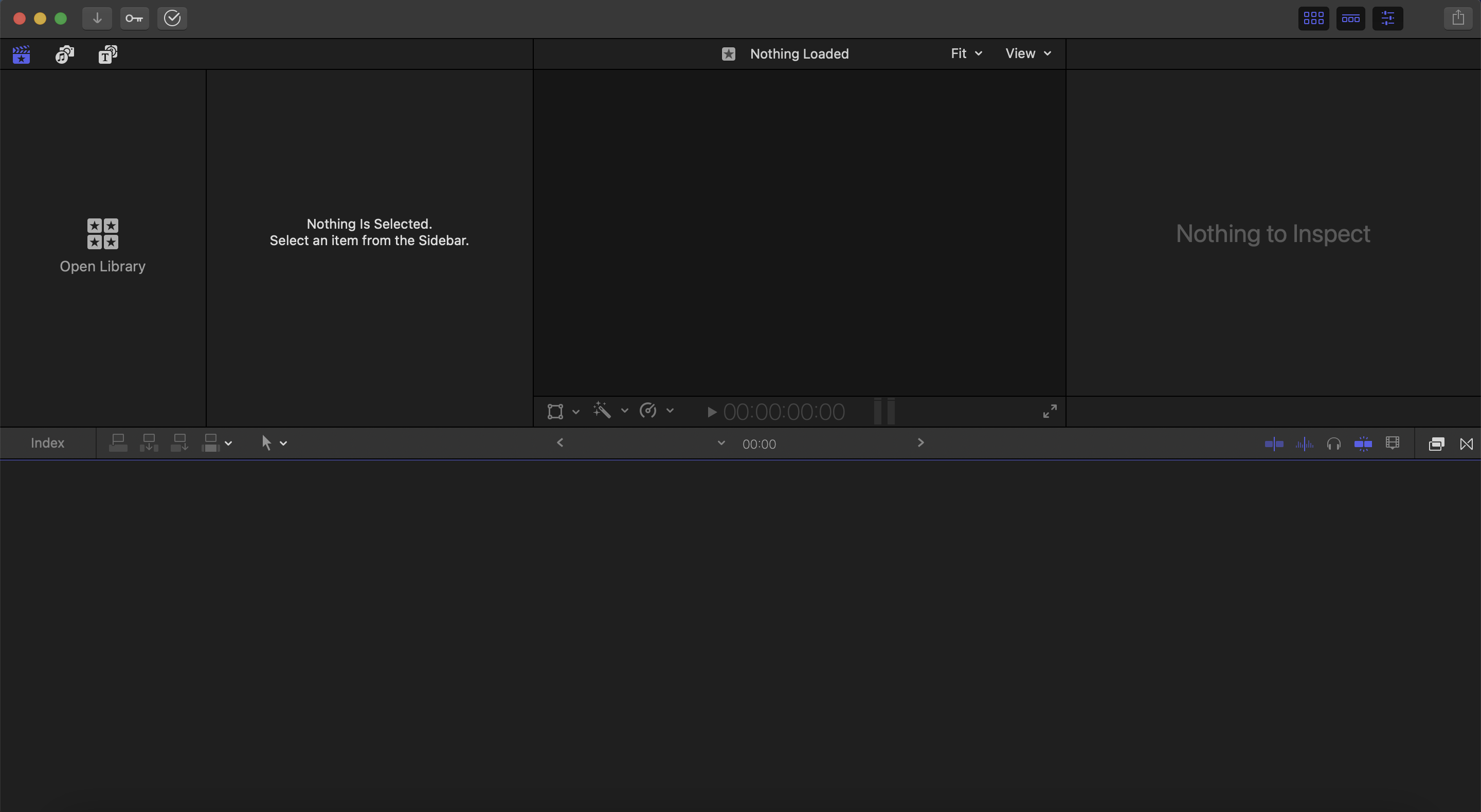
What window in Final Cut Pro is this?
What window in Final Cut Pro is this?
1
1
1
Review questions for introduction to Final Cut Pro software.
Answer these questions after following the Introduction to Final Cut Pro - Part 1 tutorial.
What window in Final Cut Pro is this?
What is the difference between a library, event and a project?
What icon/button allows you to import media when clicked on?
What key will play a video clip?
What needs to be done in order to see a timeline?
What is the term to describe the "time" of a video clip when editing?
What keys will stop, play forward and play reverse the video on your keyboard?
How do you make a clip play at a faster speed when you are previewing it in your viewer?
To set where you want your clip to start, set your in-point by pressing I.
When you set your in-point and out-point of a clip, a red box surrounds the selected part of the clip in the media browser.
Pressing the F key after marking a clip will add it to your favorites list so you can access it easily at a later time.
Because of its magnetic timeline, you can drop a clip anywhere in the timeline and it will stay in that location instead of "snapping" to the previous clip.
If you have two video clips stacked on top of each other in the timline, Clip A on your primary timeline and Clip B added above it. Which clip will you be able to see in your viewer?
What window in Final Cut Pro is this?
What window in Final Cut Pro is this?
What window in Final Cut Pro is this?