Illustrator Unit A
star
star
star
star
star
Last updated almost 3 years ago
30 questions

1
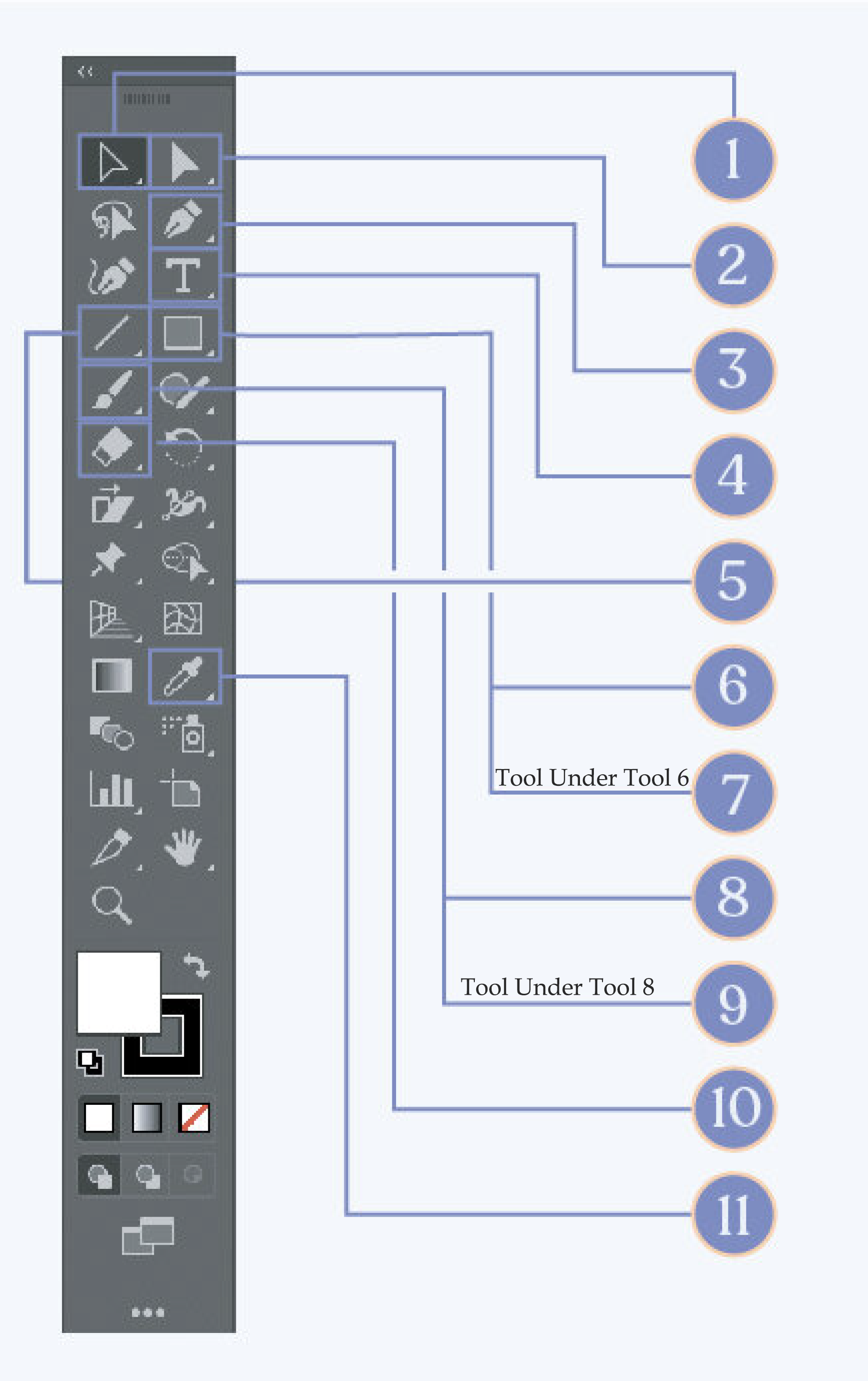
Direct Slection Tool
1
Type Tool
Type Tool
1
Rectangle Tool
Rectangle Tool
1
Paintbrush Tool
Paintbrush Tool
1
Eraser Tool
Eraser Tool
1
Selection Tool
Selection Tool
1
Pen Tool
Pen Tool
1
Line Tool
Line Tool
1
Ellipse Tool
Ellipse Tool
1
Blob Brush Tool
Blob Brush Tool
1
Eyedropper Tool
Eyedropper Tool
1
This allows you to click on specific shapes and objects
1
This allows you to click on anchor points that make up specific shapes and objects.
1
You can use this to write information or whatever you want in any font you want!
1
Use this tool by clicking and dragging to create
1
Click and drag to create a shape.
1
Click and drag to create shapes like circles.
1
Creates strokes that have anchor points.
1
You paint and create shapes with a Fill instead of a Stroke.
1
This helps you to remove any lines or shapes you would like.
1
Select a color of a pixel!
1
Is an element of a Vector Graphic
1
Is created with lines and curves
1
Visual clues that display words, such as intersect
1
Allows you to move the view of the artboard
1
Shows objects in color
1
Is a type of artboard orientation
1
Another name for a vector graphic is a (an)
1
To return to the normal view of Illustrator after editing an artboard, click
1
The name of the view that displays only the vector shapes without colors applied