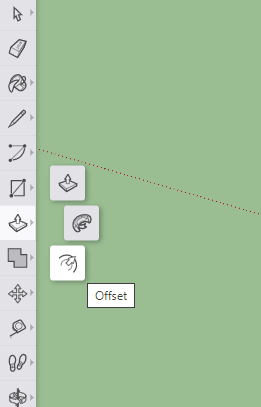
Move Tools: Identify the icon that represents the Scale tool in the image below.
Move Tools: Identify the icon that represents the Scale tool in the image below.
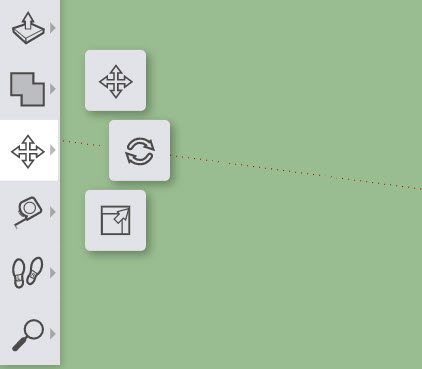
Explore and learn a variety of SketchUp's tools and features.
Sign in at SketchUp for Schools.
Create a new model.
Title your model so that it includes your name and this lesson's title.
Watch the video below and respond to the questions and prompts found in this Formative activity. As techniques are demonstrated, complete them in your own model. You will capture screenshots of your project and submit them at built-in checkpoints along the way. Pause and rewind as often as necessary.
Efficient strategies may include tab-hopping, side-by-side windows, using multiple screens/devices, etc.
The SketchUp interface includes a variety of menus and toolbars that provide access to its many tools and resources. You can find helpful reference documentation regarding each of the items in these menus at the very end of this Formative activity.
💾 Download your completed model as an SKP file and upload it here.
Match congruent dimensions.
| Draggable item | arrow_right_alt | Ade a ɛne no hyia |
|---|---|---|
3cm,12cm | arrow_right_alt | 3 meter x 12 centimeter |
3',12m | arrow_right_alt | 12 foot-3 inch |
12'3" | arrow_right_alt | 3 feet x 12 feet |
3m,12cm | arrow_right_alt | 3 feet x 12 meter |
3',12' | arrow_right_alt | 3 centimeter x 12 centimeter |
Match each file type with its description.
| Draggable item | arrow_right_alt | Ade a ɛne no hyia |
|---|---|---|
.stl | arrow_right_alt | The file type of an entire SketchUp project. Files like this can be used to open, explore, and edit models in SketchUp. |
.png | arrow_right_alt | The file type that allows a SketchUp model to be imported into 3D printing software. |
.skp | arrow_right_alt | The file type of most Chromebook screenshots. This is only a basic, 2D image file. |
Move Tools: Identify the icon that represents the Scale tool in the image below.
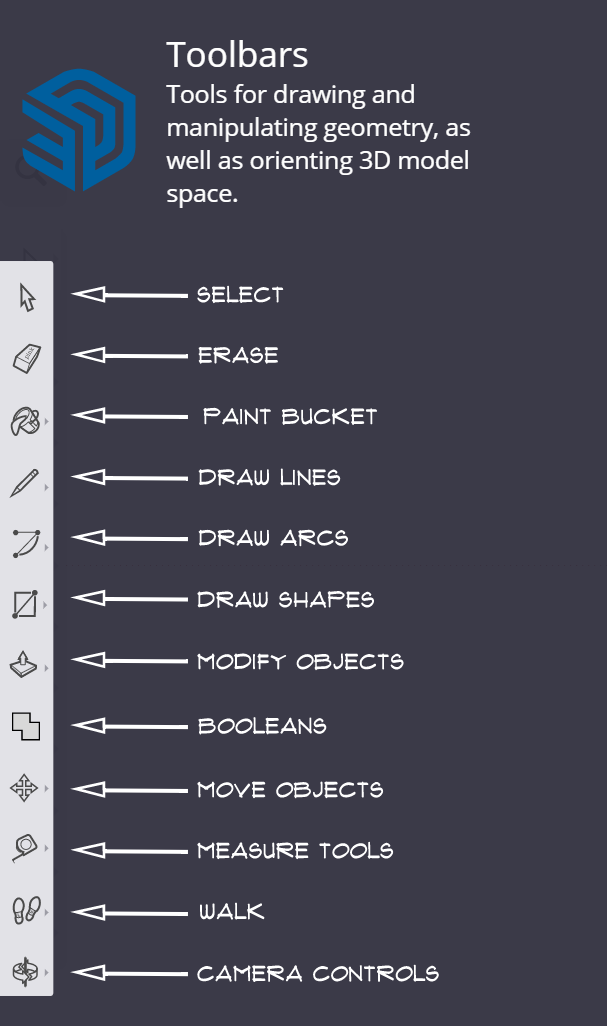
The Toolbar: Match each icon from the toolbar with the tool that it represents. You may need to zoom out to see all of the items. You can also place each item from the left column by selecting it (click it) then selecting (clicking on) the match for it in the right column.
| Draggable item | arrow_right_alt | Ade a ɛne no hyia |
|---|---|---|
| arrow_right_alt | Select | |
| arrow_right_alt | Erase | |
| arrow_right_alt | Paint Bucket | |
| arrow_right_alt | Move Objects | |
| arrow_right_alt | Draw Shapes | |
| arrow_right_alt | Measure Tools | |
| arrow_right_alt | Camera Controls | |
| arrow_right_alt | Draw Lines |
Identify the icon that represents the Offset tool in the image below.
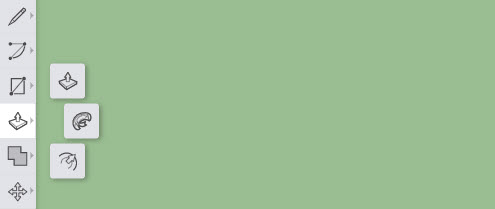
Identify the icon that represents the Push/Pull tool in the image below.
Identify the icon that represents the Follow Me tool in the image below.
Which tool will reset the zoom level of your model back to its defaults?
This is the tool to use if you find that you have zoomed way too far in or out.
Camera Controls: Identify the icon that represents the Zoom Extents tool in the image below.
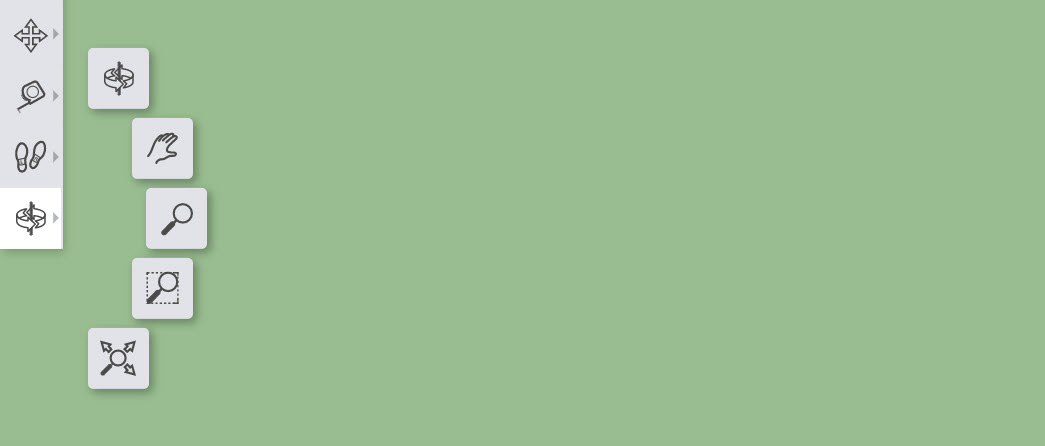
Camera Controls: Identify the icon that represents the Orbit tool in the image below.
Camera Controls: Identify the icon that represents the Zoom tool in the image below.
Camera Controls: Identify the icon that represents the Pan tool in the image below.
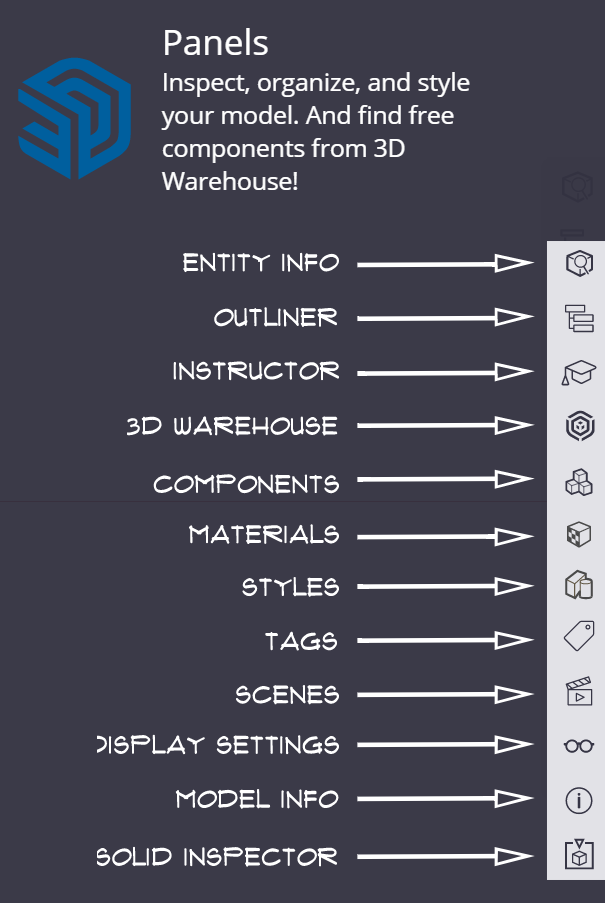
The panels include components, materials, and the instructor. By default, the panels can be found on the of the SketchUp screen.
True or False: You will need to click Save near the top left to save your project. It is recommended that you save often so you don't lose the progress you've made.
🧠 Retrieval Practice:
Summarize the content of this lesson. What topics, ideas, tools, and vocabulary were introduced?
Home
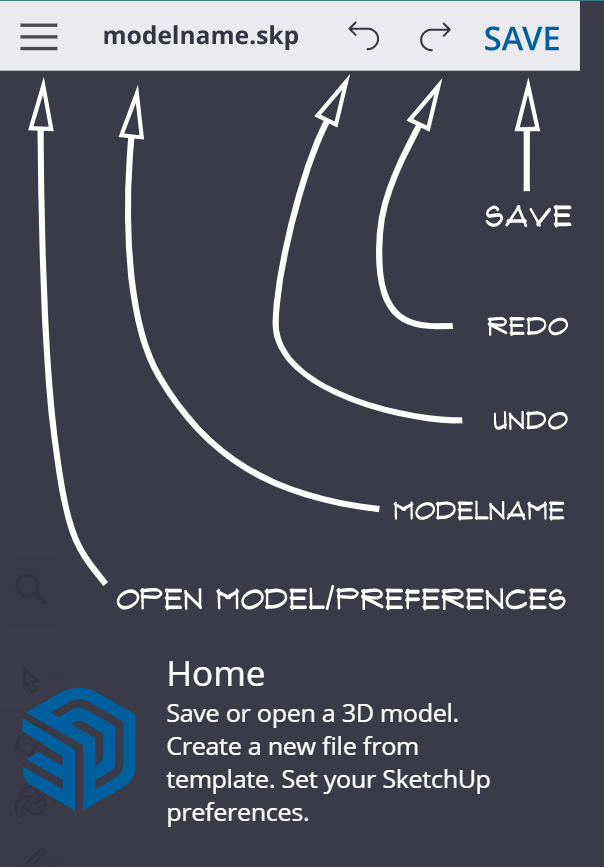
Toolbars
Panels
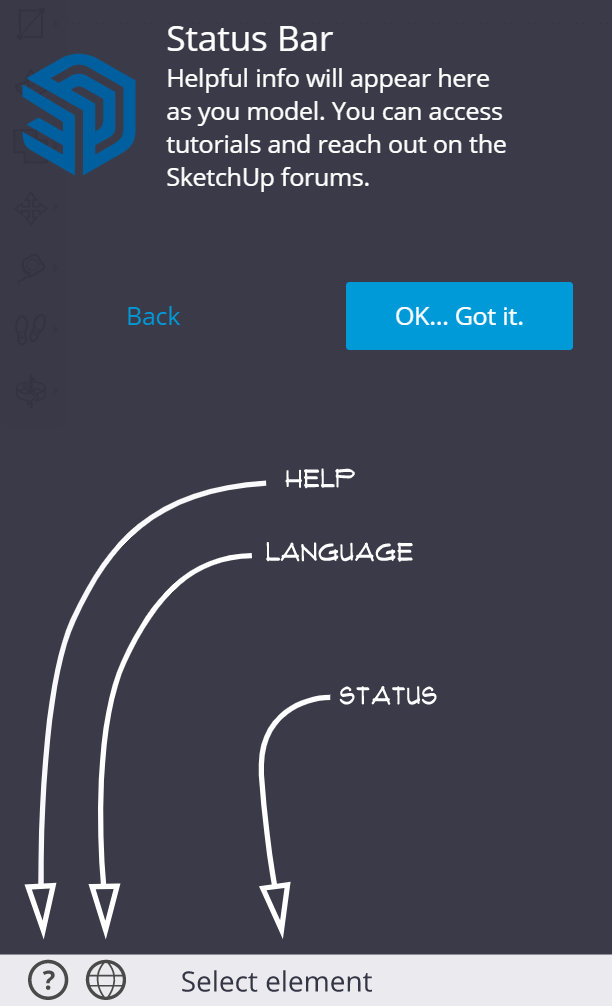
Status Bar
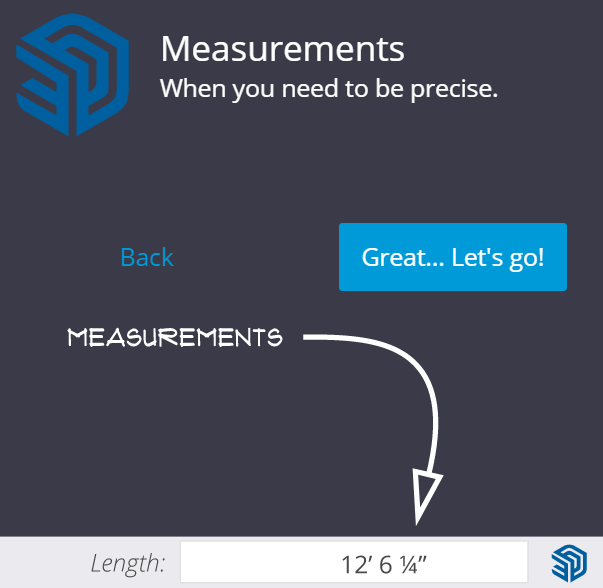
Measurements
⚠️ NOTE: This video uses a different version of SketchUp than what is currently found at SketchUp for Schools. The primary differences are the locations of tools and toolbars.
You should create a new model at SketchUp for Schools and skip ahead in the video to time 0:30.
Checkpoint: A 10x20 rectangle
Establish an appropriate view of your recent progress and capture a screenshot.
Upload the screenshot to the Formative canvas and zoom and pan as needed.
Checkpoint: Two adjacent rectangles: 12x30 & 20x10
Establish an appropriate view of your recent progress and capture a screenshot.
Upload the screenshot to the Formative canvas and zoom and pan as needed.
Checkpoint: 10' tall
Make sure that you have healed the surface to create a single 2D plan before pulling up 10 feet.
Establish an appropriate view of your recent progress and capture a screenshot.
Upload the screenshot to the Formative canvas and zoom and pan as needed.
Checkpoint: Two ridge lines (midpoint inferencing) and two fold lines
Establish an appropriate view of your recent progress and capture a screenshot.
Upload the screenshot to the Formative canvas and zoom and pan as needed.
Checkpoint: Raised the roof, both ridgelines at once!
Establish an appropriate view of your recent progress and capture a screenshot.
Upload the screenshot to the Formative canvas and zoom and pan as needed.
🔍 The offset tool is currently found in the same menu as the push/pull tool.
Checkpoint: Just hanging out
Establish an appropriate view of your recent progress and capture a screenshot.
Upload the screenshot to the Formative canvas and zoom and pan as needed.
Checkpoint: Fancy window frame!
Establish an appropriate view of your recent progress and capture a screenshot.
Upload the screenshot to the Formative canvas and zoom and pan as needed.
Checkpoint: Fancy door frame!
Establish an appropriate view of your recent progress and capture a screenshot.
Upload the screenshot to the Formative canvas and zoom and pan as needed.
Checkpoint: A little trim goes a long way!
Establish an appropriate view of your recent progress and capture a screenshot.
Upload the screenshot to the Formative canvas and zoom and pan as needed.
Checkpoint: Parallel roof lines, using inferencing!
Establish an appropriate view of your recent progress and capture a screenshot.
Upload the screenshot to the Formative canvas and zoom and pan as needed.