Formative for Student Choice

Last updated almost 4 years ago
7 questions
Note from the author:
This Formative reviews how you can use features in the program to promote, manage, and track student choice in classrooms.
You can use Formative to design lessons that allow for students to select learning activities and reflect on their learning. As you watch the videos and read through the information below, there will be some reflection questions. Feel free to share your thoughts!


Untitled Section
Formative is more than just for assessing understanding.
It is a great way to design lesson structures. As we see the need to allow for differentiation and to support students with different learning needs we need to provide lessons that have different tracks or choices.


Doing this though creates management issues. We can use Formative to help create choices and then monitor student understanding, focus, and growth.
We will take a look at how these features can support teachers to meet learners where they are so they can grow.
In the upcoming sections below we will take a look at:
  • Interactive Video to provide directions and assess for understanding
  • Daily Checklists to organize, plan, and monitor progress
  • Student Activity Lists to provide options and choices
  • Video or Free response for students to keep running records of their progress or learning over a week or unit of time.
Working with interactive video
Interactive Video inside of a Formative
Viewing student results allows you to make decisions for the rest of the class.
How to add an interactive video step 1.


How to add an interactive video step 2.


1

Is there a way you can see how using interactive video during class will allow you time and flexibility to differentiate learning and support learners?

Show your work to make student checklists.
How to use a "Show your work" background to create a student checklist.


1

What other kind of ways can you use the "Show your work" backgrounds to engage with students in different ways.?

Formatives for Student Activity Lists
How to make a Formative into a Student Activity List.
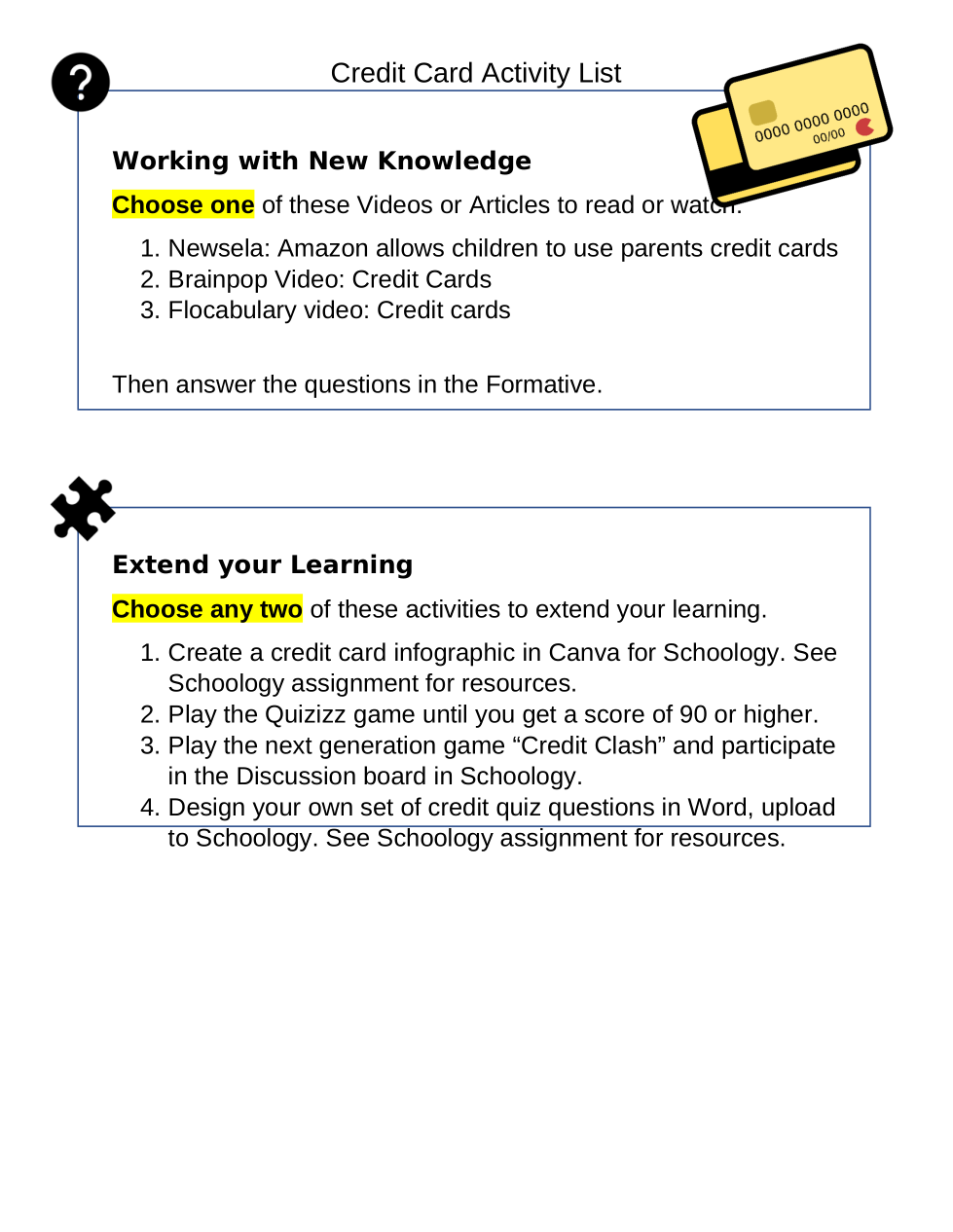
A "Student Activity List" is a choose your own adventure lesson. We can provide a few options to achieve goals to address different pacing, modalities, and learning style needs. In order to manage this, we can add documents to Formative and have students make notes and select which options they are going to use. Using this in Formative will allow us to see their progress live and allows us to leave feedback. Check out the sample below!
a) Access via this link
1

You can add hyperlinks in the text boxes.

1

Which of the following ways can students respond to a free response question? check all that apply

1

How does using Formative help students organize and reflect on their learning? What are the benefits of using this system over a traditional printed checklist?

Untitled Section
How to use Formative as a running journal for reflecting on learning.
1

What are some other ways you could use Formative to have students reflect on their learning?

1

Why might it be worthwhile to tag standards and Formative types when setting up your Formative?

Untitled Section
Thanks for taking the time to see how Formative can work with your classroom to bolster student choice while supporting students and educators!