Log in
Sign up for FREE
arrow_back
Library

7th Grade MAP Review Part 2

star
star
star
star
star
Last updated about 2 years ago
23 questions
1
7.DSP.C.8.a
1
7.EEI.B.4.a
1
7.RP.A.2.c
1
7.EEI.B.4.c
1
7.EEI.B.4.c
1
7.NS.A.1.f
1
Question 6
6.
7.RP.A.2.b
1
Question 7
7.
7.EEI.B.4.b
1
7.DSP.C.6.c
1
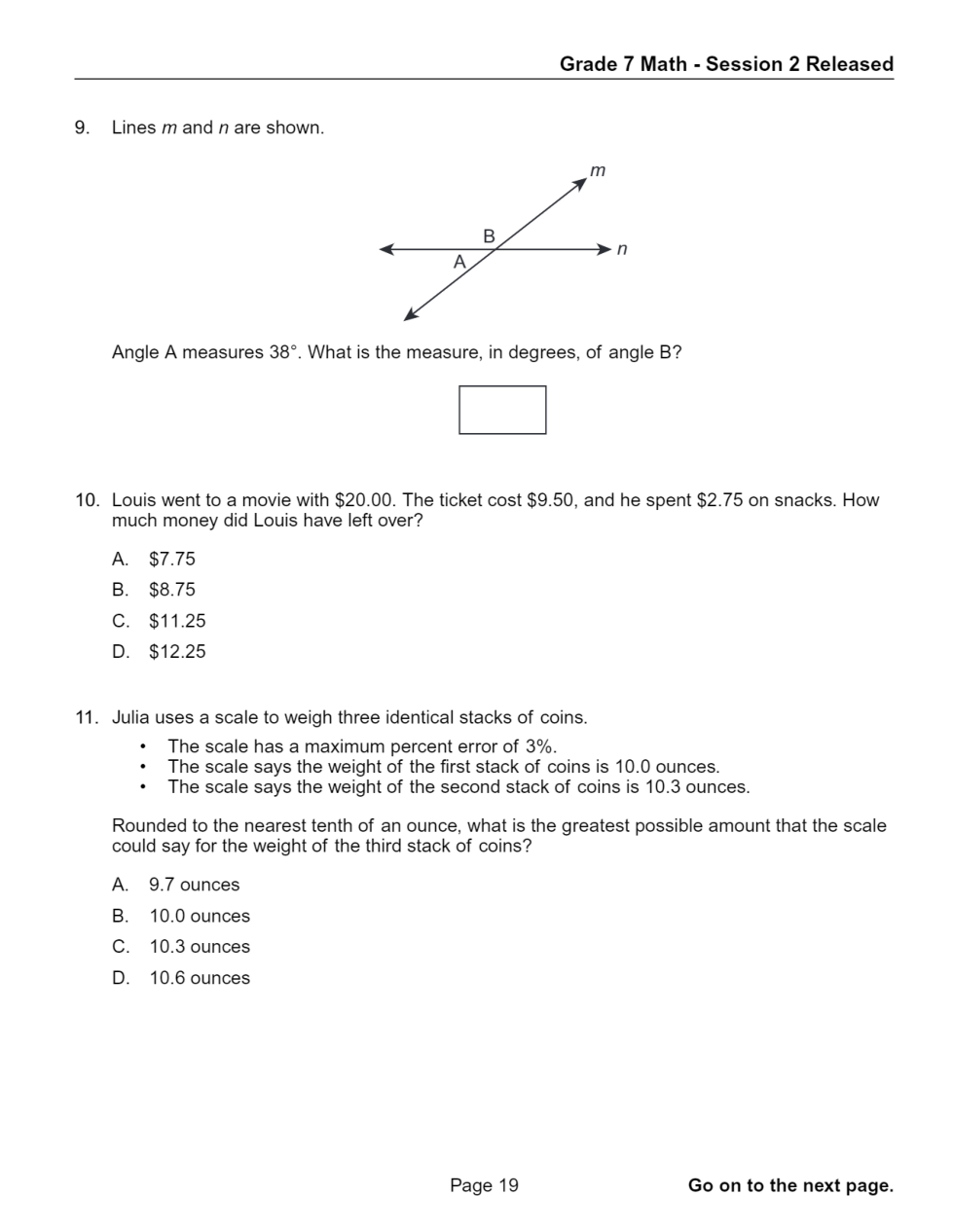
Question 9
9.
7.GM.B.5
1
7.NS.A.1.a
1
7.RP.A.3
2
7.DSP.B.3
1
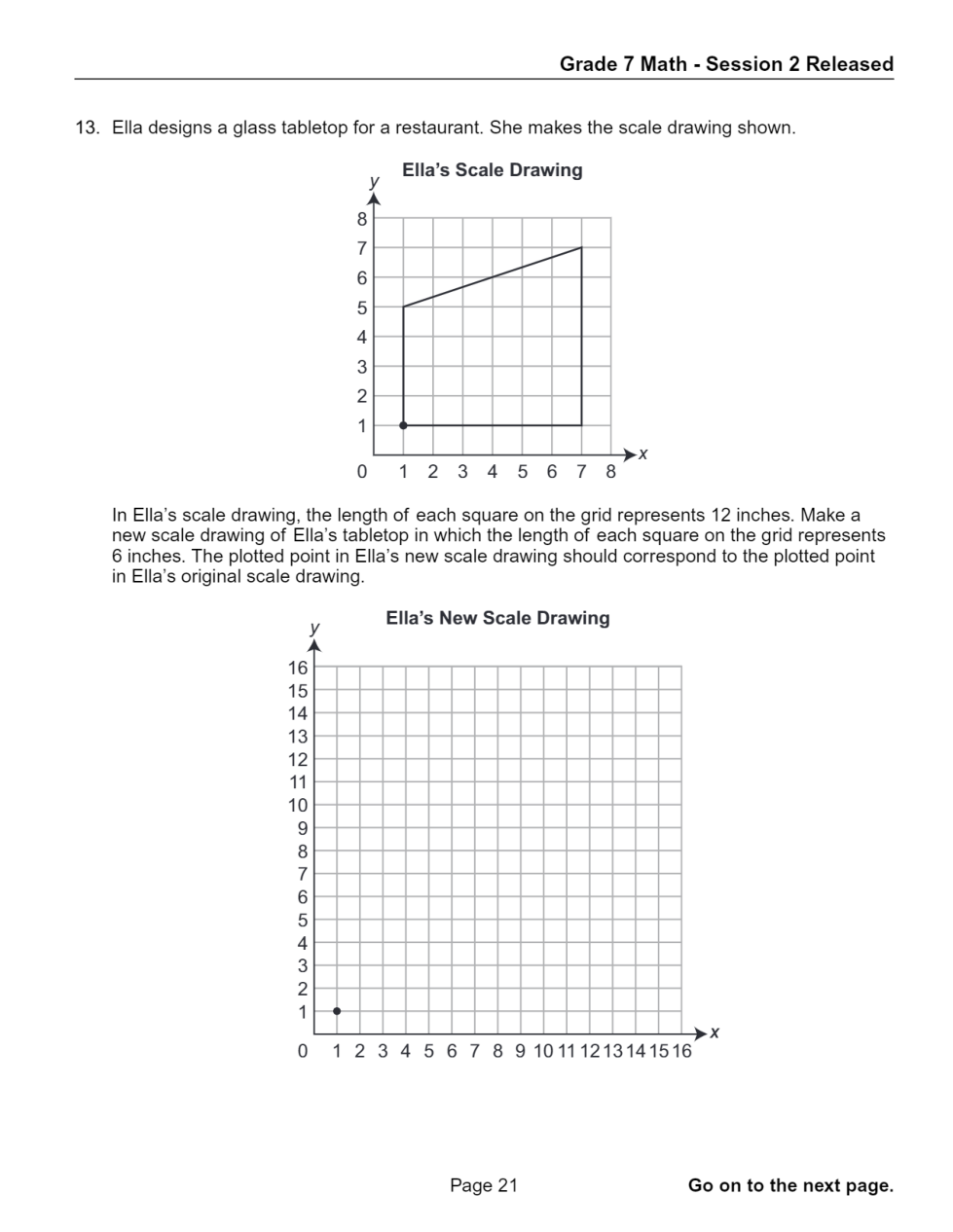
Question 13
13.

Graph each point.

  • Click a Graph tab (Graph 1, Graph 2, and so on) for each graph you need to plot.
  • Click on the graph background to add a point. Drag a point or type in x and y coordinates to edit its position. Click on a point to delete it.
7.GM.A.1
1
7.NS.A.2.d
2
7.GM.A.2.a
1
7.RP.A.1
1
7.EEI.A.2
1
7.RP.A.2.c
Question 19
19.
1
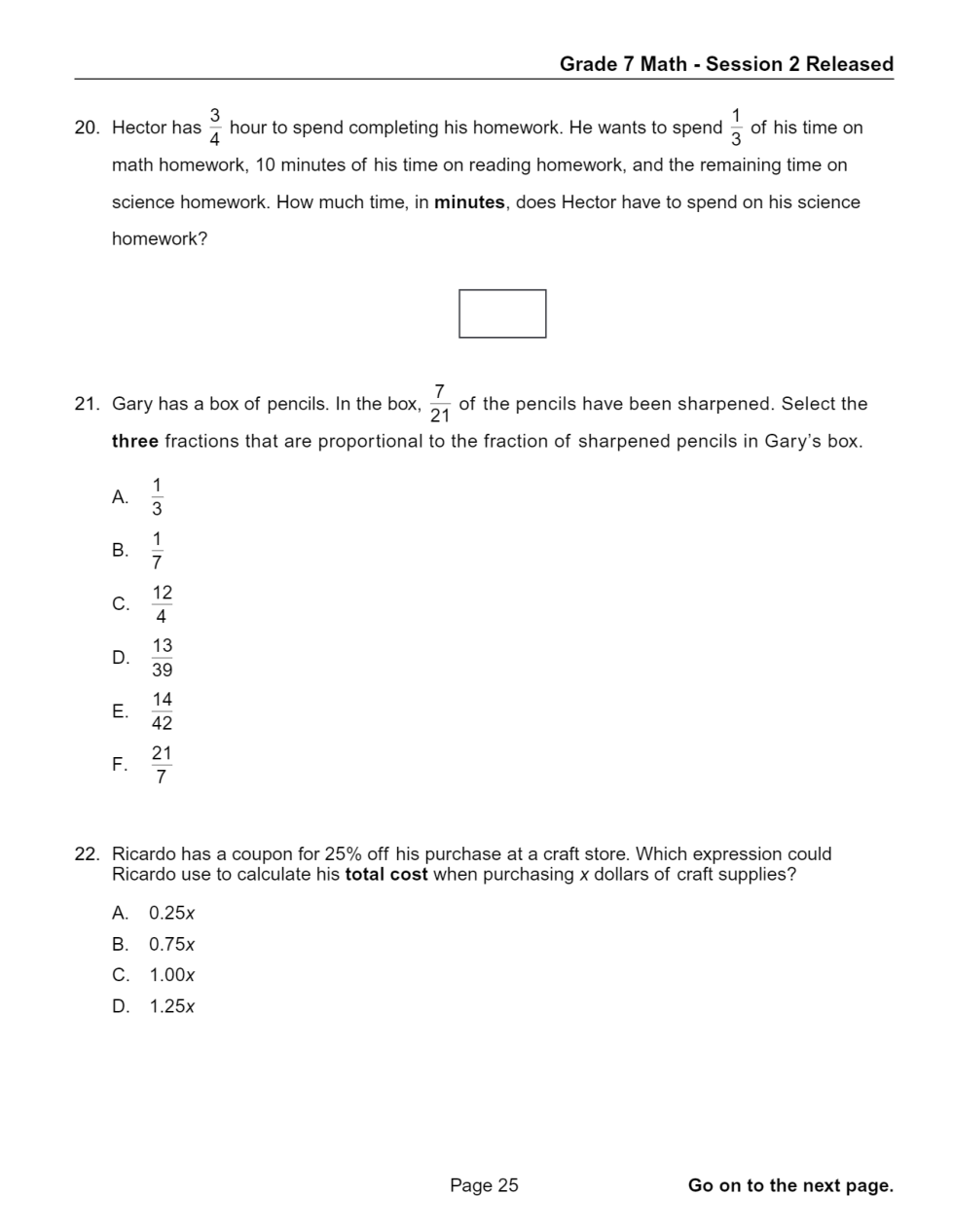
Question 20
20.
7.EEI.B.3.a
3
7.RP.A.2.a
1
7.EEI.A.2
1
7.NS.A.1.c
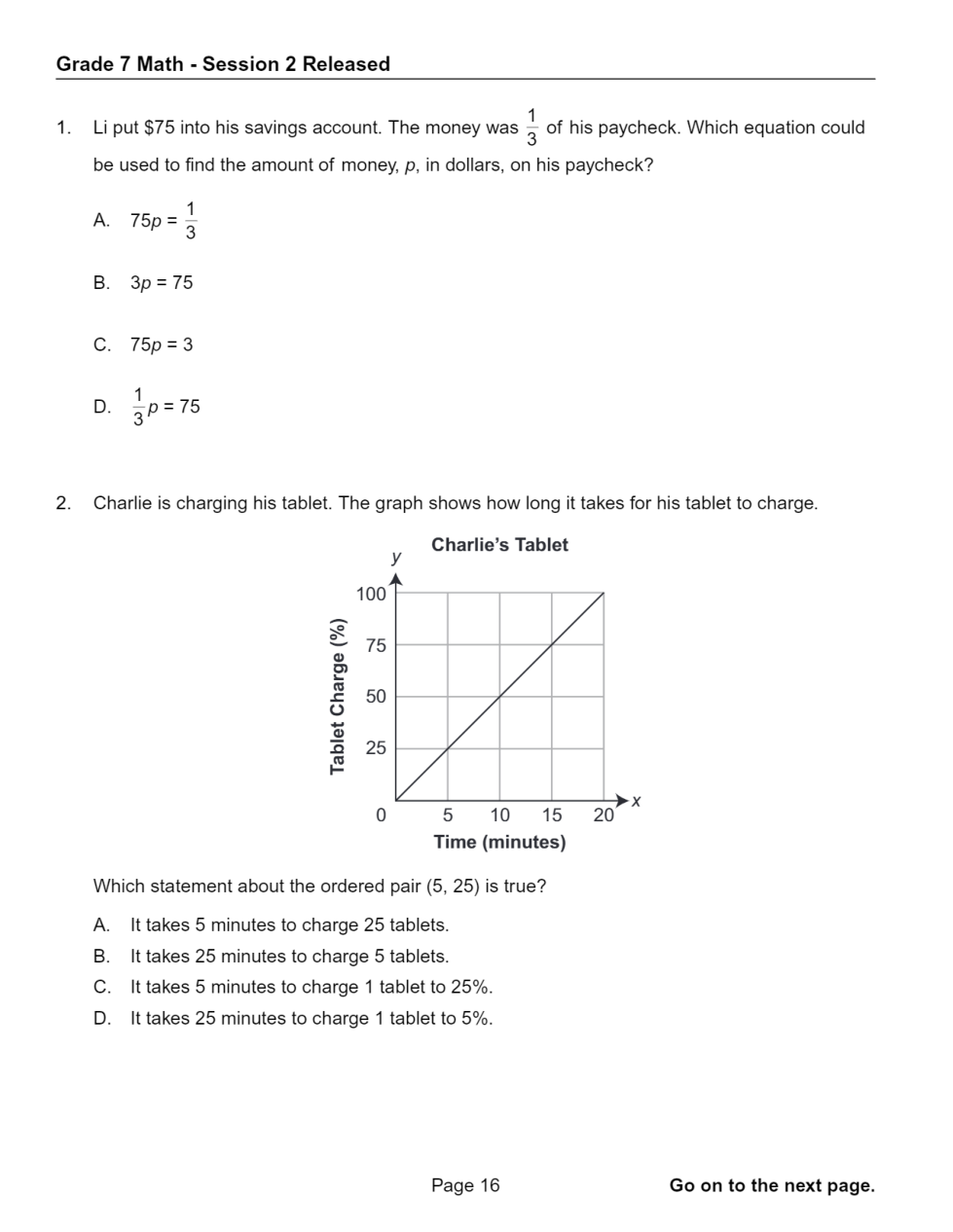
Question 1
1.
Question 2
2.
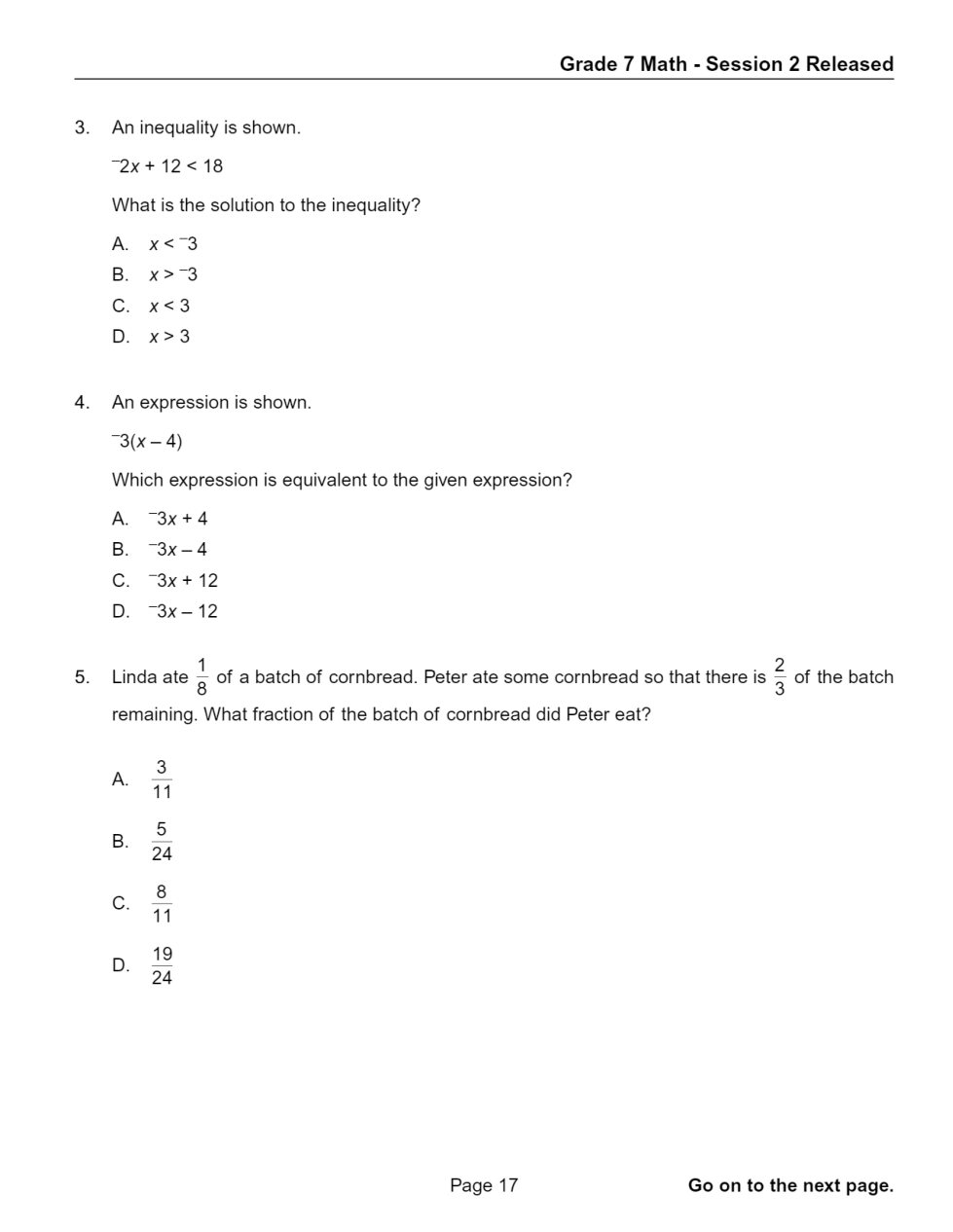
Question 3
3.
Question 4
4.
Question 5
5.
Question 8
8.
Question 10
10.
Question 11
11.
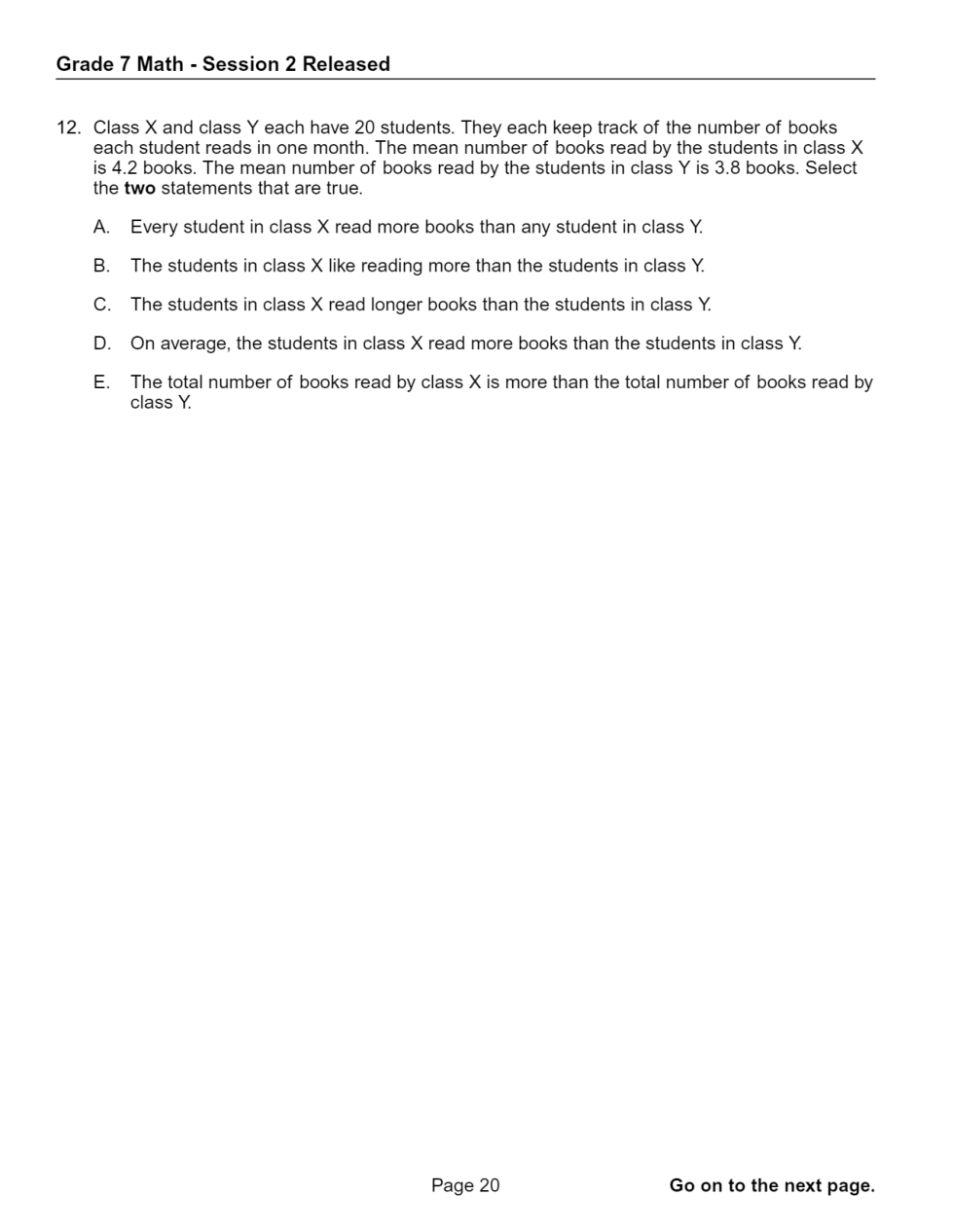
Question 12
12.
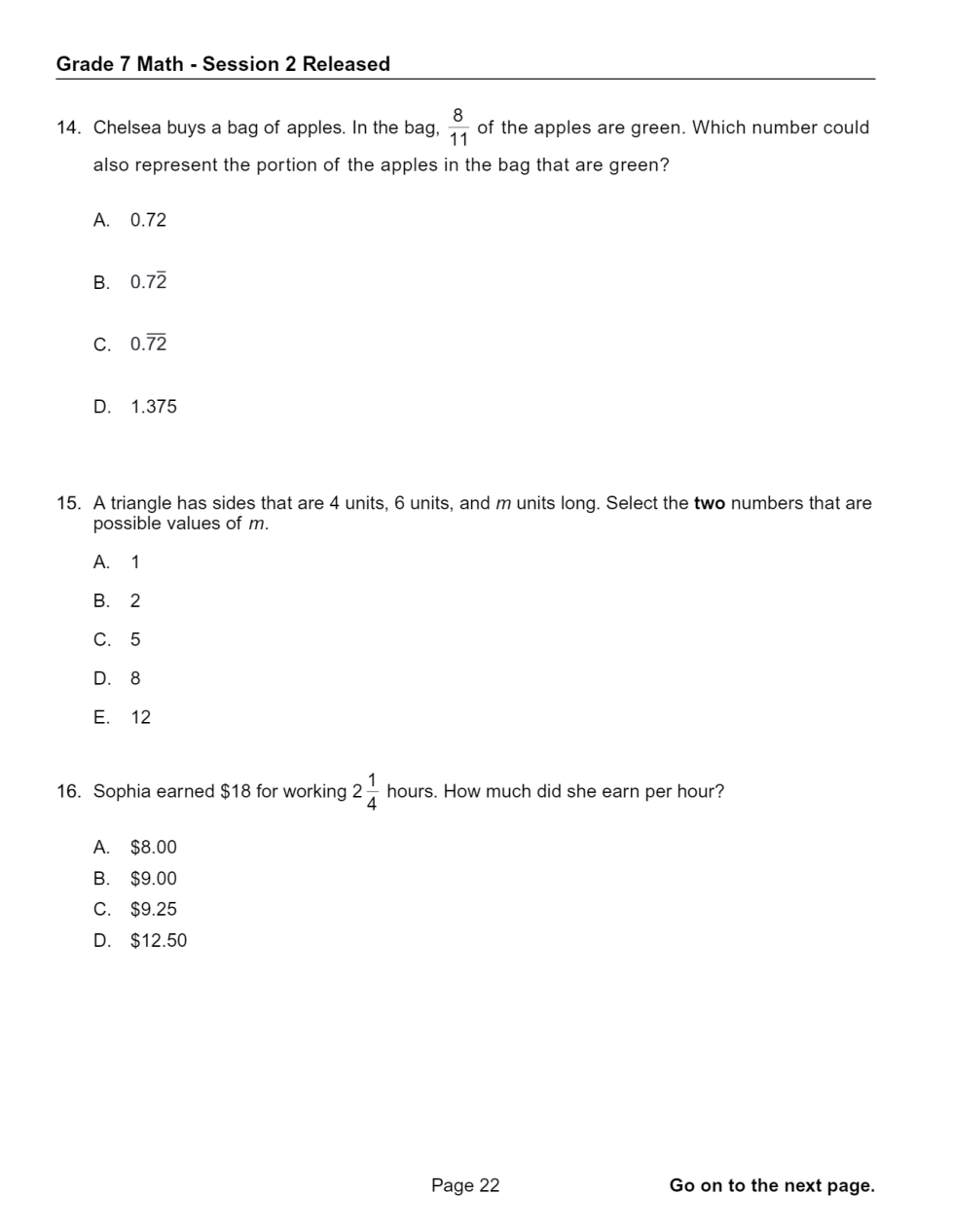
Question 14
14.
Question 15
15.
Question 16
16.
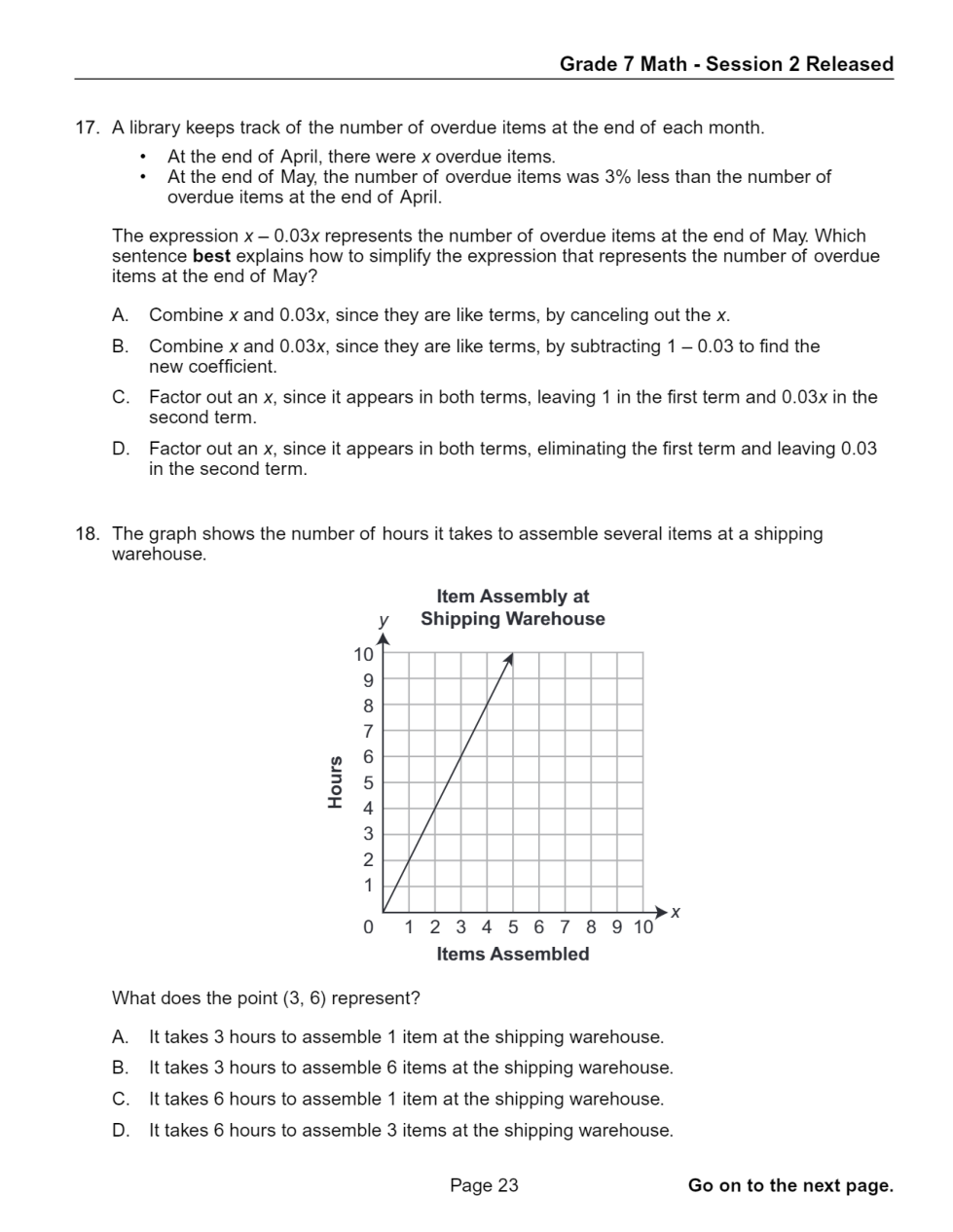
Question 17
17.
Question 18
18.
Question 21
21.
Question 22
22.
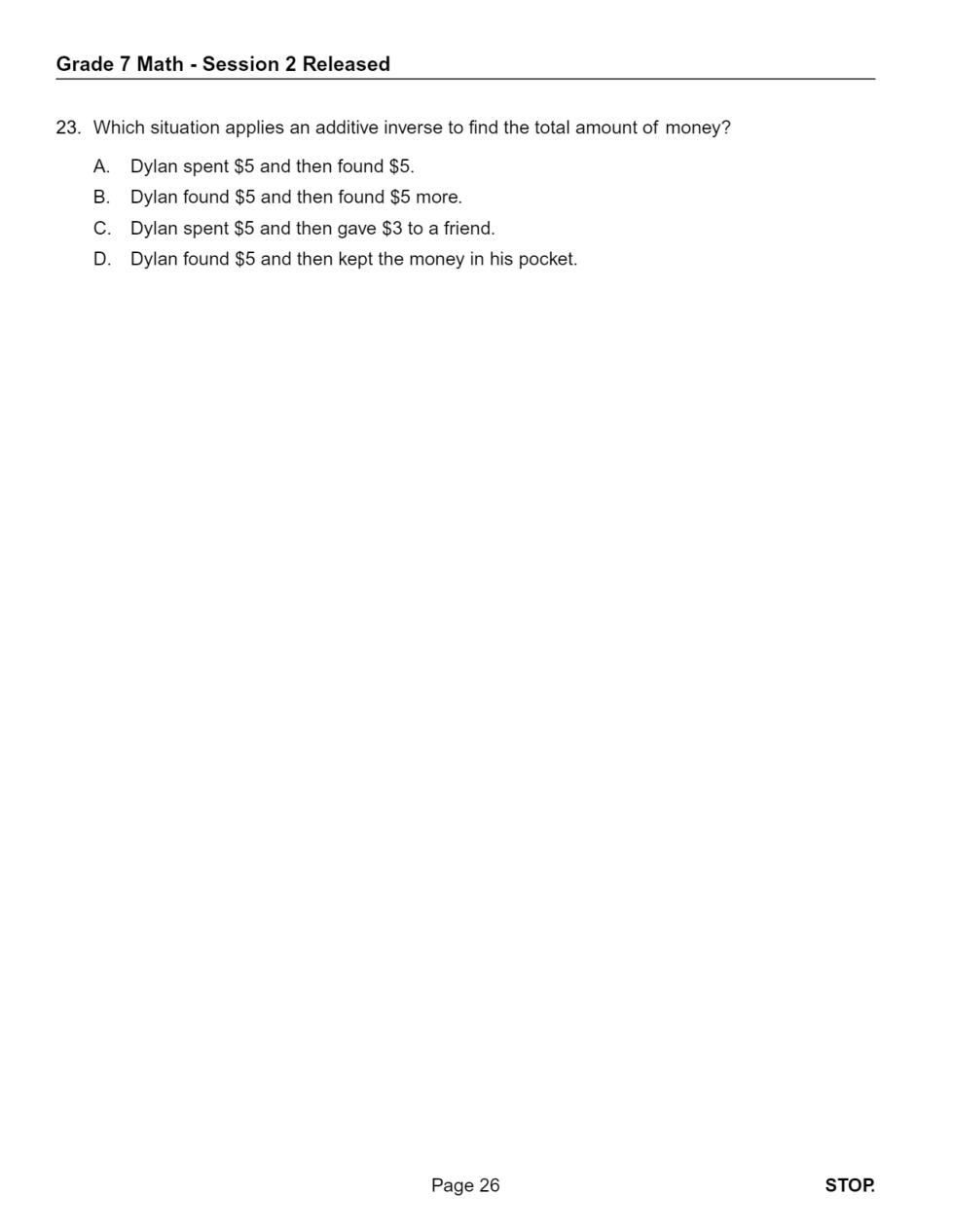
Question 23
23.
A
B
C
D
A
B
C
D
A
B
C
D
A
B
C
D
A
B
C
D
A
B
C
D
A
B
C
D
A
B
C
D
A
B
C
D
E
A
B
C
D
A
B
C
D
E
A
B
C
D
A
B
C
D
A
B
C
D
A
B
C
D
E
A
B
C
D
A
B
C
D