I describe my experience using Formative to meet remote needs during Covid-19 and discover its abilities to increase learning and engagement.
When Covid-19 hit, I knew I would have to significantly restructure how I delivered my content. I would have to be ready at a moment’s notice to switch between in-person and remote learning and vice versa. I also had to have a plan in place for students (or myself) if they were quarantined at a moment’s notice. After researching options, I discovered goformative.com (now formative.com). Here are several of the reasons I chose Formative and some of the strategies I continue to use:
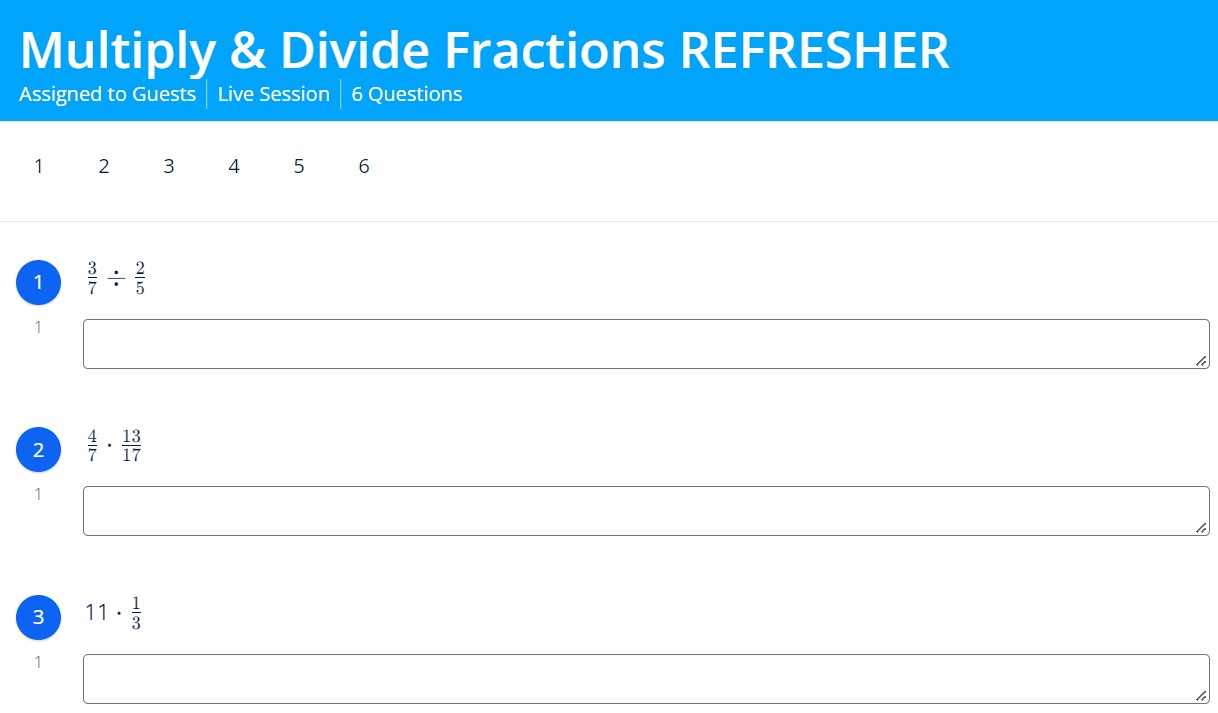
Ease of use was very high on my list. Math often requires more brain processing than other subjects. It was imperative that my students not be overwhelmed with a difficult system, or I would lose them before I had even attempted to teach them math. As you can see in the screenshot below, Formative has a clean and uncluttered user interface. It is also easy to navigate and move from question to question.
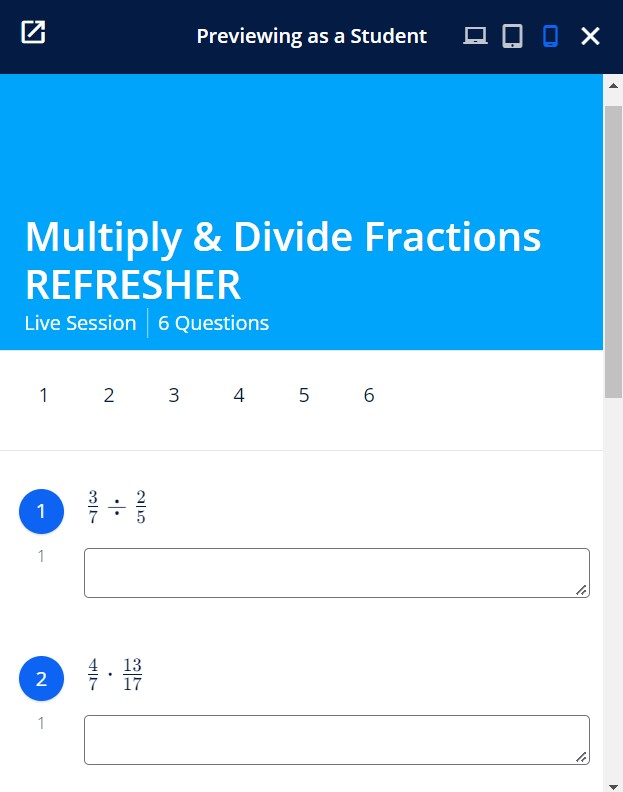
In addition, being able to preview how the content would display on a phone or tablet was also very helpful!
This feature gave me confidence that all of my students would have access regardless of device. While some did have issues with internet access, I do not recall a single student having issues with using Formative on their device.
Further, if a student was unexpectedly quarantined, I could “send the worksheets home” by texting or emailing the assignment code. Also if I myself had to be unexpectedly quarantined (which did happen) my “papers” weren’t left waiting to be graded at school. Since nearly all assignments were online, I could still grade, teach, and give feedback from home.
If I had to teach from home, I wanted a digital whiteboard that I could both write on and share in real time with my students. I also wanted for students to have their own digital whiteboards and to be able to view all student whiteboards at once, to informally assess student understanding. Some of the digital whiteboards I initially considered were flawed and included issues like aspect ratio (it was not going to work well on student screens), less than smooth pen writing, and a pixelated appearance at high zoom levels. When I tried Formative’s whiteboard, it had a common screen ratio (much more suited to my students’ needs), the pen writing felt as smooth as butter and the writing was still crisp and clean at high zoom levels. You can see the difference in the comparison below. The example on the right is easier to read, while the one on the left seems a bit blurry.
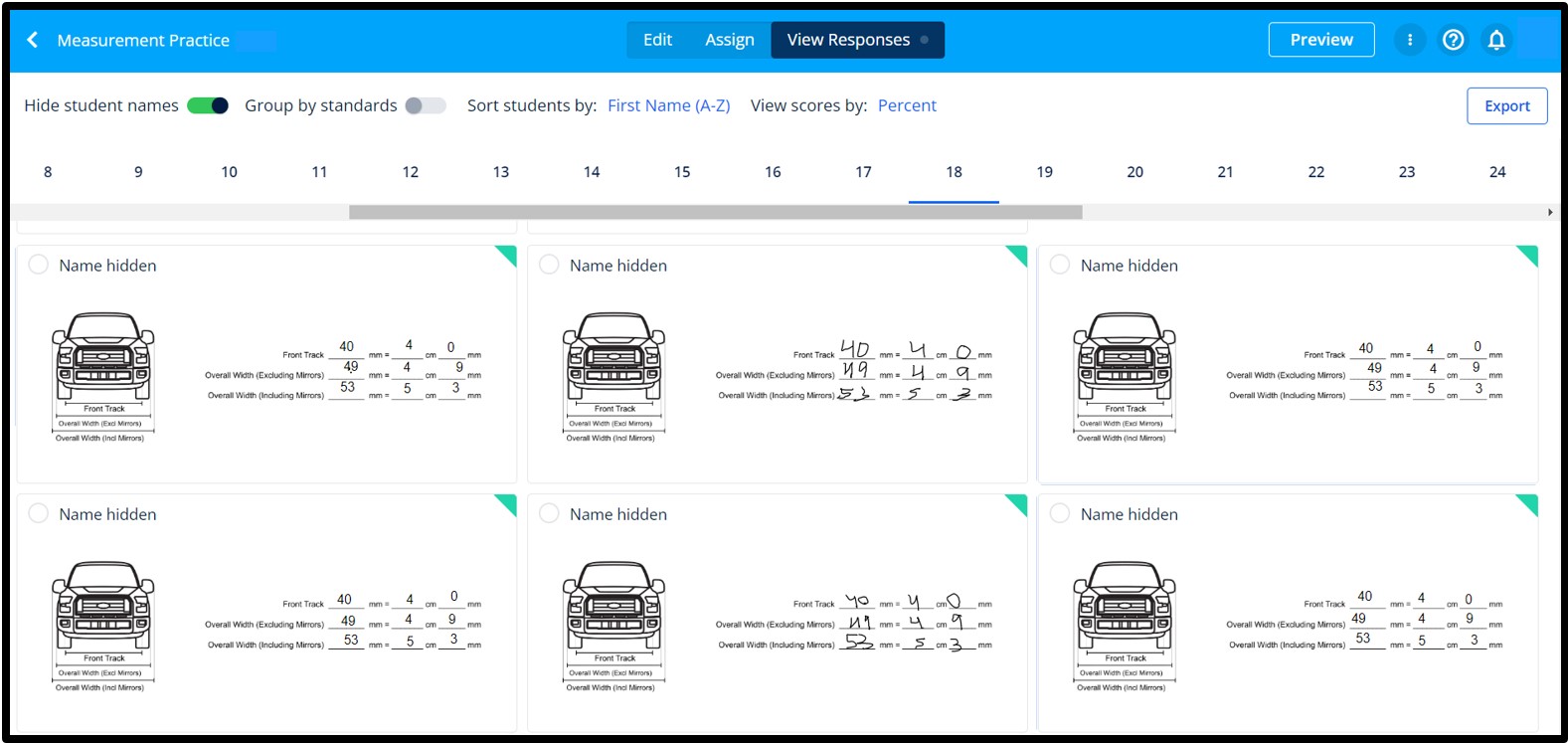
I also loved being able to view and monitor everyone’s whiteboard in real time. In the example below, I have created my own background. Students can interact with this whiteboard without accidentally deleting or messing up the background. In this case students digitally handwrote or typed their answers.
The image in this problem was taken from https://www.dimensions.com/element/ford-f-150-2015-truck.
This strategy is especially helpful for remote and absent students, but is also valuable for in person learning. I started including the notes within the assignment and inside its corresponding problem section. As you can see in the example below, I include yellow color coding so students can readily recognize it as a notes problem. I also assign a zero point value to the notes problems so it isn’t included in their grade calculation.
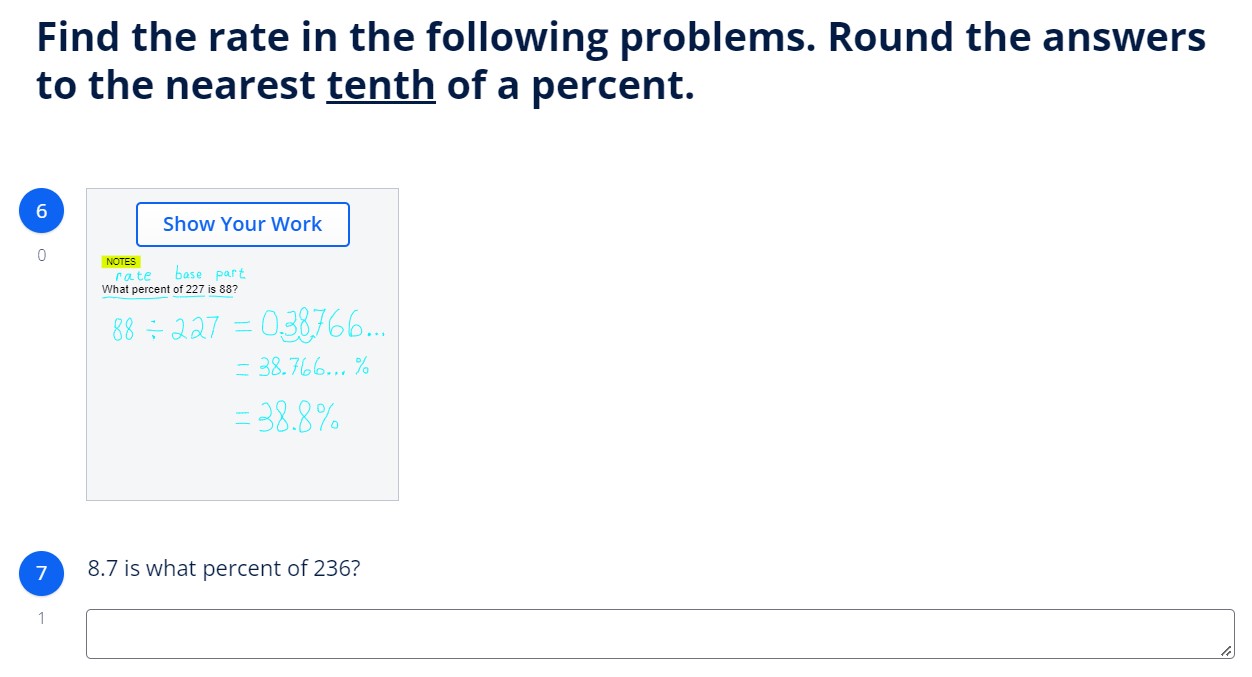
Students can refer to the examples and teach themselves how to do the problems. It also helps struggling students know which example goes with which section, making it easier for them to learn.
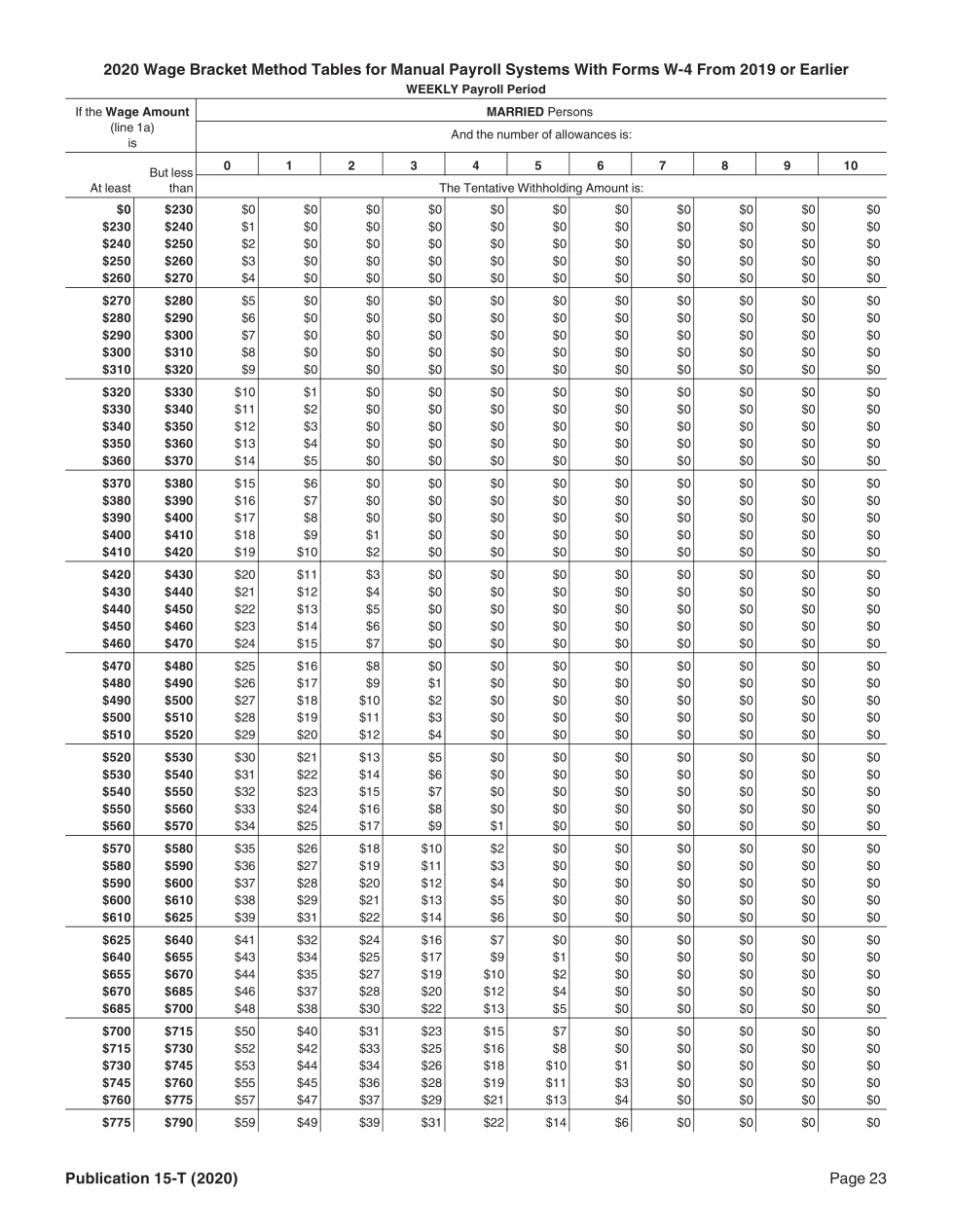
I also found it was helpful to embed handouts. In the example below I embedded a tax table that was needed look up the amount of federal income tax to withhold. This method can be especially helpful in sharing handouts with remote students. Students can use the zoom feature to read the small figures.
Note: I did not use the “embed” feature to attach this table. I instead used the “image” feature and uploaded the pdf version. This table came from the IRS website.
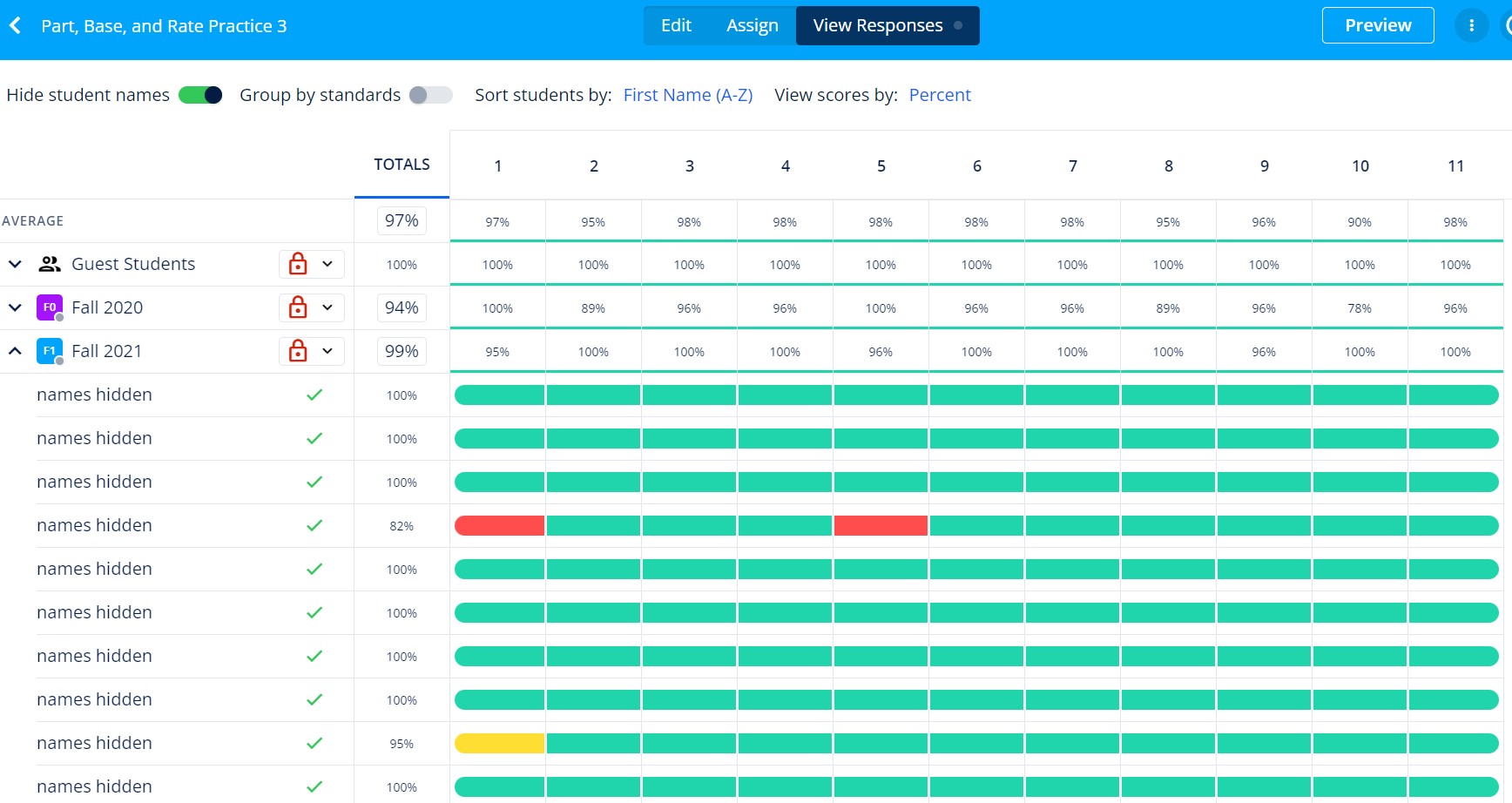
For me, this feature was the most valuable feature. The benefits became evident, both in student attitudes and performance. With Formative’s color coded system (correct answers marked green and incorrect answers marked in red), I could instantly observe if a student was struggling, and quickly intervene, before they learned a concept the wrong way. I think my students appreciated the frequent in-person feedback I gave in class. Toward the end of the semester, I had students asking me to check their answers as they worked. You could see the inward pride in the student’s posture and body language after they learned that their independent work was correct.