Lesson Delivery Template

Last updated over 3 years ago
0 questions
Note from the author:
Use this as a starting point for creating a lesson in Formative.
This template is meant to help you structure your lesson in Foramtive!
Suggested use:
1. Click the triple dots in the upper right hand corner
2. Click "Make a Copy"
3. Rename the copy as your lesson name
4. Delete the Text suggestions as you finish each section
Hook/Anticipatory Set
Starting your lesson off in a way that engages students and provides you insight into what students already know.

Consider including:
  • A picture and question as a warm up for students
  • A video that gives some background information
  • 2-5 quick review questions
  • A daily check in question to focus students for the lesson
(You can delete this when you're done with this section)
New Content/Review
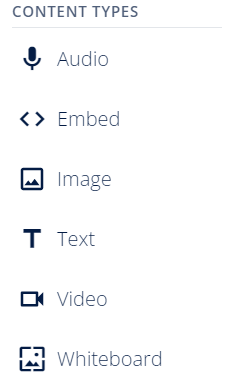
This is where you really get into the bulk of the new or review content you're teaching your students. You'll likely rely heavily in this section on our content types for this part.


Remember, not every content needs questions attached to it - this can be a helpful strategy for sharing vocabulary or formulas with students.

Consider including:
  • Images/diagrams with labled components
  • Embedded slide deck with vocabulary/examples
  • Video that provides content info for students
  • Whiteboard for practing examples and saving them for students to use later

(You can delete this when you're done with this section)
You've delivered some great teaching and students have seemed really engaged. Now it's time to check in on their learning. Did they understand what you taught them? Or do you need to spend more time on it?

Consider including:
  • 1-2 surface level questions (Multiple Choice/Inline Choice/Drag-n-Drop)
  • 1-2 application questions (Categorize/Free Response/Show your Work)
By creating answer keys as you're building your questions - you'll know right away (go check the "View Responses" tab) if your class is ready to move on to the next step or if you need to pump the breaks!

(You can delete this when you're done with this section)
If you have longer lessons consider repeating this section for each part of the lesson.
Guided Practice
Your students seem to understand the content you taught them! Now it's time for them to really start applying their knowledge. This is a great time for partner work!

Consider including:
  • Embedded tool (Desmos/Geogebra/Phet simulations)
  • Uploading a PDF of practice questions
  • Utilizing the Show Your Work and Free Response questions to allow for student choice and differentiation
  • Variety of question types
After this section you'll have a really clear idea of which students you'll need to meet with right away for addtional support and which ones are ready to work on their own.

(You can delete this when you're done with this section)
Independent Practice/Closing
You've taught the content, most of your students understood it and you're ready to close the lesson or move to independent practice.

Consider including:
  • Free Response/Audio/Video quesiton types to help students reflect on their learning
  • A question that requires critical thinking for students to apply what they learned (adding on the Show Your Work if needed)
  • Uploading a PDF of practice questions
  • A space for students to leave a question about the lesson or one thing they learned.
(You can delete this when you're done with this section)