DRAG AND DROP IMAGE This type of question is great for placing labels onto an image.
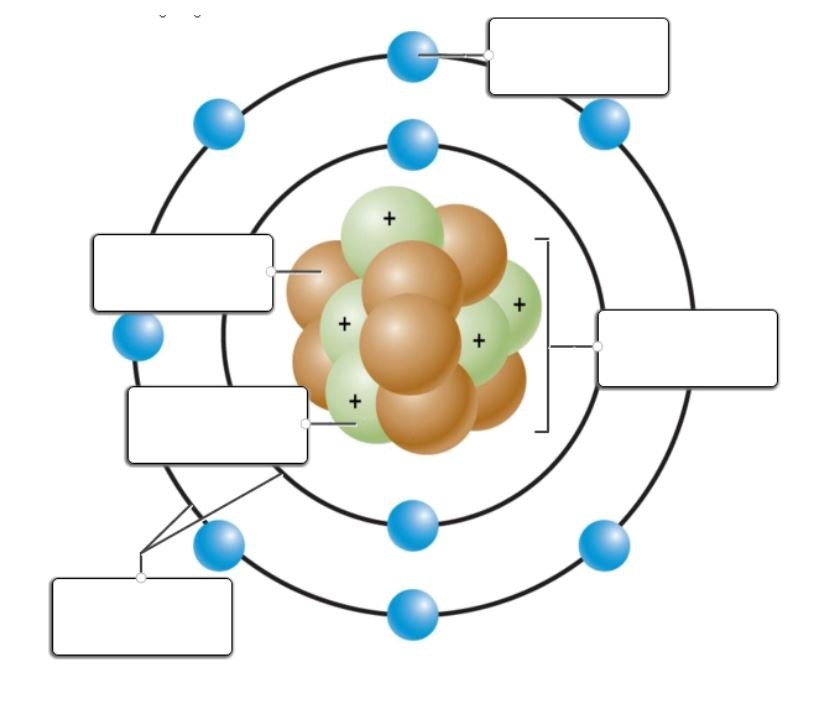
Mmuae Afoforo a Wobɛpaw:
electron cloud
nucleus
proton
electron
neutron
This formative is a reference and gives an example of each question type for both the free version and the extra options that go with a paid subscription. This way anyone can see the teacher side and the student side of the different question types all in one place.
DRAG AND DROP INLINE TEXT This type of question is great for and words into a sentence from a word bank or onto an image.
DRAG AND DROP IMAGE This type of question is great for placing labels onto an image.
FILE RESPONSE Students will upload a file in response to a question.
FILL IN THE BLANK This is a great question type anytime you want the students to give an answer without a wordbank. It's also a great alternative to multiple choice to prevent students from choosing every answer until they get it right.
3 +
FREE RESPONSE This is your essay option. You and the students can highlight, use subscripts/superscripts, bullet points, hyperlinks, and so much more.
INLINE CHOICE This is similar to multiple choice, but the answer choices are done in a drop down menu. This can keep your formatives shorter.
What class period are you in?
MATCH TABLE GRID Please watch how many columns you have. If you make it too wide, students will have to scroll up/down and right/left. Just be aware it will not allow you to make more than one answer choice per row.
Prokaryote | Eukaryote | Both | |
|---|---|---|---|
Contains a nucleus. | |||
Contains a cell membrane. | |||
Simplest type of cell. |
MATCHING Make sure to enter your items matched up. Formative will mix the choices up. Students will click on the 6 dots on one of the words and then their choices will turn blue.
| Draggable item | arrow_right_alt | Corresponding Item |
|---|---|---|
verb | arrow_right_alt | object, place, or thing |
adjectives | arrow_right_alt | action word |
adverbs | arrow_right_alt | describing words |
noun | arrow_right_alt | describe a verb |
MULTIPLE CHOICE This is your basic multiple choice question. It will only allow you to pick one correct answer.
Plants create their own food through the process called
MULTIPLE SELECTION This is a multiple choice with more than one answer.
Click on all the prime numbers.
SHORT ANSWER Simply ask a question and students can answer the question with a few words.
What are the 3 primary colors?
TRUE OR FALSE Type a statement and the true and false options are automatically created for you.
True or false. Water is a polar molecule.
SHOW YOUR WORK This is a great option if you want to see the student's thought process in solving a problem. It is an option for most types of question choices. You can click on the "edit background" if you would like to add something to it (venn diagram, table, picture, etc.) and the students can fill in. They have the option to free draw, use text option, math equation option and so on. Or you can leave it blank like a digital whiteboard.
RESEQUENCE Students will put items in order.
Analzye data
Hypothesis
Ask a Question
Test
Research
Make Observations
GRAPHING. This question choice is being updated as of July 2022. This question type embeds Desmos graphing. Students can enter the equation and it will automatically draw the graph.
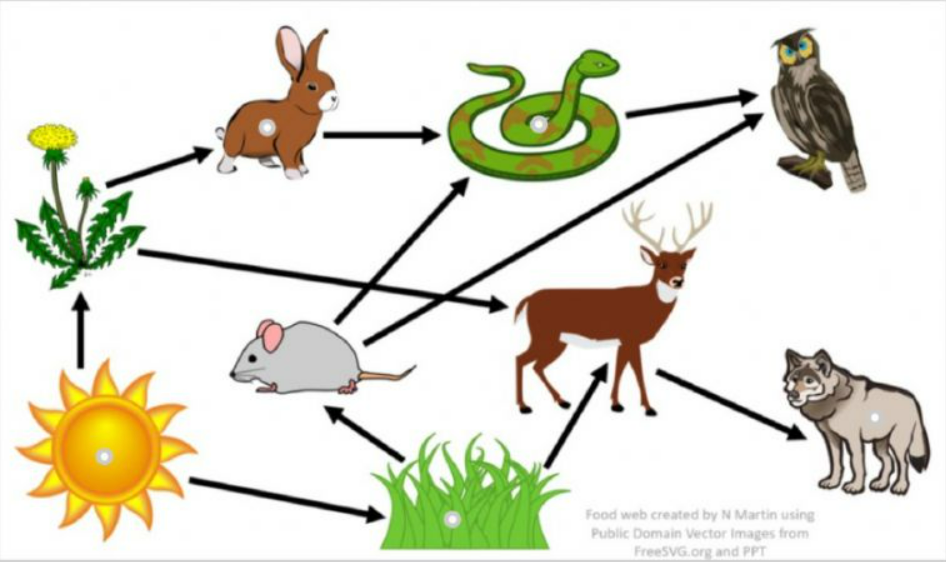
HOT SPOT. Allows interactive images. Use the small solid dot to make parts of the images selectable. Click on the correct spots on the image and click the checkmark. If you have multiple choices, don't forget to toggle it on.
Click on all of the producers.
NUMERIC This gives students the ability to use the equations function, but it also allows you to ignore extra spaces.
HOT TEXT This question type allows you to type a sentence and choose which words can be an answer choice. Simply highlight the words in a sentence and they become your answer choices.
Select the word that is a verb.
CATEGORIZE. You can use this for drag and drop images into different groups. When you set the key, grab by the 6 dots.
Item 2

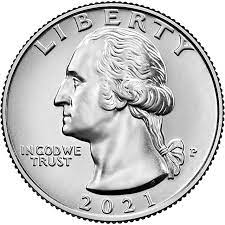
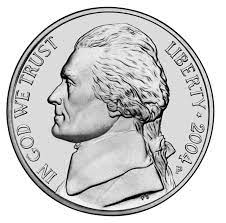
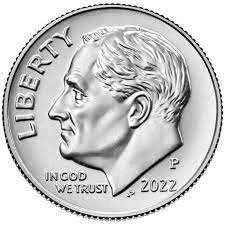
Penny 1¢
Nickel 5¢
Dime 10¢
Quarter 25¢