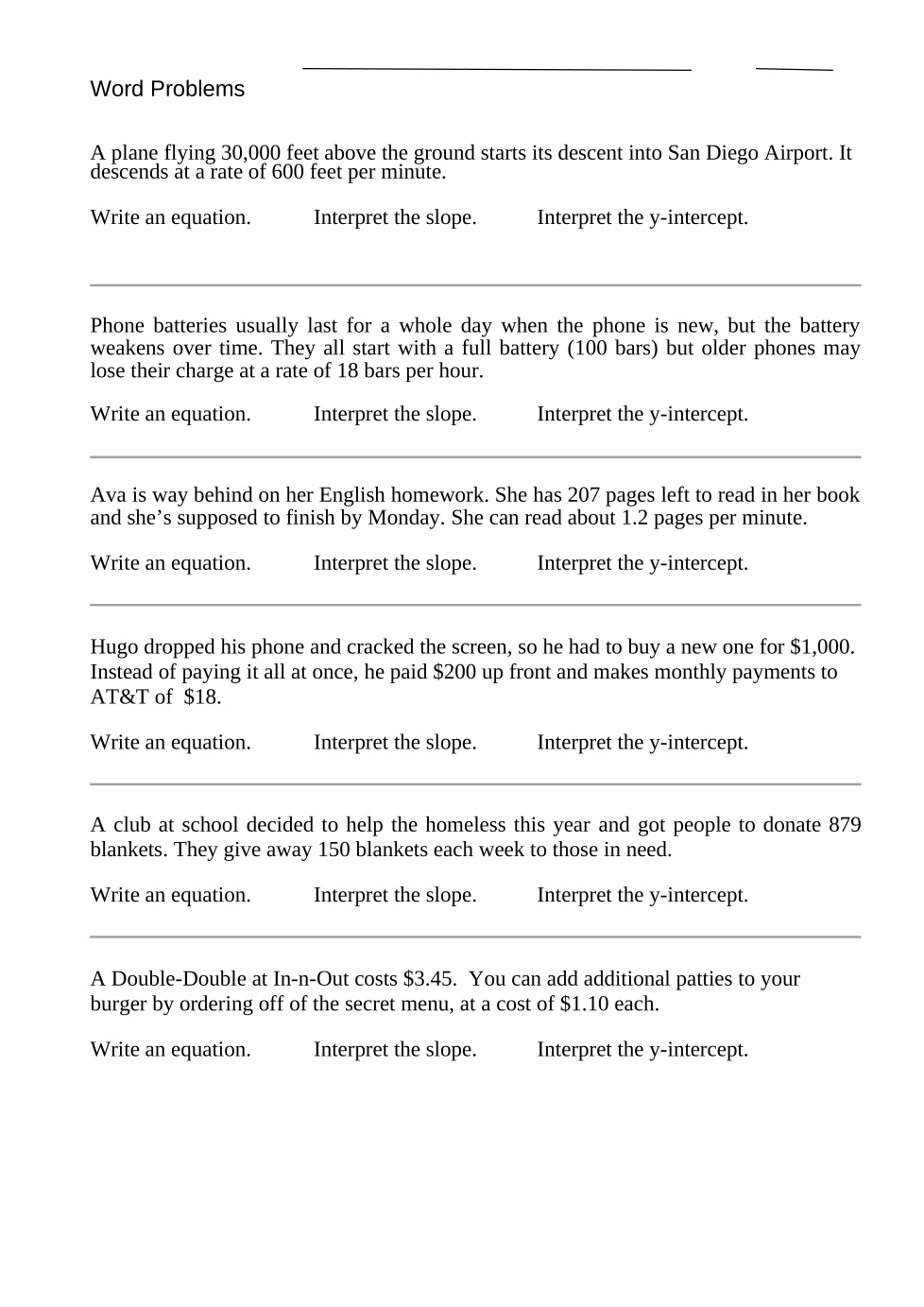
Linear Applications cloned 9/1/2022
star
star
star
star
star
Last updated about 3 years ago
19 Nsɛmmisa
2
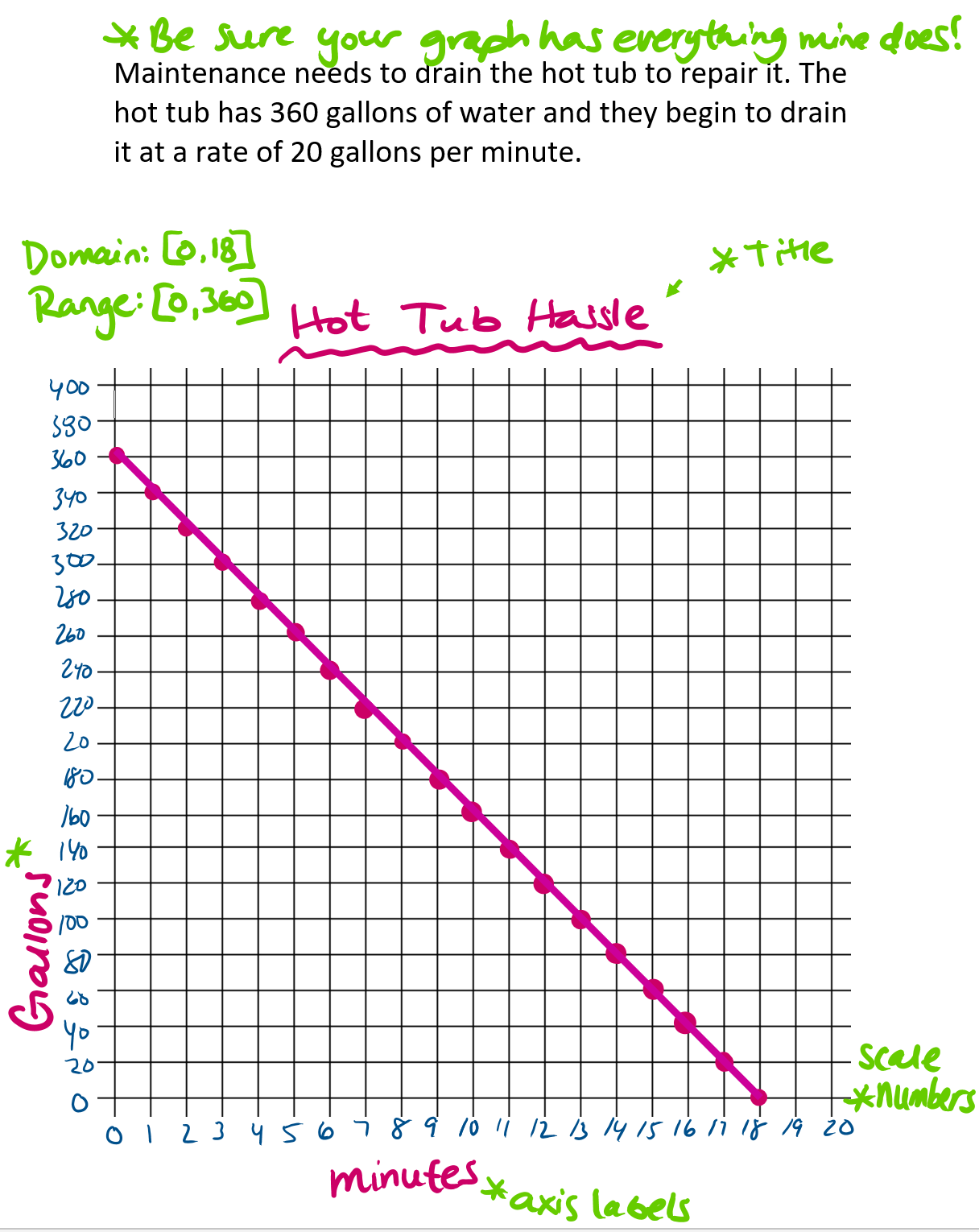
Click "Show your work" below and then click on the 'image' icon on the left hand side and 'take a photo'. Use your chromebook to take a photo of your graph. If it doesn't come out clear, raise your hand and I can show you a couple different things you can do. Click the blue check mark in the top right corner when you're done.
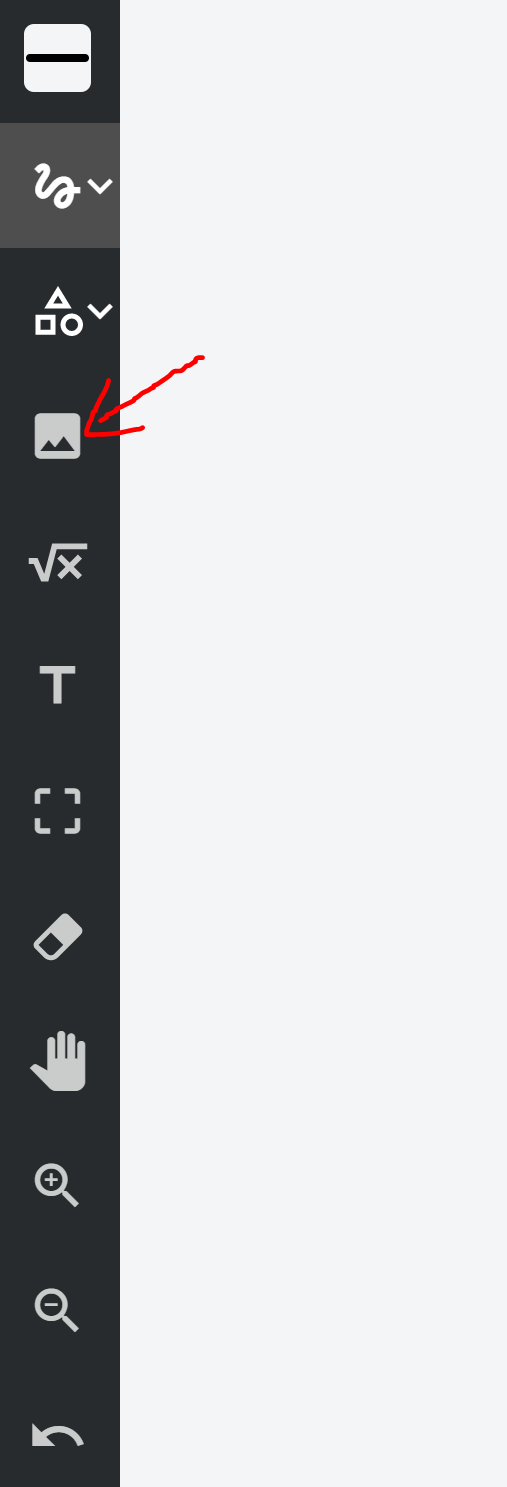
Click "Show your work" below and then click on the 'image' icon on the left hand side and 'take a photo'. Use your chromebook to take a photo of your graph. If it doesn't come out clear, raise your hand and I can show you a couple different things you can do. Click the blue check mark in the top right corner when you're done.