Modern Language Association (MLA) Review

Last updated almost 3 years ago
23 questions
Read through the information, and answer the questions when prompted.
MLA Overview: The Cover Page.

Creating a Cover Page

Generally, a cover page is not required for papers written in MLA format. However, an instructor may request that you include one if the paper is particularly long or complex. In this case, there are specific guidelines regarding what should be included on your cover page. This typically involves including the title of the paper, your name and contact information, and any other relevant data such as course number or professor's name. Additionally, make sure to keep the design and layout of your cover page simple and professional; use basic font styles like Times New Roman or Arial with 12-point font size.
1

A cover page is required for papers written in MLA format?

1

When typing your paper, it is best o use basic font styles like Times New Roman or Arial with 12-point font size?

Following General MLA Format

The Margin

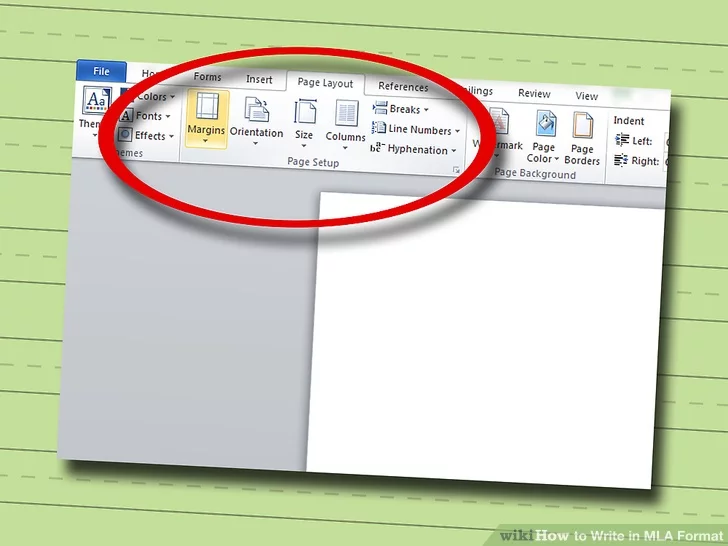
Create 1 in (2.5 cm) margins. The top, bottom, left, and right margins should each be 1 in (2.5 cm) wide.
  • For most word processing programs, you can change the margins by heading into the "Page Layout" settings, usually located under a "File" menu. There should be a "Margins" heading in the dialog box. From there, change each margin to the appropriate size.
1
The margins of all pages in your essay need to be_______?
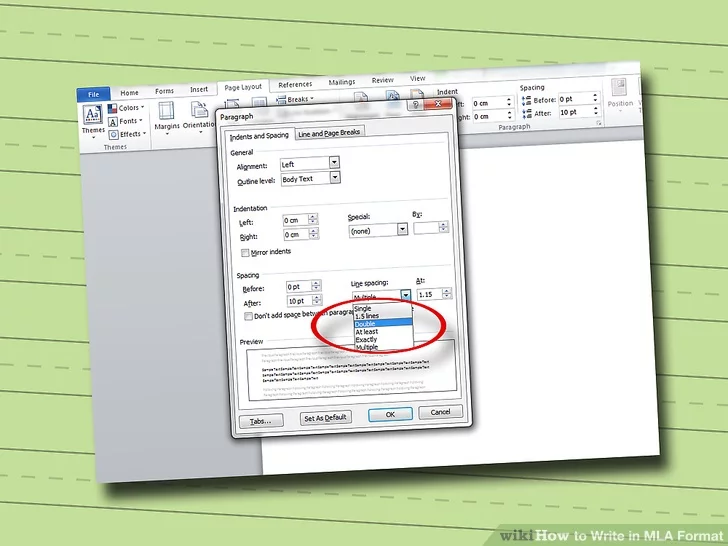
Double-space your paper. From the first page on, your entire paper should be double-spaced. Note that you do not need to include any extra space at the end of a paragraph.
  • For most word processing programs, you can change the spacing by going into the “Page Layout” settings, typically accessed from a “File” menu.” There should be a “Line Spacing” heading in the dialog box. Under that heading, select “2.0” spacing.

1

Your entire essay needs to be double spaced?

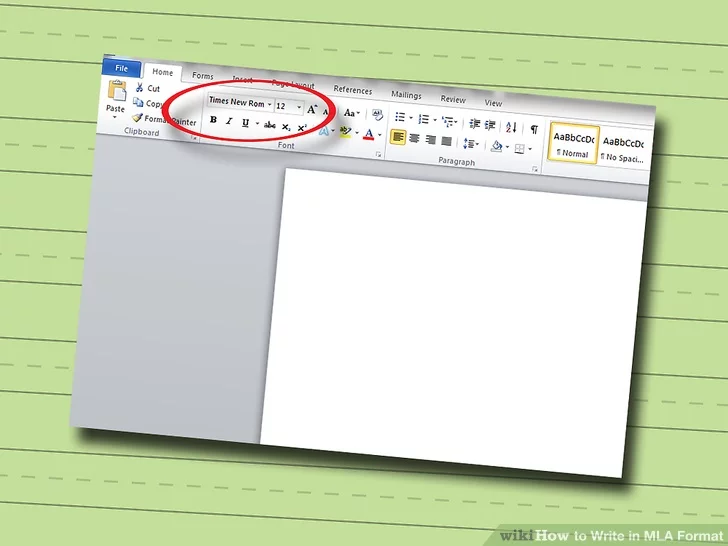
Use 12-point font. The preferred font and size for MLA papers is 12-point Times New Roman.
  • If you opt to use another font instead of Times New Roman, choose a font that is simple, easy to read, and not excessively large.

1

What font is recommended for MLA papers?

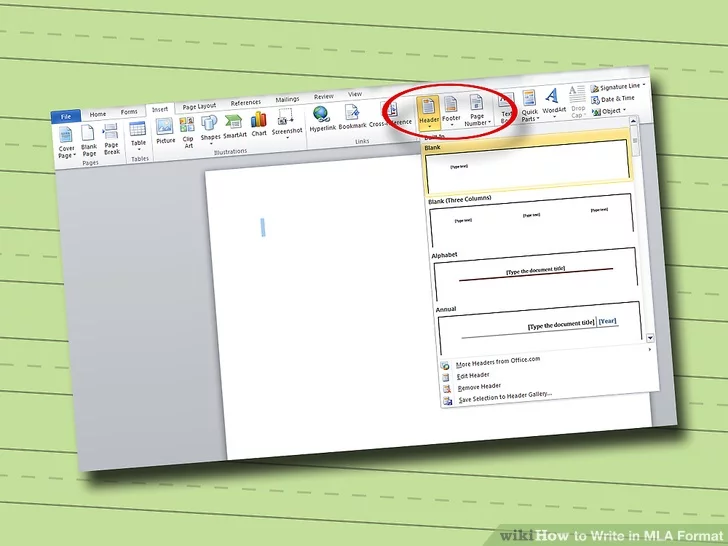
Create a running header. A running header will appear on each page in the same spot. It should include your last name and the page number of each page, and should be positioned in the upper right corner of the page.
  • Access the "Header and Footer" tool in your word processor, often found under the "View" menu. Type your last name and hit the page number icon in the options box to automatically insert the current page number on its corresponding page.

1

What is the proper way to create a running header in a word processor?

Formatting the First Page
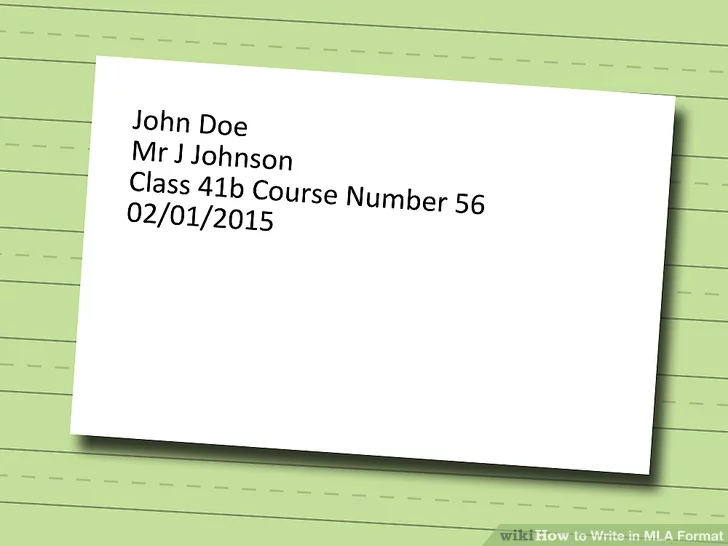
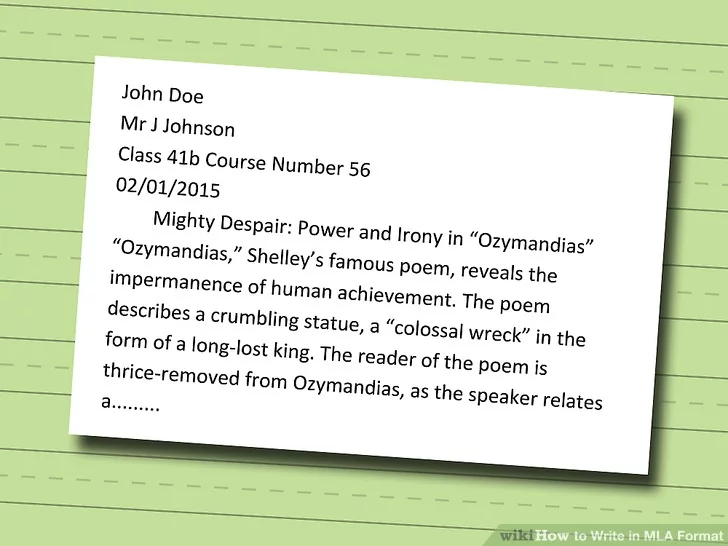
Type your heading in the upper left corner. The heading essentially includes all the information a cover page would include when used. Type your full name, instructor's name, course name, and due date in the upper left corner.
  • Type your full name FirstName LastName on the first line.
  • On the next line, type your instructor's title and name.
  • On the third line, type the the class course number.
  • Include the date your assignment is due on the last line.
  • It should be in Numerical Day Month Numerical Year format.
1

Where should the heading be placed on a typed assignment?

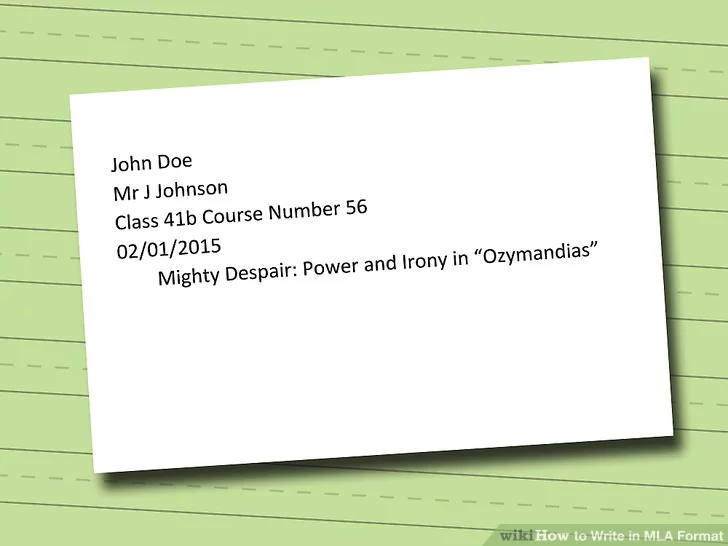
Center your title. On the line immediately following the date, you should type your paper's title. This title should be centered.
  • Do not make the title larger, italicized, underlined, or bold printed.
  • The title of your page should be informative yet creative.
  • If you include a subtitle, type it on the same line as the title and separate the two with a colon after the title.
  • The first letter of every major word should be capitalized. Do not capitalize minor words, like “the,” “and,” or “to,” unless they are the first word of the title or subtitle.

1

The title of your essay is centered and the first letter of every major word should be capitalize?

Write the body of your paper. On the line immediately following the title, left-align your text and begin writing the introduction paragraph of your paper.


1

Where should the body of a paper be aligned on the line immediately following the title?

Formatting the Body of the Paper
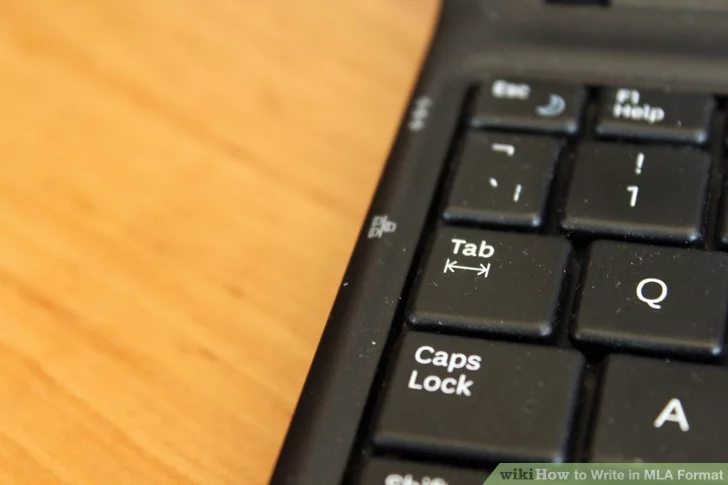
Indent the first line of each paragraph. The first line of each paragraph must be indented by 0.5 in (1.3 cm).[10]
  • Indent the first line by hitting to “Tab” key on your keyboard.
  • You do not need to separate paragraphs with extra line spacing. This indentation alone is enough to mark the start of a new paragraph.

1

What is the recommended method for indenting the first line of a paragraph?

Using In-Text Citations
Include parenthetical citations for all borrowed material.Whenever you include a direct quote, paraphrase, or summary in your paper, you must cite the source of that material in parentheses after the material is presented.
  • When the information is available, include the author's last name and the page number from which the material came.
  • If the materials came from an online source and no page number is available, you only need to include the author's name.
  • If no author's name is available, include an abbreviated portion of the source material's title.
  • Note that if you introduce the author's name earlier in the sentence, you do not need to include the name in the parentheses, as well.

1

According to MLA guidelines, when borrowing material for a paper, it is important to properly cite the source in order to avoid plagiarism. Which of the following is NOT a correct citation format when using MLA style?

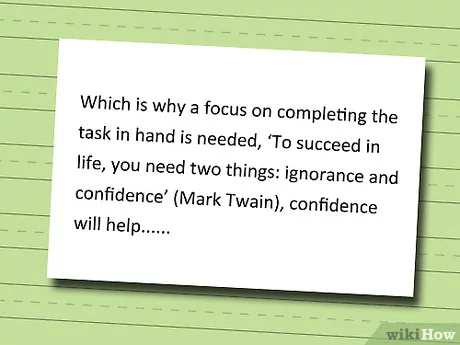
Format an "in-line" quotation. Most quotations will be “in-line,” meaning that no special formatting is required and they can be treated as normal text.
  • Always include a quote as part of another sentence. Never write a “hanging quote,” a type of quotation in which only the quote is presented without any lead in. For example, introduce sentences with some kind of context, such as: Churchill argued for the importance of the initiative when he declared, “Britain must unite behind this measure” (Author 21).
  • Commas and periods should follow the parenthetical citation, and the parentheses should fall outside of the ending quotation marks.

1

Which of the following is the correct format for an "in-line" quotation?

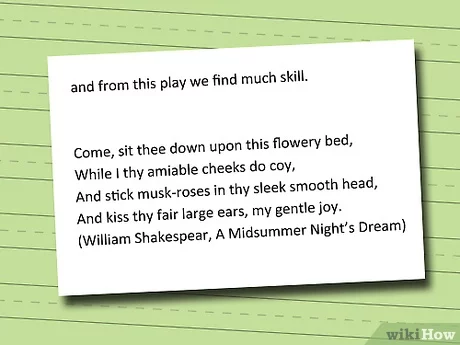
Format a block quote. Quotes that are longer than three lines should be separated from the rest of the text in the form of a block quote.
  • After you type the last word that comes before your quote, hit the "Enter" key to move to a new line.
  • Each line of a block quote should be indented another 1/2 inch (1.25 cm) in.
  • You do not need to include quotation marks for a block quote, but you still need to include a parenthetical citation.

1

What should you do when a quote is longer than three lines?

Untitled Section
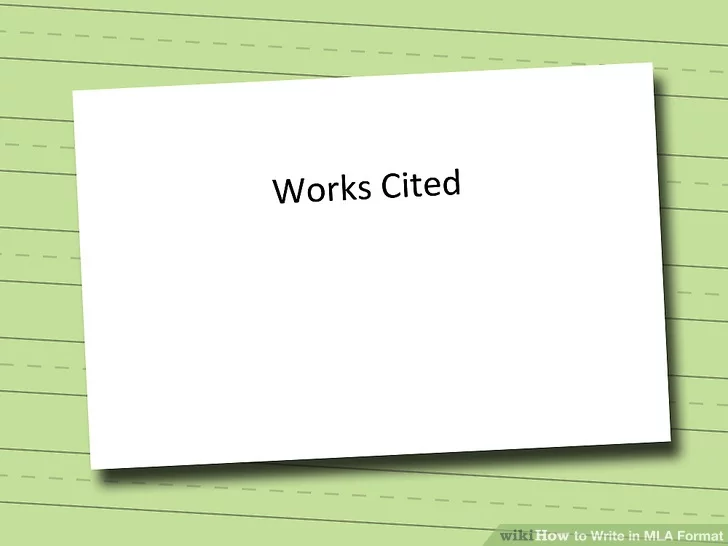
Center the “Works Cited” heading. Do not italicize, bold, or underline the heading.
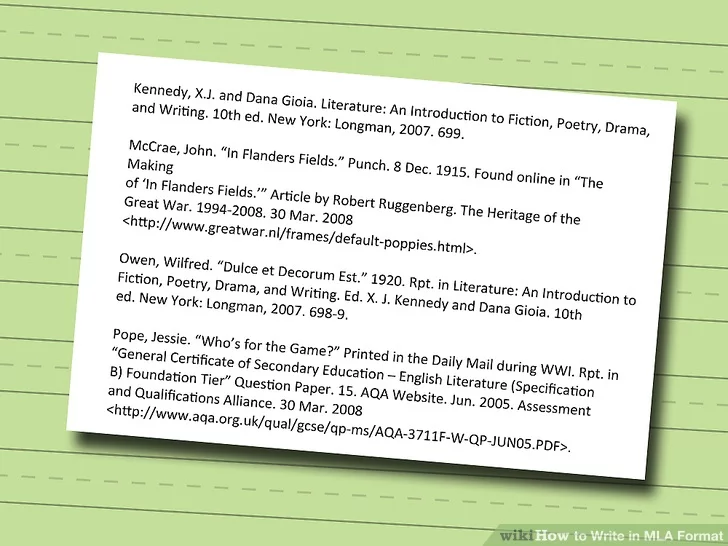
  • Your “Works Cited” page should include all the texts you directly referenced in the body of your paper.
  • All papers written in MLA format must include a “Works Cited” page.

1

What should be included on the "Works Cited" page?

1

The section Works Cited needs to be centered on the page?

Alphabetize your cited material. All of your citations should be listed in alphabetical order according to the authors' last names.
  • If a text does not have a known author, arrange that citation in alphabetical order according to the first word of the article or book title.

1

What is the main instruction given in the text regarding citations in a paper?

Book with One Author

To create a works cited entry for a book with one author, you would need to include the following information in the appropriate format:
  1. Author's last name, first name.
  2. Title of the book.
  3. Place of publication: publisher, publication date.
The format for the entry would look like this:

Author's Last Name, First Name. Title of the Book. Place of Publication: Publisher, Publication Date.

For example, a works cited entry for the book "To Kill a Mockingbird" by Harper Lee would look like this:

Lee, Harper. To Kill a Mockingbird. New York: Harper Perennial Modern Classics, 2006.
1

What is the correct format for a works cited entry for a book with one author?

Book with Two Authors


To cite a book with two authors in MLA on a works cited page, you would use the following format:
  1. List the authors in the order they appear on the title page, with the last name first, followed by a comma, and the first name.
  2. The title of the book should be in italics and the first letter of each word should be capitalized.
  3. Include the city of publication, a colon, the publisher's name, a comma, and the publication date.
The format for the entry would look like this:

Last Name, First Name, and First Name Last Name. Title of the Book. City of Publication: Publisher, Publication Date.

For example, a works cited entry for the book "The Road to Wigan Pier" by George Orwell and Sonia Orwell would look like this:

Orwell, George, and Sonia Orwell. The Road to Wigan Pier. London: Penguin Books, 1937.

It's worth noting that MLA 8th edition also allows you to cite two authors in-text using the & symbol instead of writing both names. Example: (Orwell & Orwell 37)
1

According to the text, in what order should the authors' names be listed when citing a book with two authors in MLA format?

Webpage with an Author


To cite a webpage with an author in MLA format on the works cited page, you would use the following format:
  1. Begin with the author's last name, followed by a comma and the first name.
  2. The title of the webpage should be in quotation marks and the first letter of each word should be capitalized.
  3. Include the name of the website in italics, followed by a period.
  4. Include the date of publication or the date you accessed the webpage.
  5. Finally, include the URL or DOI of the webpage.
The format for the entry would look like this:
Author's Last Name, First Name. "Title of the Webpage." Name of the Website. Date of Publication or Date of Access, URL or DOI.

For example, a works cited entry for the webpage "The Importance of Sleep" by Jane Smith on the website "Healthy Living" would look like this:

Smith, Jane. "The Importance of Sleep." Healthy Living. 23 April 2021, https://www.healthyliving.com/sleep.

It's important to note that if the webpage does not have a publication date, you can use the date you accessed the webpage. Also, if the webpage does not have an author, you can start with the title of the webpage.
1

According to the text, in what order should the information be listed in a works cited entry for a webpage with an author in MLA format?

Website No Author


To cite a webpage with no author in MLA on a works cited page, you would use the following format:
  1. Begin with the title of the webpage in quotation marks and the first letter of each word should be capitalized.
  2. Include the name of the website in italics, followed by a period.
  3. Include the date of publication or the date you accessed the webpage.
  4. Finally, include the URL or DOI of the webpage.
The format for the entry would look like this:

"Title of the Webpage." Name of the Website. Date of Publication or Date of Access, URL or DOI.

For example, a works cited entry for the webpage

"The Importance of Sleep" on the website "Healthy Living" would look like this:

"The Importance of Sleep." Healthy Living. 23 April 2021, https://www.healthyliving.com/sleep.

It's important to note that if the webpage does not have a publication date, you can use the date you accessed the webpage.
1

According to the text, in what order should the information be listed in a works cited entry for a webpage with no author in MLA format?

Book with Three or more Authors

To cite a webpage with two authors on a works cited page in MLA format, you would list the authors' last names, followed by their first names, separated by a comma. Then you would list the title of the webpage in quotation marks, followed by the date of publication or the date you accessed the webpage. Finally, you would list the URL or DOI (digital object identifier) of the webpage.

The format for the entry would look like this:
Author's Last Name, First Name and Author's Last Name, First Name. "Title of the Webpage." Website Name, Publication Date or Last Accessed Date, URL or DOI.

For example, a works cited entry for the webpage "How to Cite Websites" by John Smith and Jane Doe on the OWL at Purdue website would look like this:

Smith, John and Doe, Jane. "How to Cite Websites." OWL at Purdue, accessed May 14, 2022, https://owl.purdue.edu/owl/research_and_citation/mla_style/mla_formatting_and_style_guide/mla_works_cited_electronic_sources.html
1

What is the correct format for citing a webpage with two authors on a works cited page in MLA format?

Website with a Company as the Author

To cite a webpage with a company as the author in MLA format on a works cited page, you would list the company name as the author. If the company name is long, you can use an abbreviated form of the company name. The title of the webpage should be in quotation marks. Then, you would list the date you accessed the webpage and the URL or DOI (digital object identifier) of the webpage.

The format for the entry would look like this:
Company Name or Abbreviated Company Name. "Title of the Webpage." Website Name, Last Accessed Date, URL or DOI.

For example, a works cited entry for the webpage "Carbon Footprint Calculator" by the Environmental Protection Agency (EPA) would look like this:

Environmental Protection Agency (EPA). "Carbon Footprint Calculator." epa.gov, accessed May 14, 2022, https://www.epa.gov/energy/greenhouse-gas-equivalencies-calculator

It's also worth noting that in some cases, the website name might be the same as the company name, or the company might not have a specific website. In that case, the website name is not necessary to include in the citation.
1

What is the correct format for citing a webpage with a company as the author in MLA format on a works cited page?

Webpage written by a University


To cite a webpage written by a university on a works cited page in MLA format, you would list the name of the university as the author. Then you would list the title of the webpage in quotation marks, followed by the date you accessed the webpage. Finally, you would list the URL or DOI (digital object identifier) of the webpage.

The format for the entry would look like this:

University Name. "Title of the Webpage." Website Name, Last Accessed Date, URL or DOI.

For example, a works cited entry for the webpage "Guide to Writing Research Papers" on the writing center website of the University of Wisconsin-Madison would look like this:

University of Wisconsin-Madison. "Guide to Writing Research Papers." Writing Center, accessed May 14, 2022, https://writing.wisc.edu/Handbook/GuideResearch.html

It's also worth noting that in some cases, the website name might be the same as the university name, or the university might not have a specific website. In that case, the website name is not necessary to include in the citation.
1

Citing a university written webpage is the same as citing a company written webpage?