Geometry: Dilations

Last updated almost 3 years ago
13 questions
Note from the author:
This Formative engages students in a mini-lesson of dilations. Students begin with a two minute YouTube video embedded into Formative. The second section of the Formative assignment is self-checking with multiple choice, multiple-selection, numerical free response, and graphing questions. This Formative also includes a "Hint" feature to support students.
Watch the short video lesson introducing Dilations. Then answer the following questions to check your understanding.
Required
1

In your own words, how would you define "dilation?"

Required
1

What is scale factor? How does the scale factor affect the pre-image?

Required
1

The pre-image has a coordinate point of A(0, 4) and B (3,4). The image has coordinate points of A'(0, 12) and B'(9, 12). What is the scale factor?

Now that you have a better understanding of non-rigid transformations (i.e. dilations), let's apply our new skills!
Required
1

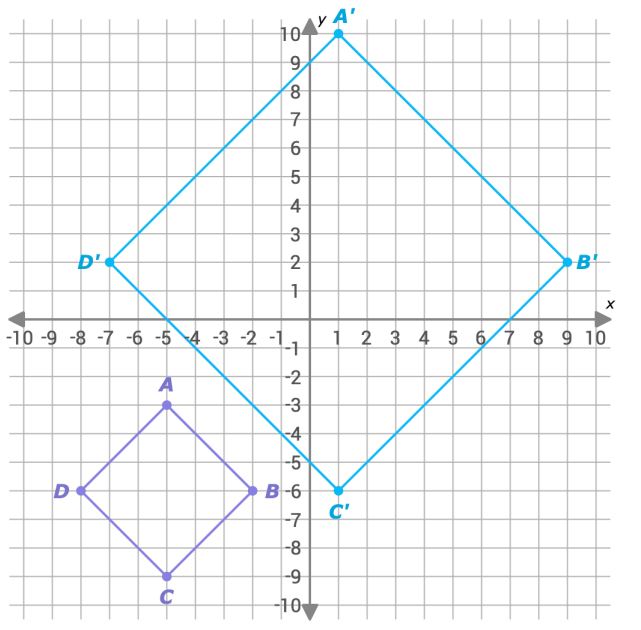
Triangle ABC has the coordinates in the table below. Where will the location of A' be after a dilation using a scale factor of 1.25?

Required
1

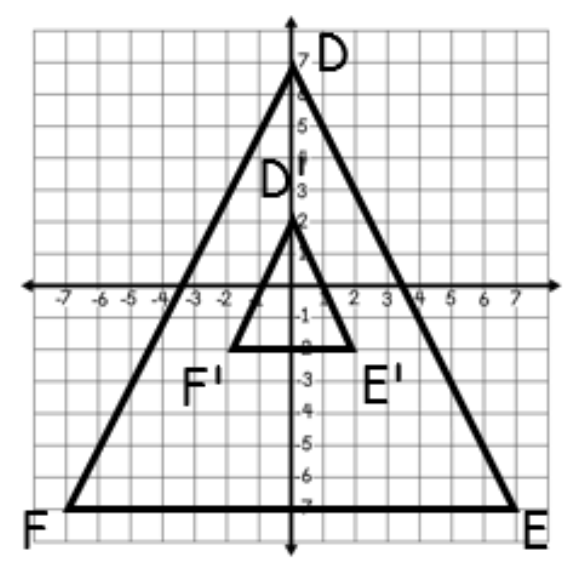
What is the correct algebraic representation of the dilation shown below?

Required
1

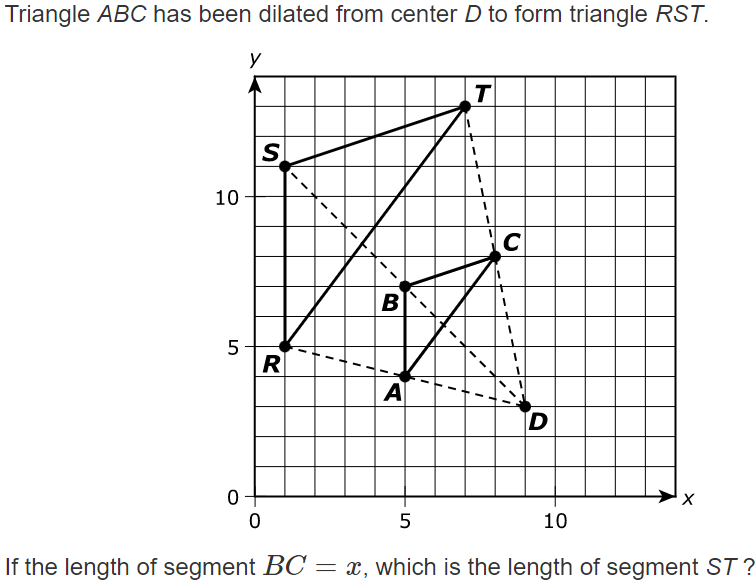
Select all of the true statements based on the diagram below.

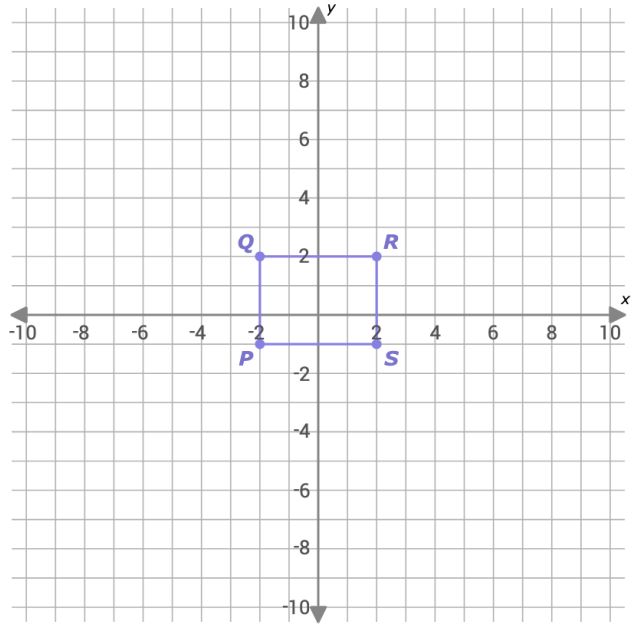
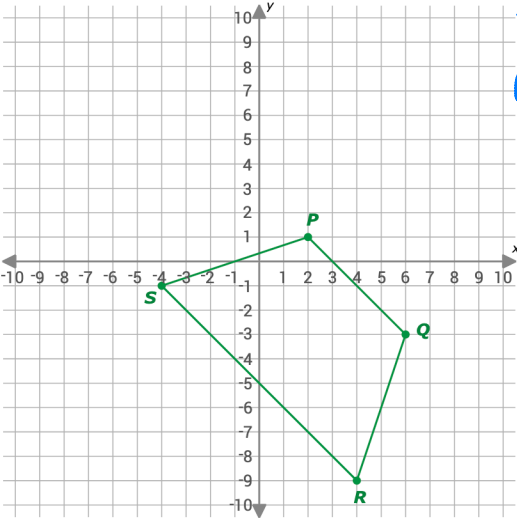
Quadrilateral PQRS is shown on the graph below. PQRS was dilated by a scale factor of 0.5 centered at point R to create P'Q'R'S'.

Required
1

Determine if this dilation is an enlargement or a reduction.

Required
1

What is the scale factor? Input your answer as a fraction.

Required
1

Match the coordinate points to the vertices of the image after a dilation by a scale factor 4.

Draggable itemCorresponding Item
(8, -4)
Q'
(-8, 8)
R'
(-8, -4)
P'
(8, 8)
S'
Required
1

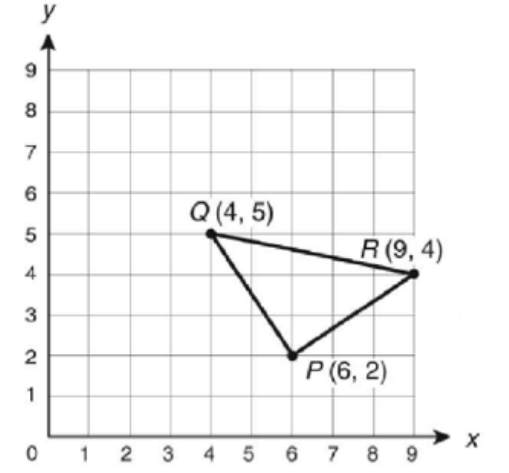
What are the coordinates of P' when triangle PQR is dilated at the origin by a scale factor of 3?

Required
2

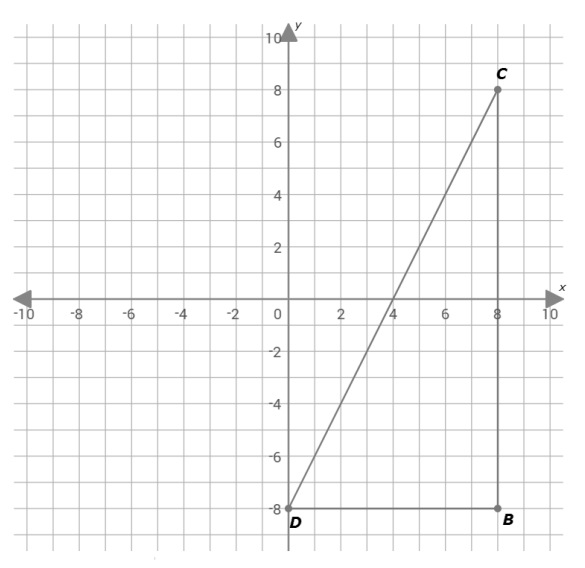
Triangle BCD is dilated at the origin with the scale factor of 0.25. Graph the image of B'C'D'.
(1 pt. for enlargement or reduction; 1 pt. for correctly graphing the image)

  • Click the graph tab.
  • Click on the graph background to add a point. Drag a point or type in x and y coordinates to edit its position. Click on a point to delete it.
Required
1

Required
1