Log in
Sign up for FREE
arrow_back
Library

4th Tech Literacy 2019-2020

star
star
star
star
star
Last updated 6 months ago
45 questions
1
1
1
1
1
1
1
1
1
1
1
1
1
1
1
1
1
1
1
1
1
1
1
1
1
1
1
1
1
1
1
1
1
1
1
1
1
1
1
1
1
1
1
1
1
Question 1
1.

It is the most important program that runs in a computer. It controls the way the computer works and makes it possible for other programs to function.

Question 2
2.

The main device which does the main calculations of your computer and allows you to actually run programs.

Question 3
3.

Choose the computer term that defines “Programs or a set of electronic instructions that tell a computer what to do”.

Question 4
4.

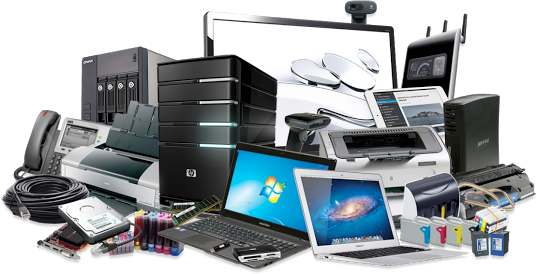
What general term describes the physical equipment of a computer system, such as its video screen, keyboard, and storage devices?
Question 5
5.

Small images that represent computer programs or files

Question 6
6.

The bar at the top of a window containing a lists of related commands, tools and options that allow you to interact with the program.

Question 7
7.

The bar with a series of icons used to perform certain functions. It is usually located immediately below the menu bar.

Question 8
8.

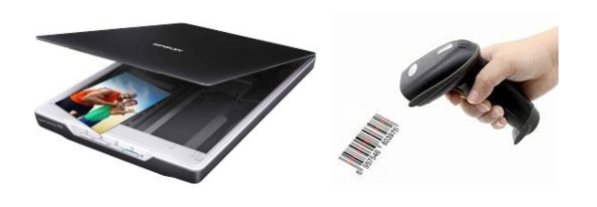
An input device used to read text and bar codes or a device to input pictures into a computer.

Question 9
9.

The primary device that a computer uses to store information

Question 10
10.

Which of the following items is NOT an input device?

Question 11
11.

Which of these group of devices are all OUTPUT devices?

Question 12
12.

Devices that allow you to put information into the computer:

Question 13
13.

An output device that lets you see what the computer is doing.

Question 14
14.

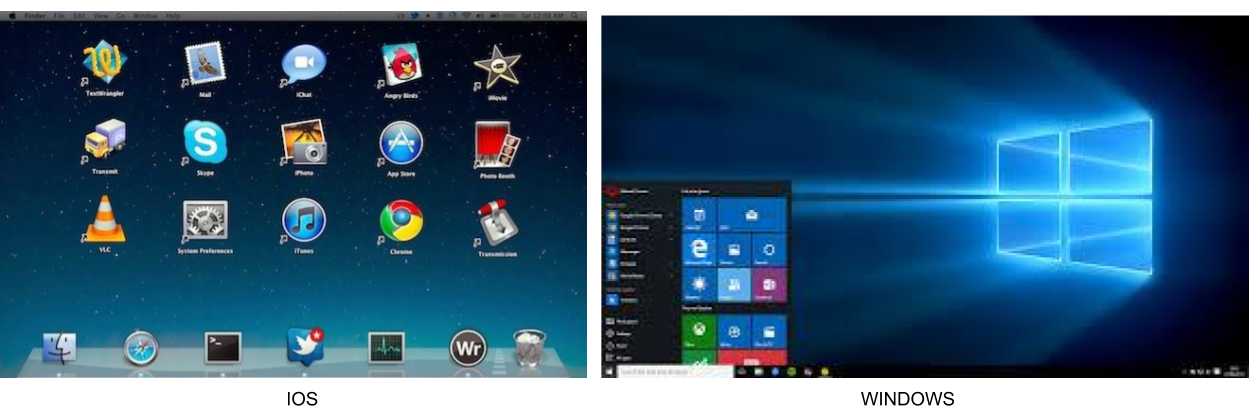
How do we call the place where are the icons of the programs that we use more frequently?

Question 15
15.

A button that makes characters either upper or lower case and numbers to symbols.

Question 16
16.

This button is named:

Question 17
17.

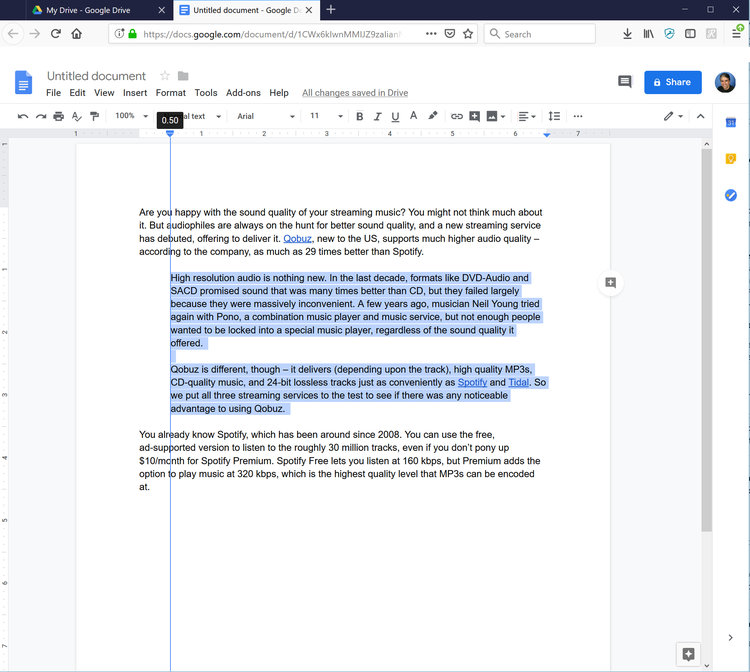
This action is called:

Question 18
18.

The different styles of letters in a word processing program

Question 19
19.

Which option you should use to position an image around the text?

Question 20
20.

Modifying orientation, margins, or columns are examples of :

Question 21
21.

You are giving a presentation using a projection device and computer. What are most important to consider when creating the presentation

Question 22
22.

Jimena wants to remove some section from her picture. Which option does she needs to choose?

Question 23
23.

A spreadsheet is a tool that allows you to:

Question 24
24.

Which of the following is a spreadsheet multiplication formula?

Question 25
25.

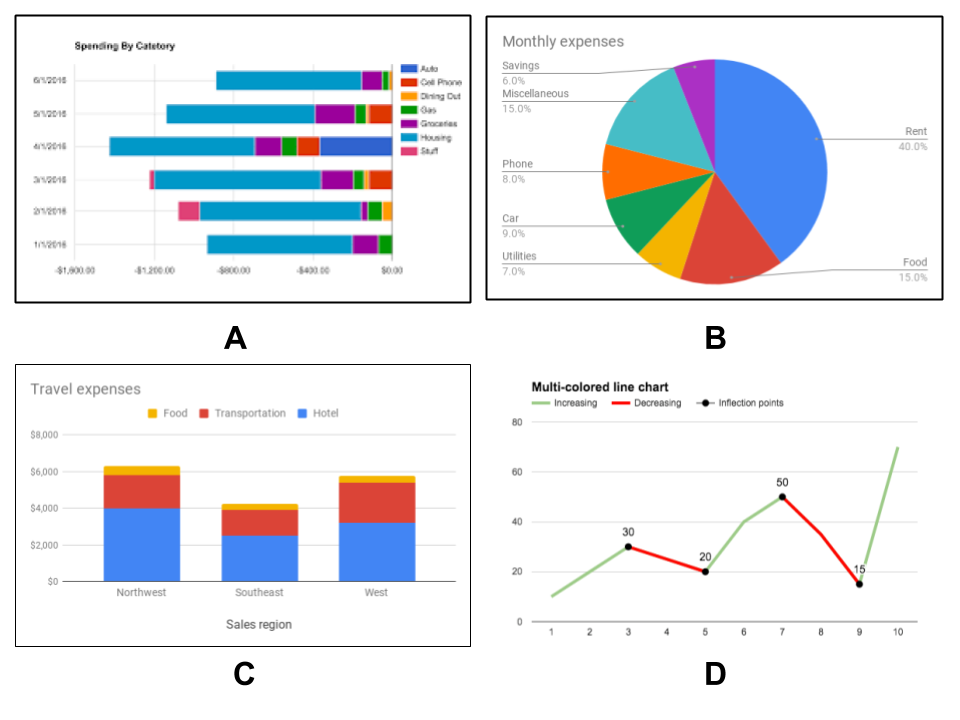
Which type of chart best illustrates values as a part of the whole? Choose the correct option:

Question 26
26.

If you receive an email from someone you don't know, what should you do?

Question 27
27.

If you receive a message from a cyberbully, what would you do?

Question 28
28.

What is another word for “Rules of proper behavior on the Internet”?

Question 29
29.

A browser is:

Question 30
30.

This term: “Electronic telecommunications system joining many thousands of COMPUTERS together” best describes:

Question 31
31.

To save the address of a web site you should add it to your...

Question 32
32.

On a NETWORK, your files and folders are normally stored

Question 33
33.

Two or more computers connected to each other that share all information to include programs and data

Question 34
34.

The most likely type of network that would be used in a multi-national organization which has offices around the world would be.

Question 35
35.

A physical location like a wireless access point that provides internet access to mobile devices typically using Wi-Fi.

Question 36
36.

One advantage of a computer network is that new software can be installed centrally rather on every individual machine

Question 37
37.

A search engine is:

Question 38
38.

A web server is:

Question 39
39.

A webpage is:

Question 40
40.

A social networking site is:

Question 41
41.

The process of transferring content from a server on the internet to a computer or mobile device is called:

Question 42
42.

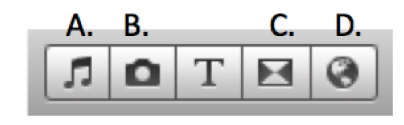
Which of the following below is the choice you would click on to see the TRANSITION choices in a video editor program?

Question 43
43.

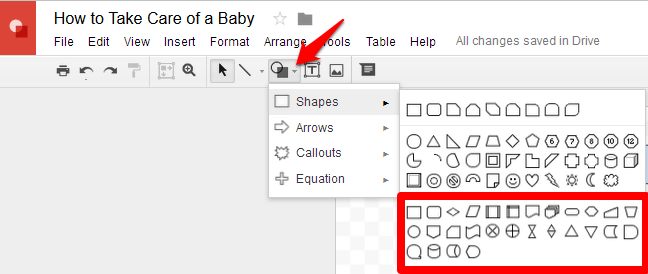
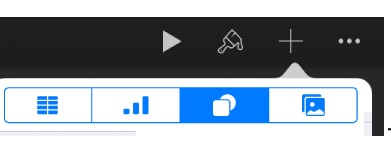
The highlighted option in the picture below, let the user to insert a:

Question 44
44.

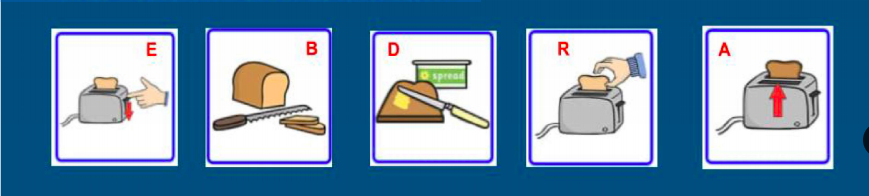
Which is the correct order of sequence?

Question 45
45.

The step-by-step instructions that a computer follows.