Log in
Sign up for FREE
arrow_back
Library

2.03 Pangaea Gizmo Lab

star
star
star
star
star
Last updated about 3 hours ago
9 questions
Note from the author:
2
HS-ESS1-5
HS-ESS2-1
HS-ESS2-3
2
HS-ESS1-5
HS-ESS2-1
HS-ESS2-3
2
HS-ESS1-5
HS-ESS2-1
HS-ESS2-3
2
HS-ESS1-5
HS-ESS2-1
HS-ESS2-3
2
HS-ESS1-5
HS-ESS2-1
HS-ESS2-3
2
HS-ESS1-5
HS-ESS2-1
HS-ESS2-3
2
HS-ESS1-5
HS-ESS2-1
HS-ESS2-3
2
HS-ESS1-5
HS-ESS2-1
HS-ESS2-3
4
HS-ESS1-5
HS-ESS2-1
HS-ESS2-3
Gizmo Instructions

If you have not yet signed up for Gizmos, follow these instructions:
  1. Go to http://go-el.com/join
  2. Use code ELPFXXTR
  3. Click next
  4. If you've used Gizmos before and remember your login information, log into your account. Otherwise, create a new account
  5. Write down your username and password and put this information in a safe place

Click here to open the Pangaea Gizmo.

If you need help with this assignment, please watch the recording

Gizmo Instructions

If you have not yet signed up for Gizmos, follow these instructions:
  1. Go to http://go-el.com/join
  2. Use code ELPFXXTR
  3. Click next
  4. If you've used Gizmos before and remember your login information, log into your account. Otherwise, create a new account
  5. Write down your username and password and put this information in a safe place

Click here to open the Pangaea Gizmo.

If you need help with this assignment, please watch the recording

Question 1
1.

Part 1: Pangaea Puzzle
The Gizmo allows you to drag and rotate all the major landmass on Earth.
  • To drag a landmass, grab it in the middle.
  • To rotate a landmass, grab it near the edge.
1. Try to fit all the landmasses together like a puzzle. As much as possible, avoid overlapping landmasses.

2. When you are done, take a screen shot by using the Tools in the upper right corner.
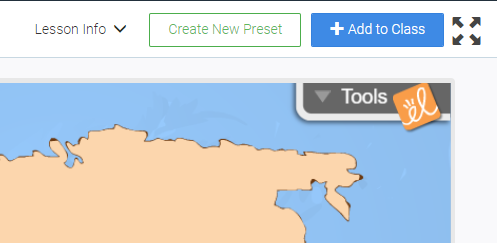


3. Right click on the image and choose "Copy Image" then you can paste it into the answer box below by pressing Ctrl + v
(You could also click "Save image as..." Save the image to a place that's easy to find (like your desktop) then click on the blue plus sign in the box below and select "Image" and choose "Upload Picture." Find your saved screen shot and upload the image.

Question 2
2.

How well do the continents fit together? Why might they not be a perfect fit?

Question 3
3.

Part 2: Fossil Evidence

Click the "Reset" button to reset the Gizmo.

Switch the "Evidence" drop down to "Fossils."

You should now see 4 different colored coded zones where fossils of specific species have been found.

1. Move and rotate the continents so that the fossils areas align together.

2. When you are done, take a screen shot by using the Tools in the upper right corner.

3. Right click on the image and choose "Copy Image" then you can paste it into the answer box below by pressing Ctrl + v
(You could also click "Save image as..." Save the image to a place that's easy to find (like your desktop) then click on the blue plus sign in the box below and select "Image" and choose "Upload Picture." Find your saved screen shot and upload the image.)

Question 4
4.

How does fossil evidence support the theory of plate tectonics?

Question 5
5.

Part 3: Rock Evidence

Click the "Reset" button to reset the Gizmo.

Switch the "Evidence" drop down to "Rocks."

You should now see 2 different color coded zones representing rocks and mountains.

1. Move and rotate the continents so that the fossils areas align together.

2. When you are done, take a screen shot by using the Tools in the upper right corner.

3. Right click on the image and choose "Copy Image" then you can paste it into the answer box below by pressing Ctrl + v
(You could also click "Save image as..." Save the image to a place that's easy to find (like your desktop) then click on the blue plus sign in the box below and select "Image" and choose "Upload Picture." Find your saved screen shot and upload the image.)

Question 6
6.

How do rocks and mountain ranges support the theory of plate tectonics?

Question 7
7.

Part 4: Glacial Evidence

Click the "Reset" button to reset the Gizmo.

Switch the "Evidence" drop down to "Glaciers."

You should now see areas of glaciers and arrows representing the directions they moved.

1. Move and rotate the continents so that the fossils areas align together.

2. When you are done, take a screen shot by using the Tools in the upper right corner.

3. Right click on the image and choose "Copy Image" then you can paste it into the answer box below by pressing Ctrl + v
(You could also click "Save image as..." Save the image to a place that's easy to find (like your desktop) then click on the blue plus sign in the box below and select "Image" and choose "Upload Picture." Find your saved screen shot and upload the image.)

Question 8
8.

How do glaciers support the theory of plate tectonics?

Question 9
9.

Part 5: Analysis

What evidence (fossils, rocks, or glaciers) is the strongest support of the theory of plate tectonics? Explain your answer.