Log in
Sign up for FREE
arrow_back
Library
Parts of a Google Sheet Window - Mastery
By Wendy Cox
star
star
star
star
star
Share
share
Last updated over 1 year ago
6 questions
Add this activity
Instructions
1. Read each question.
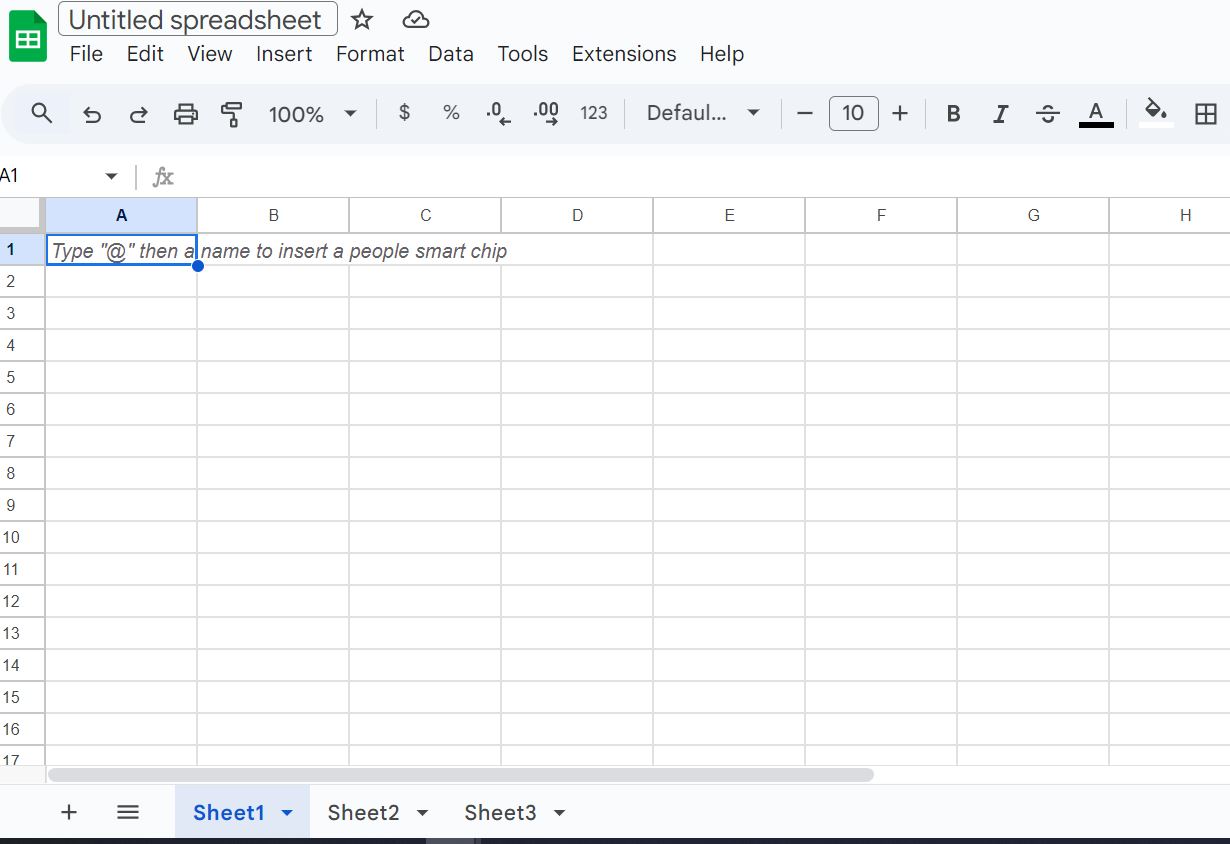
2. Refer to the pictures provided.
1
2
3
4
zoom_in
Required
1
Required
1
Required
1
Required
1
Required
1
Required
1
Question 1
1.
What are Sheet1, Sheet2, Sheet3?_______________
Other Answer Choices:
drag_indicator
Cells
drag_indicator
Rows
drag_indicator
Columns
drag_indicator
Worksheets
drag_indicator
Google Sheets
Question 2
2.
What are the letters A,B,C,D,E referring to?____________
Other Answer Choices:
drag_indicator
Worksheets
drag_indicator
Cells
drag_indicator
Google Sheets
drag_indicator
Columns
drag_indicator
Rows
Question 3
3.
What do the numbers 1,2,3,4,5 represent?_________
Other Answer Choices:
drag_indicator
Rows
drag_indicator
Cells
drag_indicator
Columns
drag_indicator
Google Sheets
drag_indicator
Worksheets
Question 4
4.
A1 and A2 are__________
Other Answer Choices:
drag_indicator
Cells
drag_indicator
Columns
drag_indicator
Worksheets
drag_indicator
Rows
drag_indicator
Google Sheets
Question 5
5.
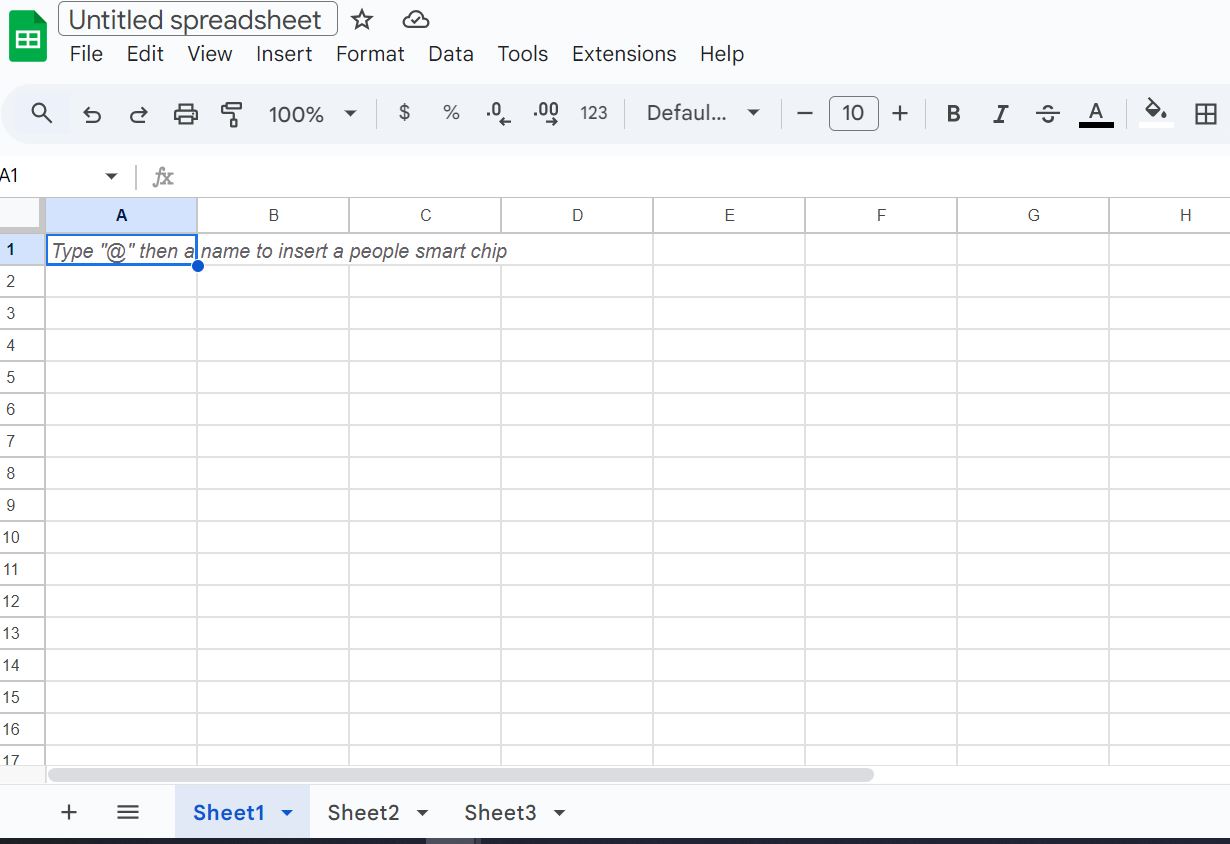
Click the box that is around the menu bar.
Question 6
6.
Click the box around the formula bar.