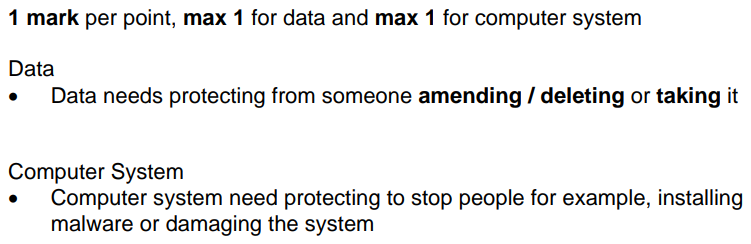
STIG AS Level Security, Protection and Integrity
star
star
star
star
star
Last updated about 1 year ago
38 Nsɛmmisa
1
1
1
1
1
2

1
1
1
1
1
1
1
1

1
1
1
1
1

1
1

1

1
1
1
1

1
1
1
1
1
1

1
1
1
1
1
1
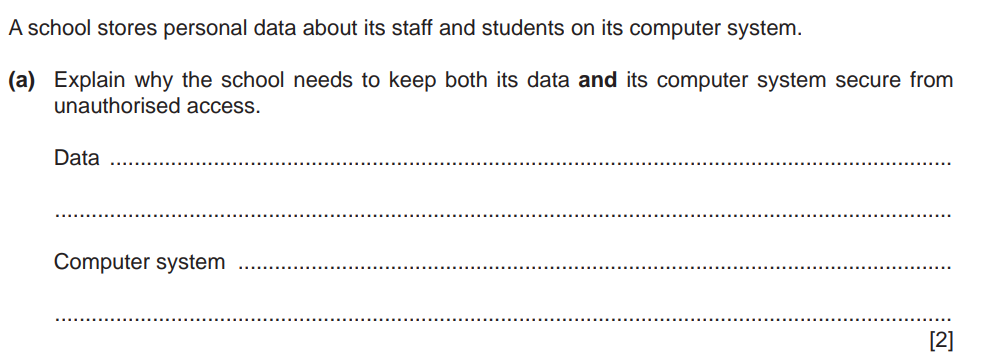
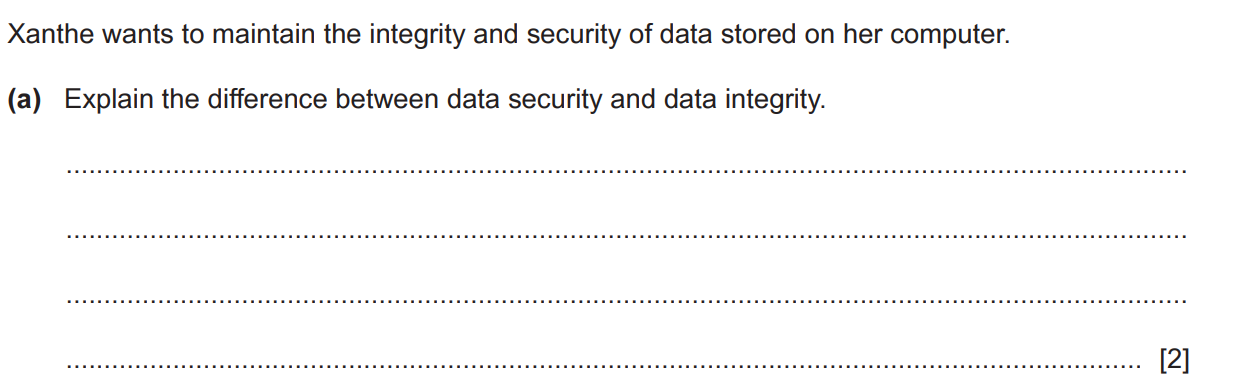
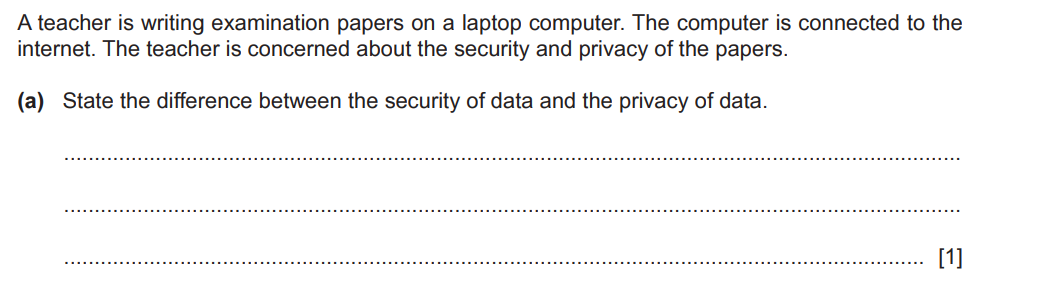
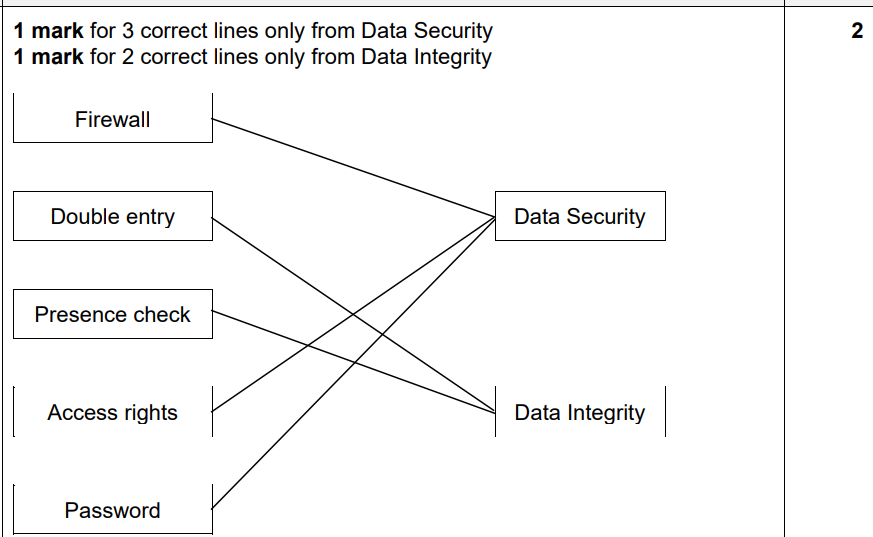
Protecting data from being stolen or altered by unauthorized individuals.
A company uses checksums to ensure that transmitted files are not altered during transfer.
A healthcare provider encrypts patient records so that only authorized staff can view them.
A user installs anti-virus software to protect their computer from malware.
A database system ensures that all changes to records are logged and reversible in case of errors.
Ensuring that only the intended recipient can access sensitive information.
A bank uses strong passwords and two-factor authentication to prevent unauthorized logins.
Encrypting an email so only the recipient can read it.
A messaging app ensures that only the sender and recipient can read the messages, using end-to-end encryption.
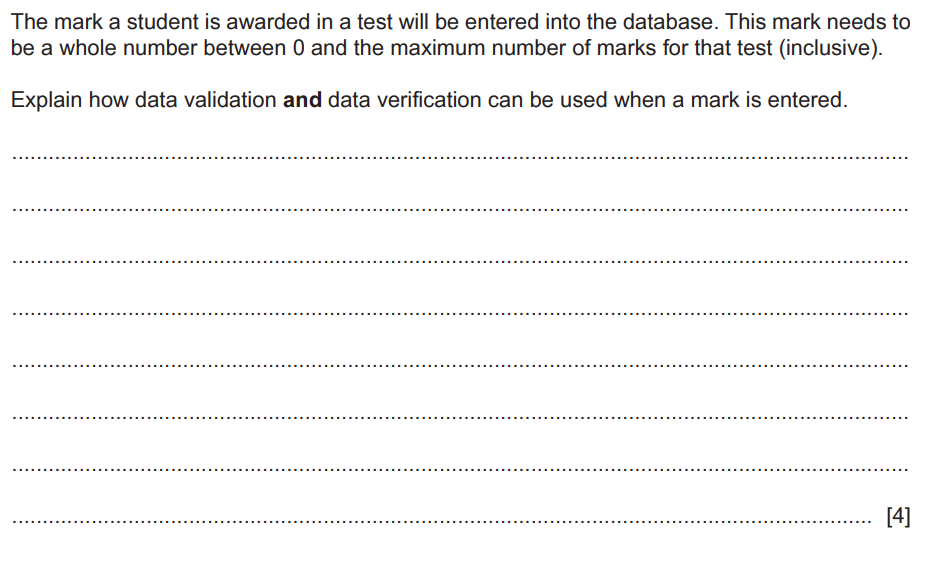
Preventing accidental or deliberate changes to data that could compromise its accuracy.
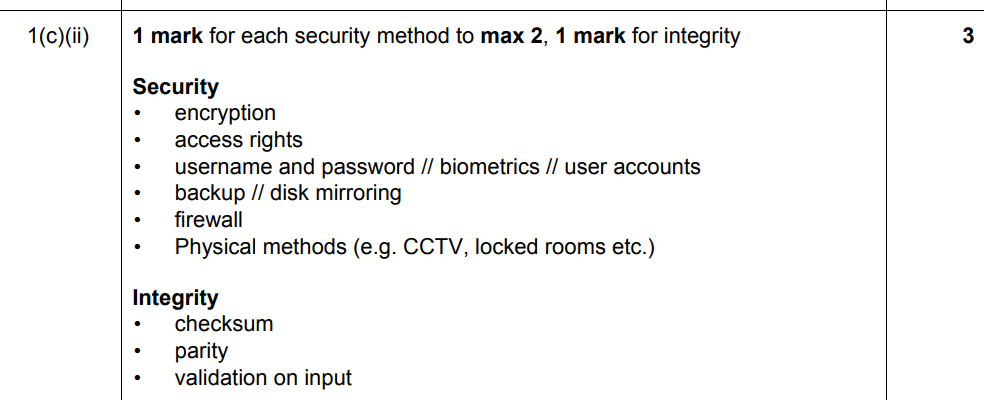
Regularly backing up data to prevent loss or corruption.
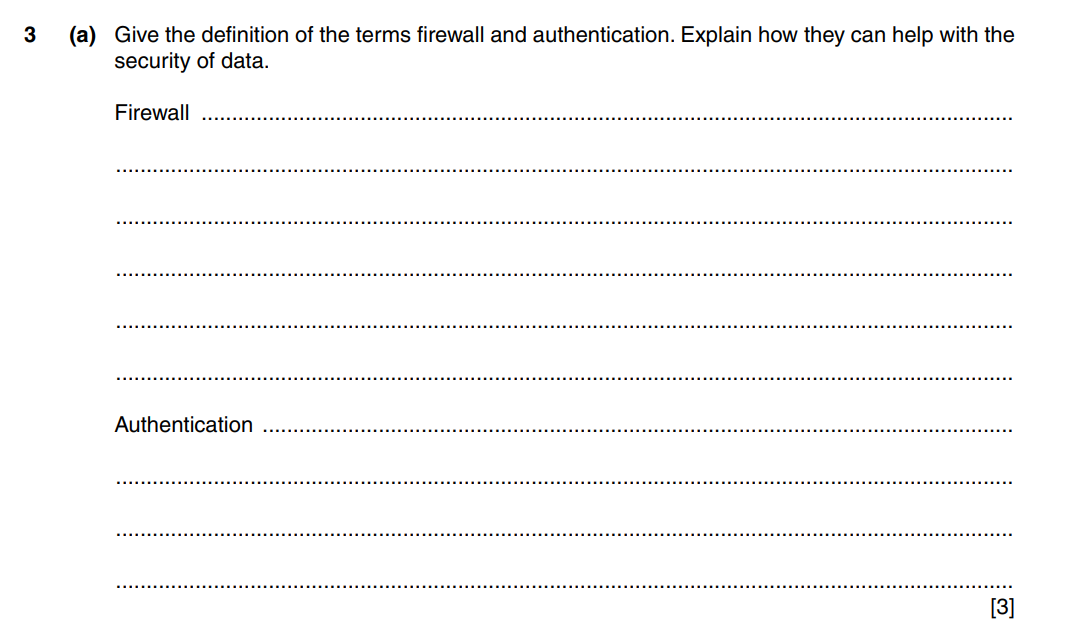
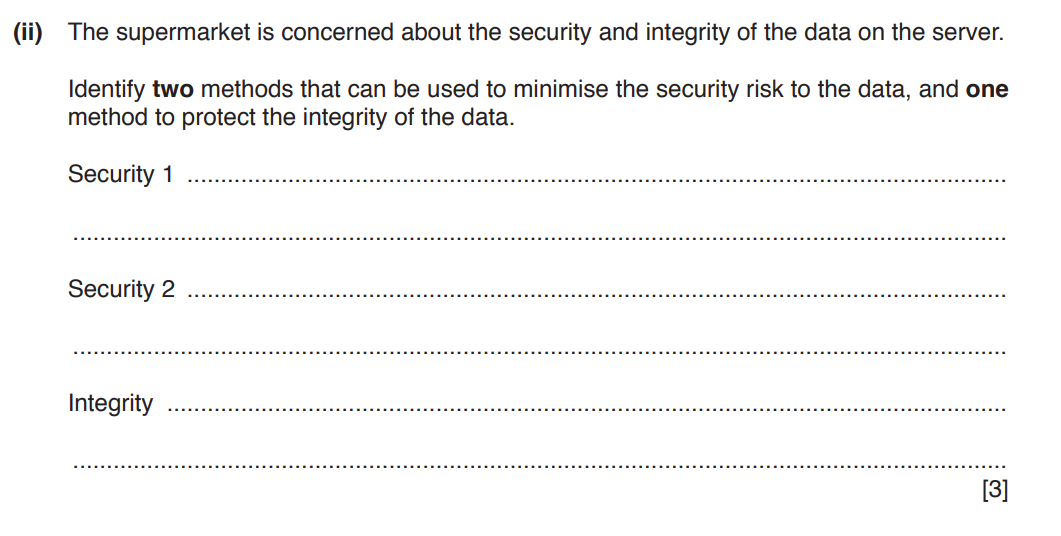
Using a firewall to block unauthorized access to a network.
Security
Privacy
Integrity
The dual aspects of security:
1. Protecting the computer system (hardware, software, networks).
2. Safeguarding the data stored, processed, and transmitted.
CASE STUDIES:
MGM Resorts and Caesars Entertainment Ransomware Attacks (2023): MGM Resorts suffered a ransomware attack that disrupted their IT systems, including ATMs, slot machines, and reservations. The attack resulted in significant operational downtime and financial losses. Caesars Entertainment reportedly paid a ransom to prevent stolen customer data from being leaked.
MOVEit File Transfer Vulnerability (2023): A vulnerability in the MOVEit file transfer tool was exploited by hackers, impacting over 2,600 organizations and exposing the data of nearly 84 million individuals.
PayPal Credential Stuffing Attack (2022-2023): Attackers used leaked username-password pairs to access 34,942 PayPal accounts, stealing sensitive information like social security numbers and tax identification details.
How It Works:A username and password act as a primary method to verify a user's identity, ensuring that only authorized individuals can access a system. Multi-Factor Authentication (MFA) adds an additional layer by requiring two or more factors from these categories:
Something you know (password or PIN). Something you have (a phone, hardware token, or code sent via SMS or email). Something you are (biometrics like fingerprints or facial recognition).
Even if a password is compromised, MFA ensures unauthorized users cannot access accounts without the secondary authentication method.
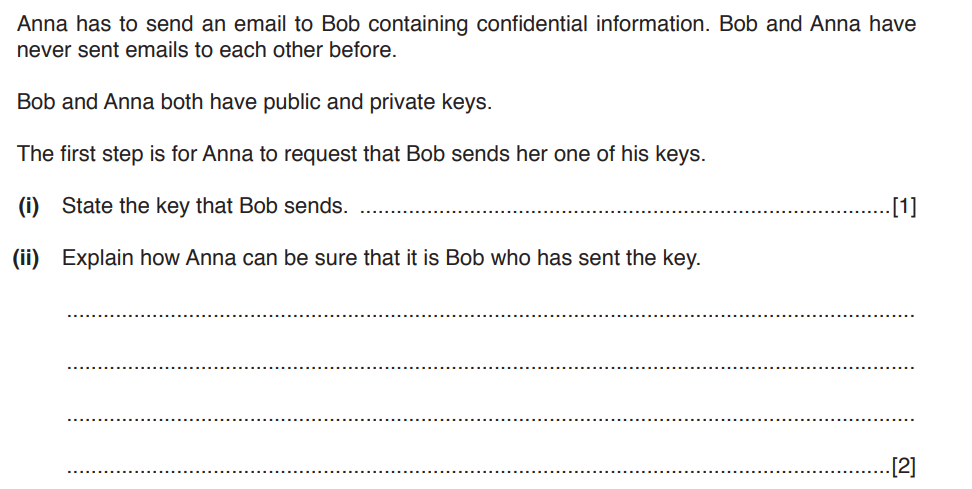
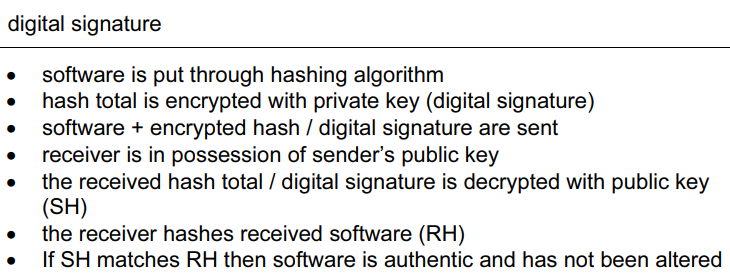
Digital Signatures: Use cryptographic algorithms to verify the sender of a message and ensure the message hasn’t been tampered with. A sender’s private key creates the signature, and the corresponding public key validates it. This provides authentication and data integrity.
Used:
1. Secure Email Communication
Usage: Digital signatures are used to authenticate the sender of an email and ensure the content has not been altered during transit.
Example: Email encryption tools like S/MIME or PGP use digital signatures to verify the authenticity of email messages.
Usage: Digital signatures validate the authenticity of orders and payment confirmations, ensuring transactions are secure and from legitimate sources.
Example: Online shopping platforms use digital signatures to secure payment gateways.
Usage: Digital signatures replace traditional handwritten signatures on contracts and agreements, providing legal validity and ensuring documents haven't been tampered with.
Example: Platforms like DocuSign and Adobe Sign use digital signatures to streamline signing processes.
Usage: Banks and financial institutions use digital signatures to authorize transactions, verify identities, and secure sensitive communications.
Example: International money transfers, loan agreements, and digital checks.
Usage: Software developers use digital signatures to assure users that the software or updates are authentic and haven’t been altered by malicious actors.
Example: Signing applications or updates with certificates like those used in Apple's App Store or Microsoft's Authenticode.
Usage: Governments use digital signatures for secure communication, e-governance services, and issuing official documents like tax forms, IDs, or licenses.
Example: Digital signature-based Aadhaar authentication in India or e-passports in various countries.
Usage: Digital signatures verify transactions in blockchain networks, ensuring they are initiated by authorized users without alterations.
Example: Bitcoin and Ethereum use digital signatures to validate wallet transactions.
Usage: Digital signatures secure electronic health records (EHRs), ensuring patient data confidentiality and authenticity of medical documents.
Example: Signing prescriptions or test results sent electronically.
Usage: Creators use digital signatures to sign digital content, proving authorship and preventing unauthorized modifications.
Example: Signing research papers, art files, or patents.
Usage: Digital signatures ensure voter identity and the integrity of votes cast in online voting systems.
Example: Governments and organizations implementing e-voting systems for elections or board meetings.
Biometrics: Employ unique physical traits like fingerprints, retinal patterns, or facial features for user verification. These methods are difficult to duplicate, making them highly secure and suitable for critical systems.
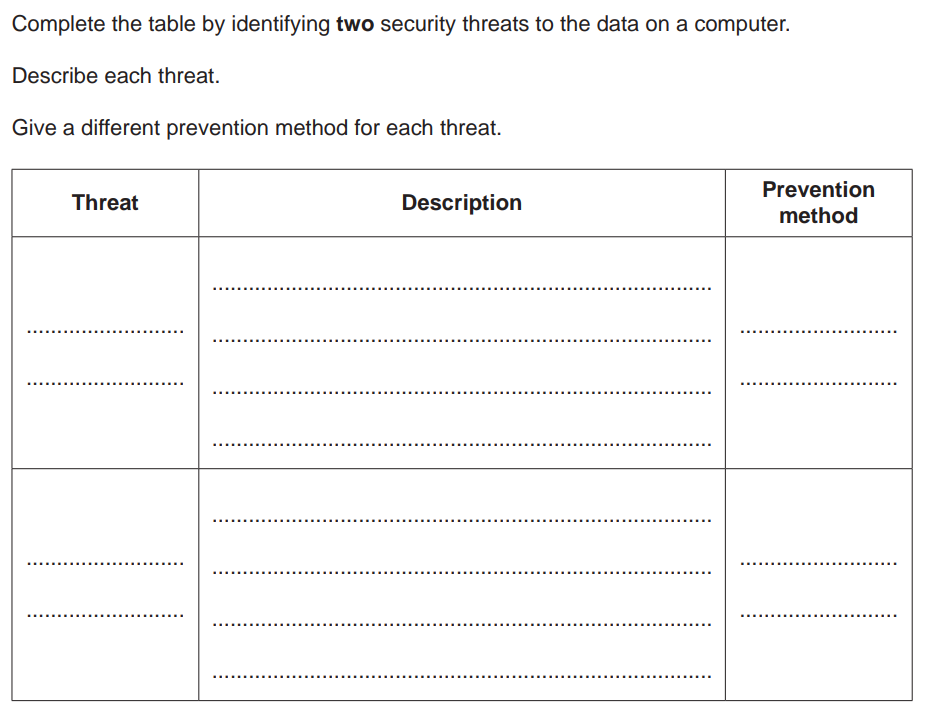
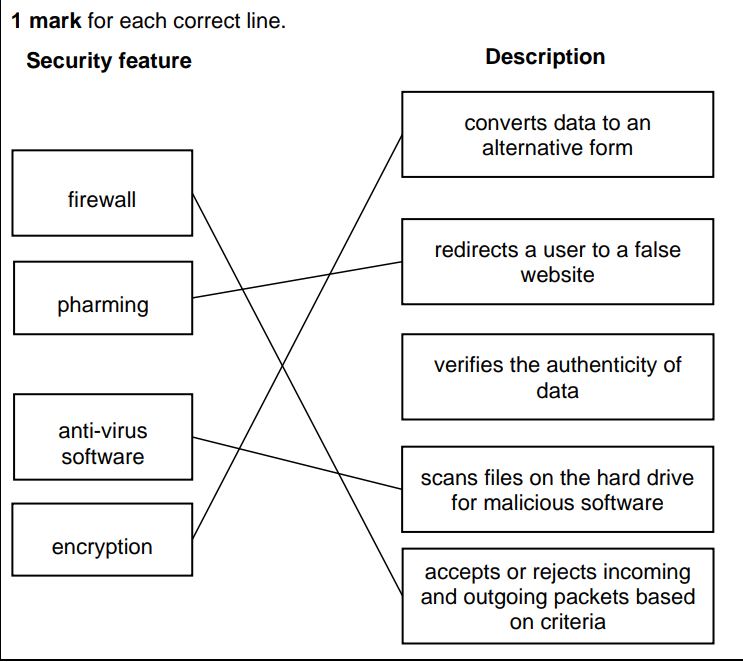
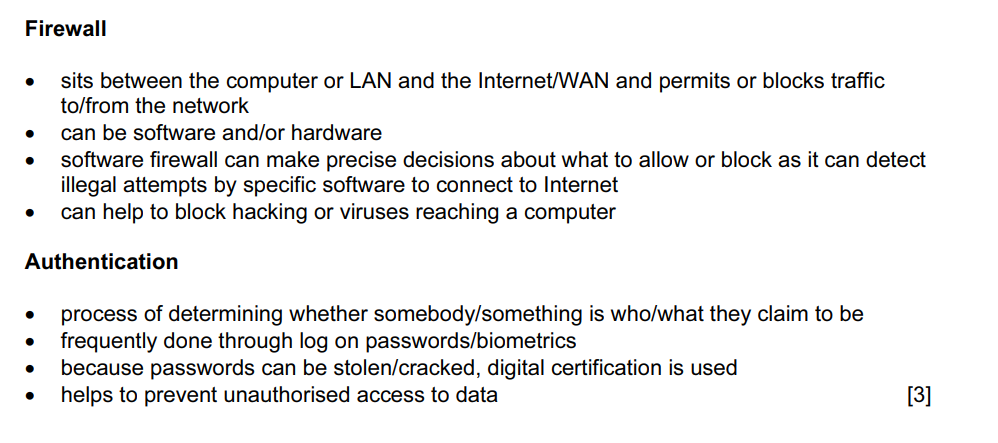
How It Works: A firewall is a security barrier between a trusted internal network and untrusted external networks, such as the internet. It examines incoming and outgoing traffic based on predefined security rules. Firewalls can: Block suspicious traffic. Prevent unauthorized access to private networks. Filter malicious content or prevent access to specific websites.
How It Works: These tools scan files, programs, and emails for malware signatures (known patterns of malicious code). Advanced solutions use behavioral analysis to identify suspicious activities, like unusual file modifications or excessive resource use. Anti-virus software focuses on detecting and neutralizing malicious software, including viruses, worms, and trojans. Anti-spyware software specifically targets programs designed to covertly monitor user activities, like keystroke loggers or data-stealing malware.
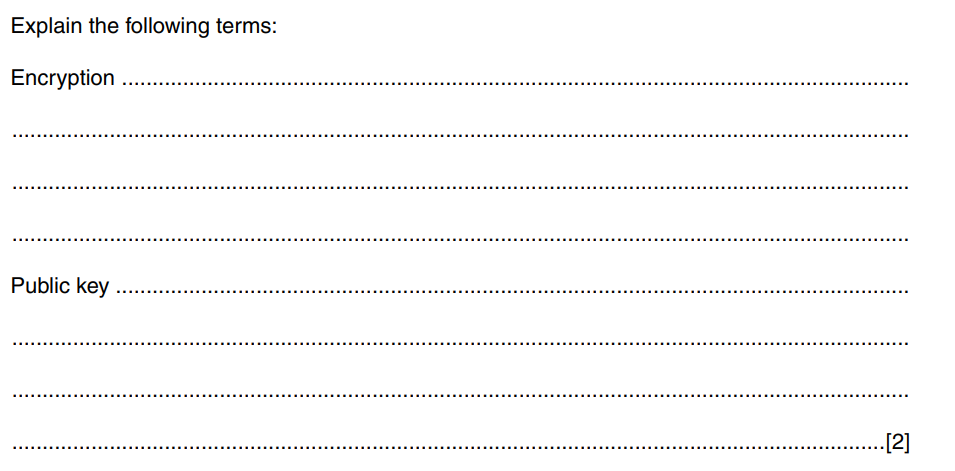
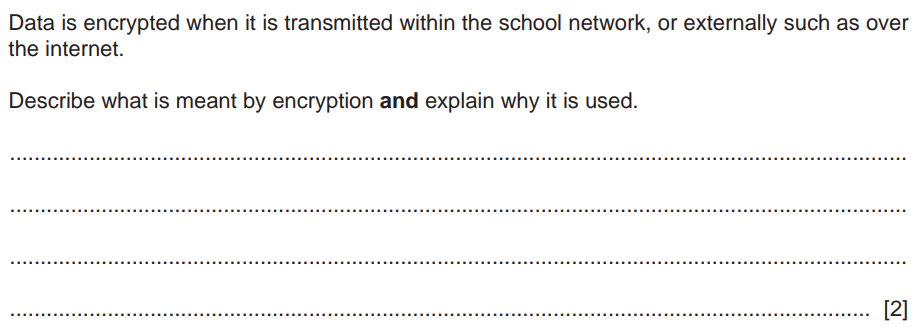
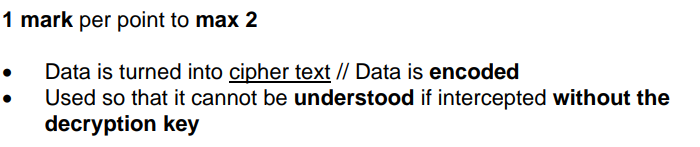
How It Works: Encryption converts plaintext data into unreadable ciphertext using an algorithm and a key. During transmission (e.g., over the internet), encryption ensures that even if data is intercepted, it cannot be understood without the decryption key. Common encryption protocols:
SSL/TLS: Protects web traffic (e.g., HTTPS websites). End-to-End Encryption: Ensures that only the sender and recipient can read a message (e.g., WhatsApp). This protects the confidentiality and integrity of data during transit.
Case Details:
An attacker accessed the company's internal system and leaked sensitive customer data.
A fake email tricked an employee into providing their login credentials.
Malware was discovered on a key workstation, and encrypted customer files are now inaccessible.
Challenge Questions:
Security: What security measures were missing or failed in this scenario? Consider human and technical factors
Privacy: How was customer privacy compromised, and why does this matter?
Integrity: Could the attacker have altered any data? What might be the consequences if they did?
The Context: A company called TechPartners Ltd. is entering into a partnership with a supplier from another country. Both parties need to sign a legally binding contract, which contains sensitive terms of the agreement, including financial commitments. The agreement will be sent and signed digitally due to the geographic distance between the two companies.
The Challenge:
The CEO of TechPartners Ltd. wants to ensure:
The document is authentic
The document remains unaltered after it has been signed (data integrity).
Non-repudiation, meaning neither party can deny signing the contract later.
Which tool or technology is needed in this scenario to meet the above requirements?
Why wouldn’t a simple electronic signature suffice in this case?
How would the chosen technology work to ensure security, privacy, and integrity?
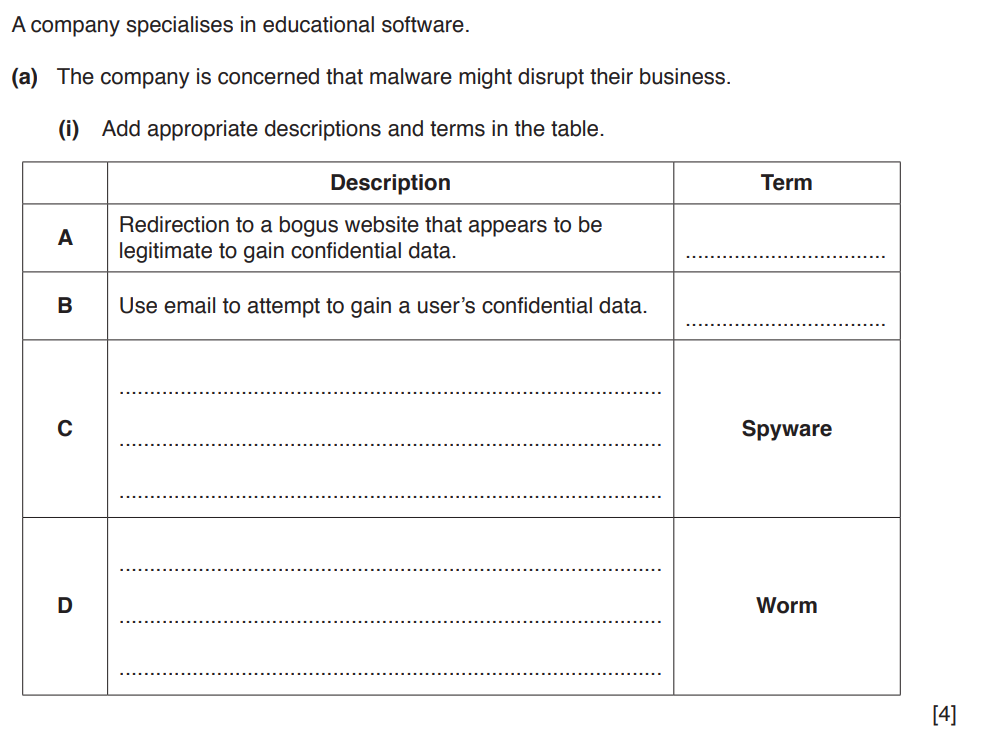
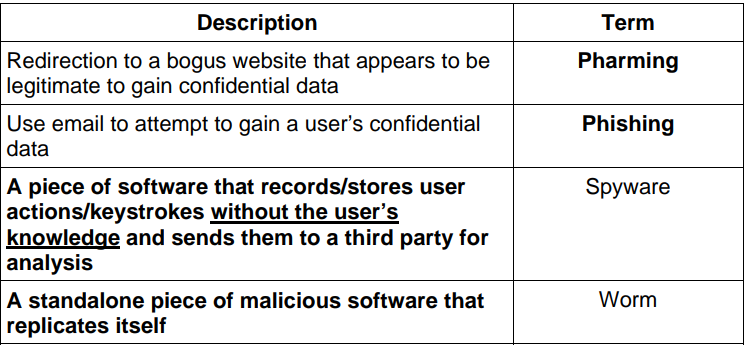
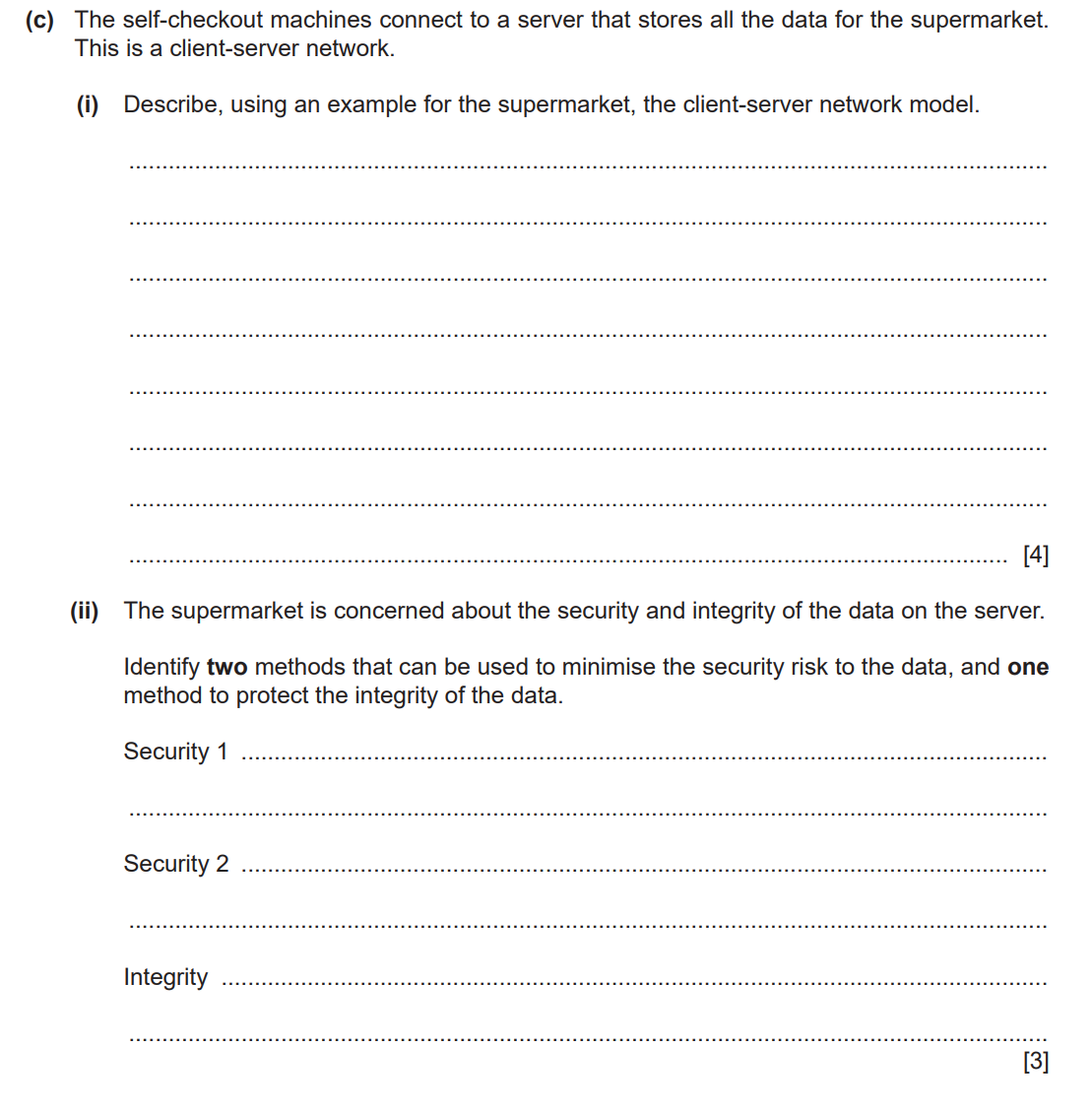
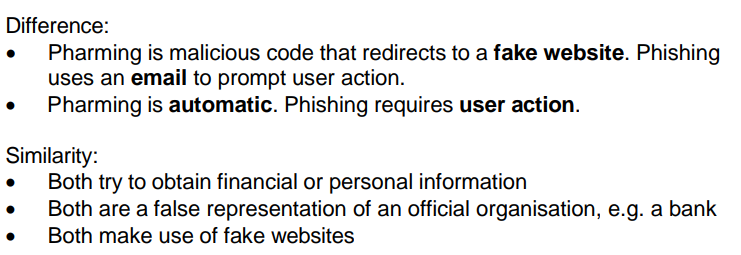
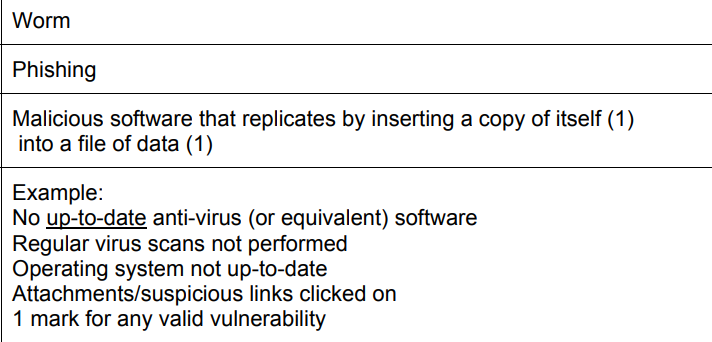
State one difference and one similarity between pharming and phishing.
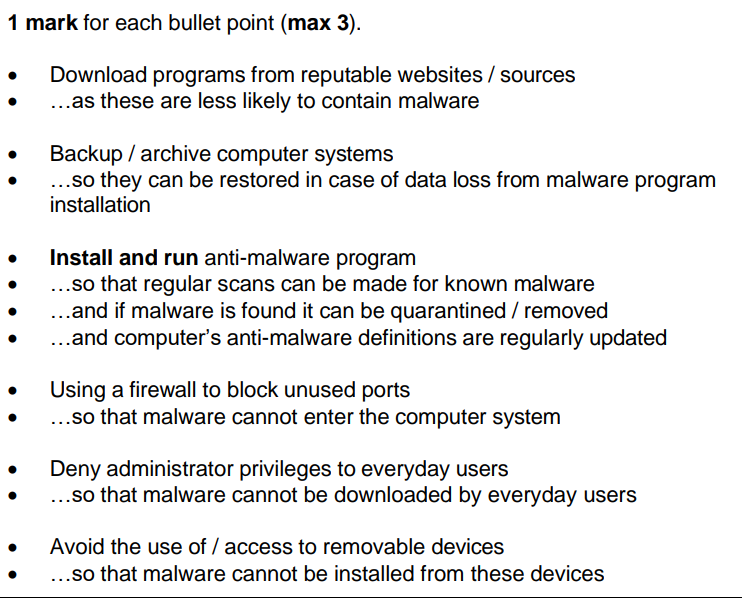
Explain how the data security risks of malware can be restricted.
Describe how spyware is a threat to a computer system
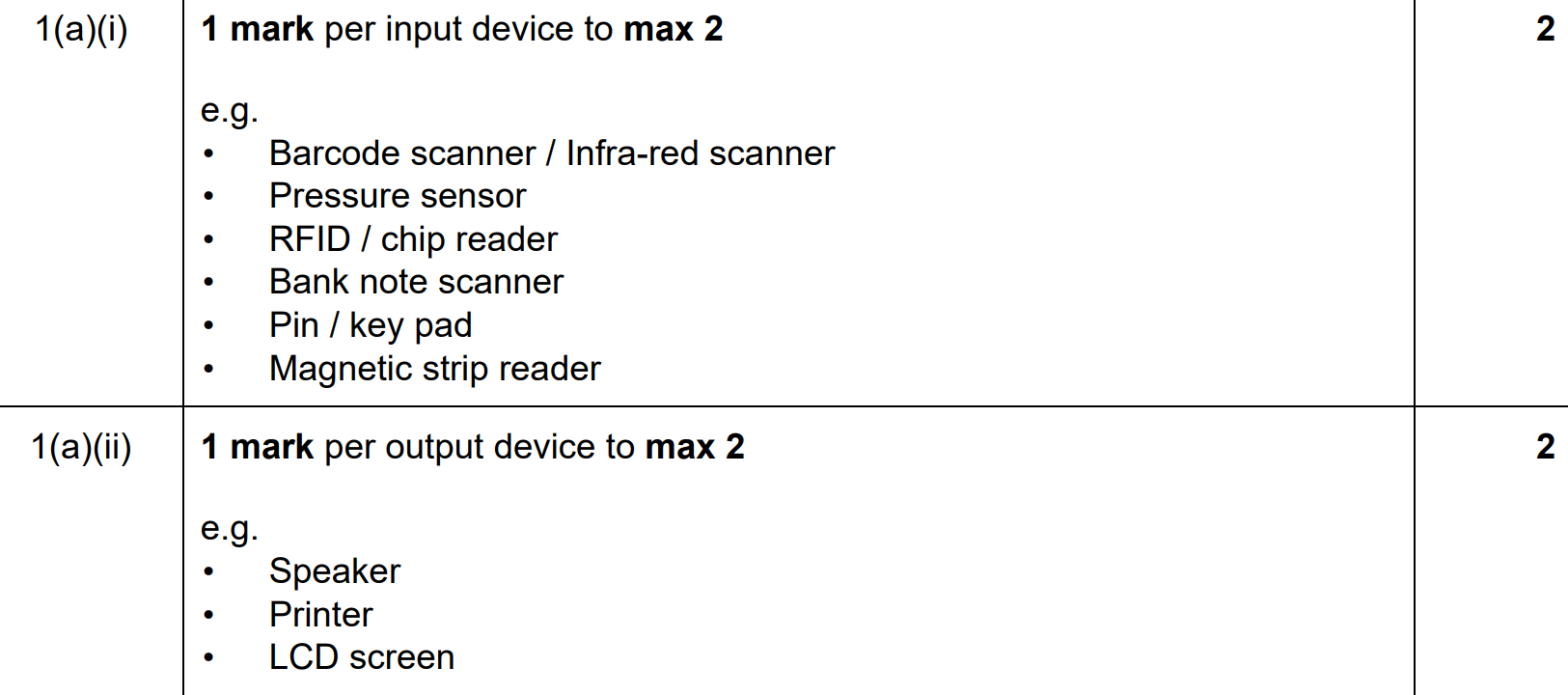
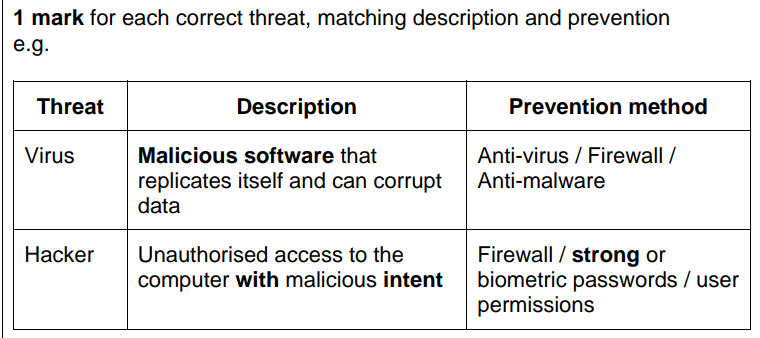
A member of staff is using the Internet to carry out research. They are worried about the
threat from terms A and B.
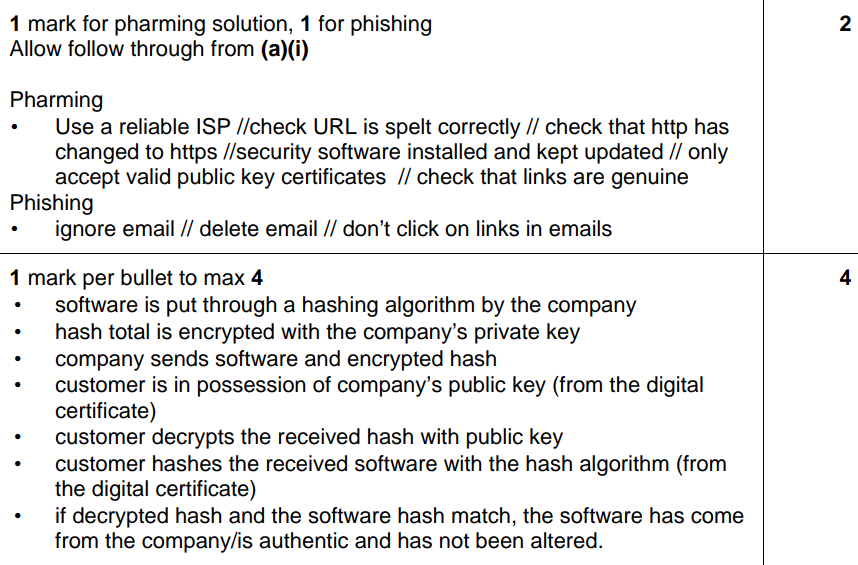
Identify one solution to the each of the threats.
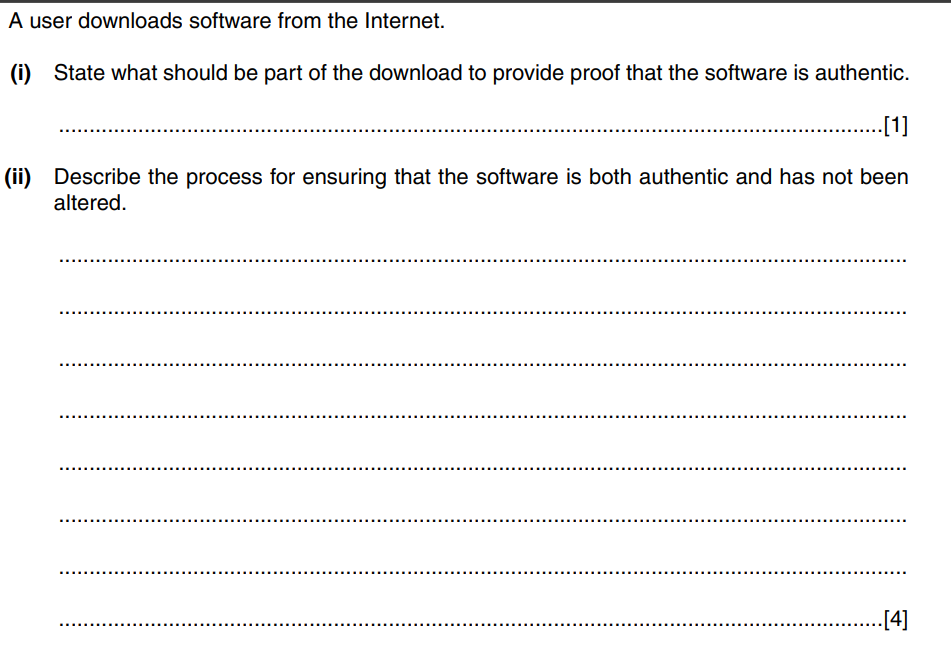
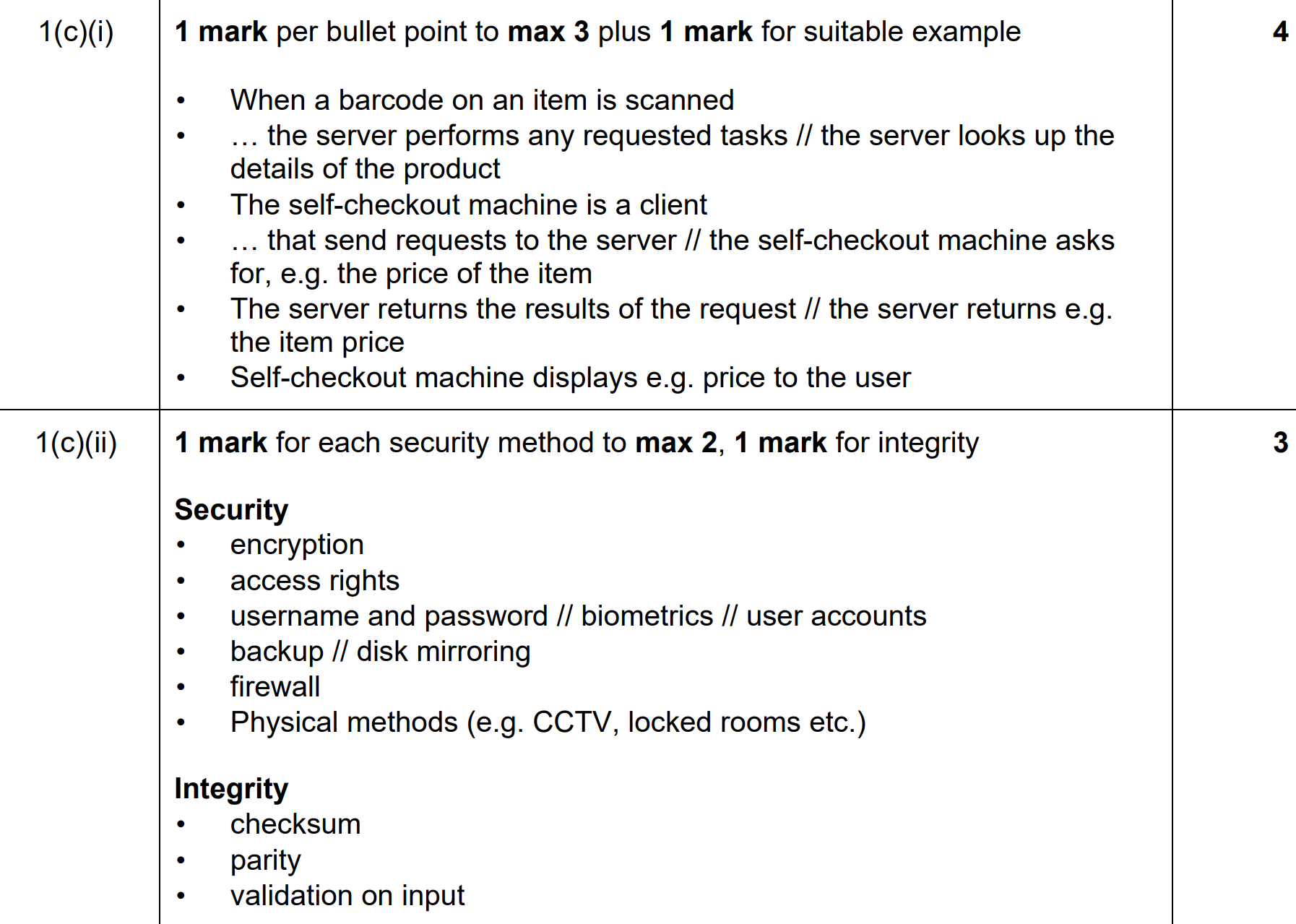
A customer downloads a new educational software package from the company. Explain how the customer’s and the company’s computers use a hashing algorithm to assure the customer that:
• the software has come from the company (is authentic) and
• no one has altered it
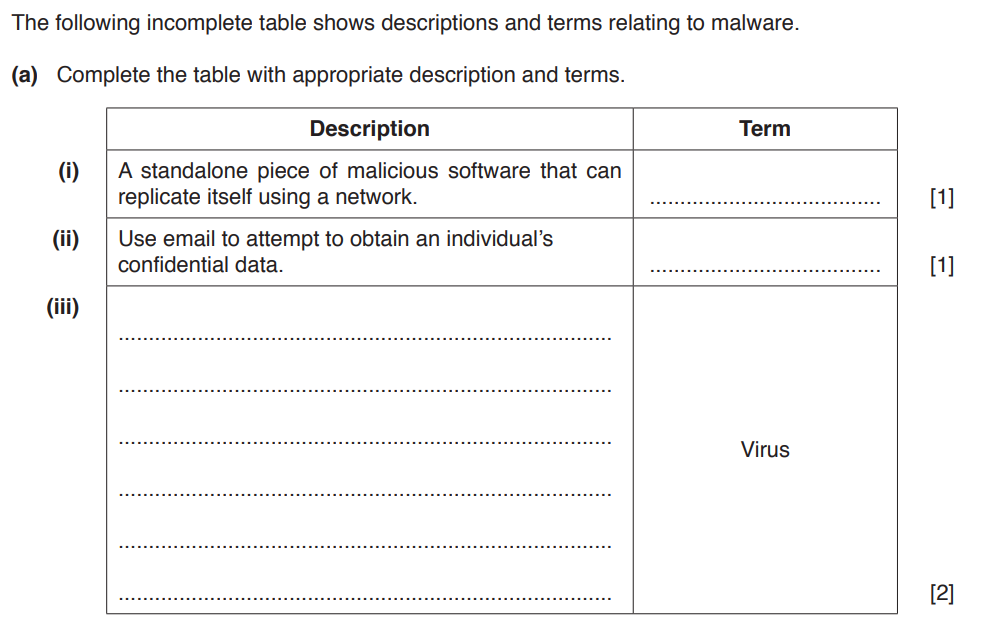
State two vulnerabilities that the malware in part (a)(i) or part (a)(iii) can exploit.
Anti Virus Going Deep:
Anti-virus software maintains a database of malware signatures, which are unique patterns or "fingerprints" associated with known malicious files, scripts, or behaviors.
How it works: When a file or program is scanned, the software compares its code or behavior to the database of known malware signatures. If a match is found, the file is flagged as malicious and either quarantined or deleted.
Limitations: It is only effective against known threats. For newly created malware (zero-day threats), this method alone may not suffice.
Heuristic techniques allow the software to identify potential malware by analyzing code for suspicious structures or instructions, even if they do not match known signatures.
How it works: The software examines the behavior or code of files, looking for unusual commands or patterns that resemble malware. For instance, a program attempting to access system files or modify registry settings without proper authorization may be flagged.
Advanced tools go beyond signature detection and analyze the real-time behavior of files and applications to detect anomalies.
How it works: The software monitors activities such as: Unexpected file modifications. High CPU or memory usage by unknown programs. Attempts to access sensitive data or communicate with external servers (e.g., Command and Control centers for ransomware). If a file or process exhibits behaviors consistent with malware (e.g., encrypting files without permission, as seen in ransomware), it is flagged and blocked.
Real-time scanning: Continuously monitors files and processes as they are accessed or executed. Ensures that malicious files are detected before they can harm the system.
Sandboxing: Suspicious files are executed in a secure, isolated environment (sandbox) to observe their behavior. If malicious actions are detected, the file is blocked before it can impact the actual system.
Scans email attachments and links for malicious content before the user interacts with them.
Inspects websites for malware, phishing attempts, and unsafe scripts, often warning or blocking access to compromised sites.
Modern solutions integrate AI and machine learning to improve detection capabilities: AI models are trained to recognize malware based on vast datasets of malicious and benign files. These systems can detect patterns that traditional methods might miss, such as advanced polymorphic malware that changes its code to evade signature detection.
If malware is detected, anti-virus tools can: Quarantine the file to prevent further spread. Repair or restore damaged files where possible. Provide logs or alerts to help users understand the nature of the threat.
Encryption Going Deep:
How It Works: In symmetric encryption, the same key is used for both encryption (turning plaintext into ciphertext) and decryption (turning ciphertext back into plaintext). The sender and receiver must both have access to the shared key, which makes it crucial to securely share this key without interception.
Characteristics: Faster than asymmetric encryption because it uses simpler algorithms. Commonly used for encrypting large amounts of data or files.
Challenges: Securely sharing the key between parties can be difficult. If the key is intercepted, the security of the encrypted data is compromised.
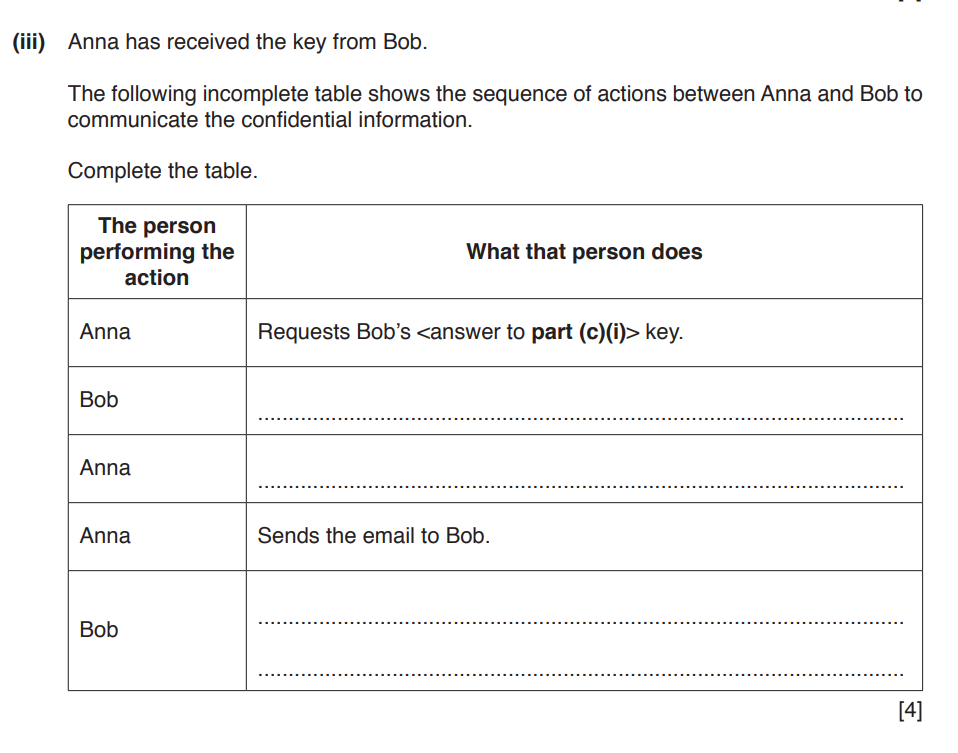
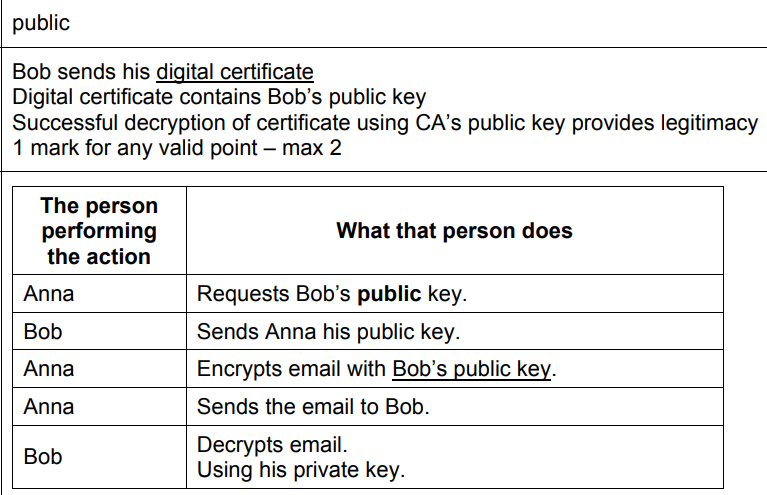
How It Works: Asymmetric encryption uses a pair of keys: a public key and a private key. The public key is used to encrypt data and can be shared openly. The private key is used to decrypt the data and must be kept secret by the owner. For example, a sender encrypts a message using the recipient’s public key. Only the recipient, who has the matching private key, can decrypt it.
Characteristics: More secure for transmitting data over untrusted networks because the private key never needs to be shared. Often used in secure communications, such as HTTPS for secure browsing or email encryption.
Challenges: Slower than symmetric encryption because it involves more complex mathematical computations. Less efficient for encrypting large amounts of data.
Digital Signatures - Next Level
Here’s an analogy to explain how digital signatures work using a real-world example:
The Private Key (Your Unique Seal):Imagine you, the sender, have a unique wax seal stamp that only you possess. This is like your private key. When you write a letter, you seal the envelope with your wax stamp, imprinting your unique mark. This seal ensures the recipient knows the letter came from you.
The Digital Signature (The Wax Seal): The wax seal on the envelope represents the digital signature. It is created using your unique stamp (private key) and proves:Authentication: The recipient can verify the seal matches your stamp, confirming the letter is truly from you. Integrity: If the seal is broken or tampered with, the recipient knows the letter has been altered.
The Public Key (A Known Reference):Imagine that your unique seal pattern is published in a trusted registry, like a book everyone can reference. This is your public key. When the recipient gets the letter, they look up the pattern of the wax seal in the registry to confirm it matches your stamp. If it does, they know: You are the one who sent the letter. The contents of the letter haven’t been tampered with.
Verification Process: When the recipient opens the letter, they use your public key (the reference in the book) to validate the wax seal (digital signature). If the seal doesn’t match or is missing, they know either the letter didn’t come from you or its contents were altered.
Creating the Signature: The sender's private key generates a unique cryptographic signature based on the message content.
Verifying the Signature: The recipient uses the sender's public key to validate the signature. This ensures the message was: Authored by the sender (authentication). Not altered during transmission (integrity).