STIG AS Level Networks
star
star
star
star
star
Last updated about 1 year ago
32 Nsɛmmisa
Untitled Section 1
1
1
1
1
Cloud Computing
1
1
Video Streaming
1
1
1
1
1
IP and Subnets
Collision: In Ethernet networks, multiple devices (like computers) share a single communication medium (e.g., a cable or hub). When two devices transmit data simultaneously, their signals interfere, causing a collision. Collisions corrupt the data, requiring retransmission.
Collisions typically occur in networks that use half-duplex communication, where devices both send and receive data over the same channel.
What sort of topologies would create collisions?
Structure: All devices are connected to a single central cable (the "bus").
Collision Risk: HighAll devices share the same communication channel. If two devices send data at the same time, a collision occurs. CSMA/CD is necessary to manage collisions.
Reason: No dedicated pathways for each device; a single cable carries all traffic.
Structure: Devices connect to a central hub or switch.
Collision Risk:With a hub: Higher collision risk because the hub operates like a shared bus, broadcasting data to all devices.
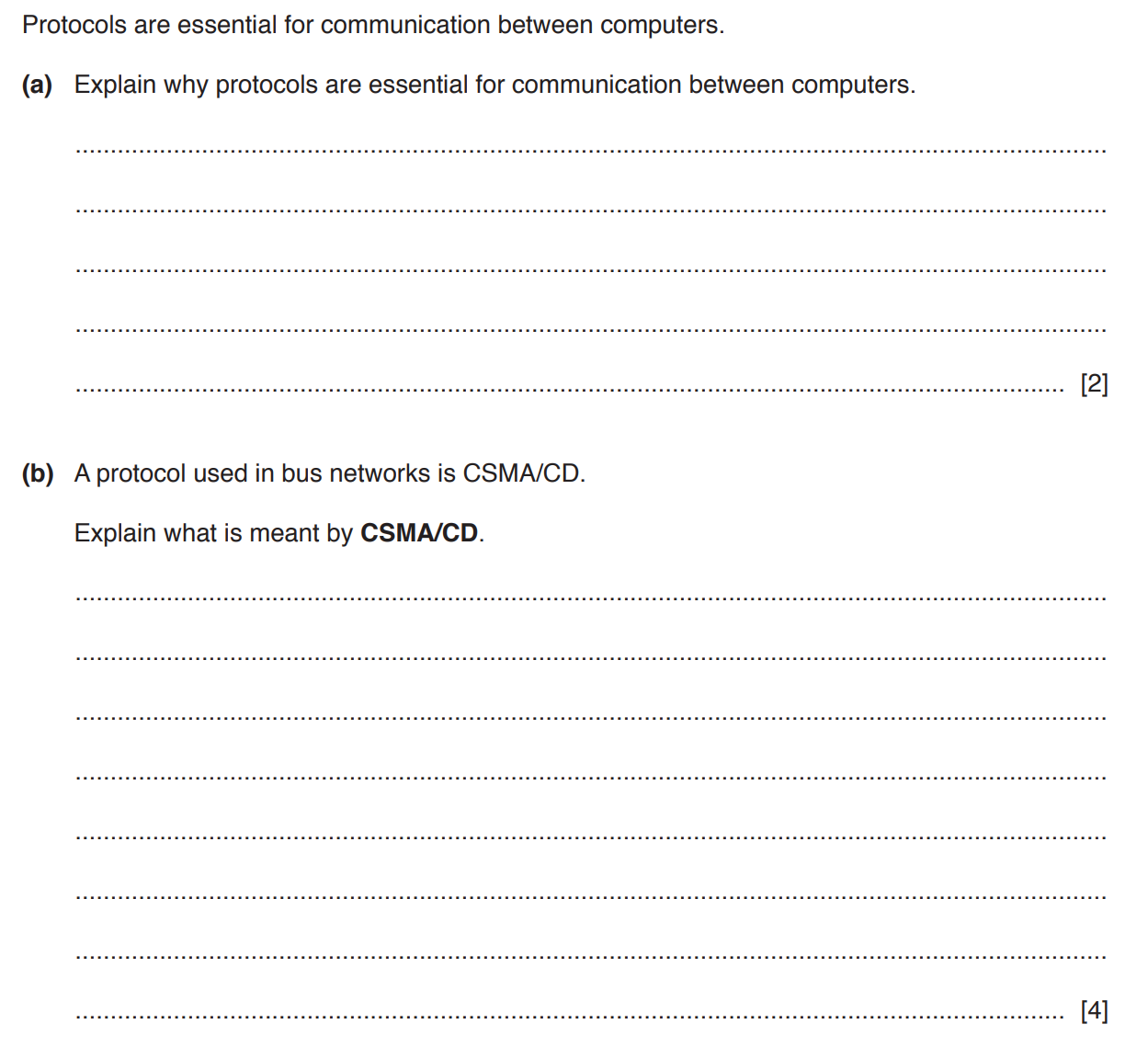
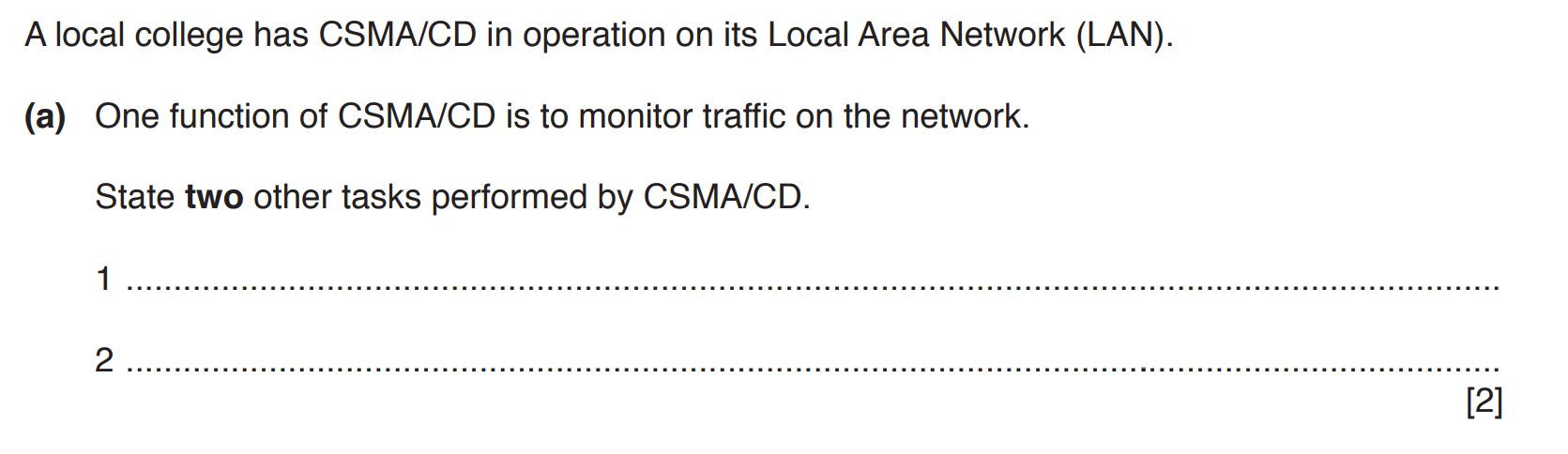
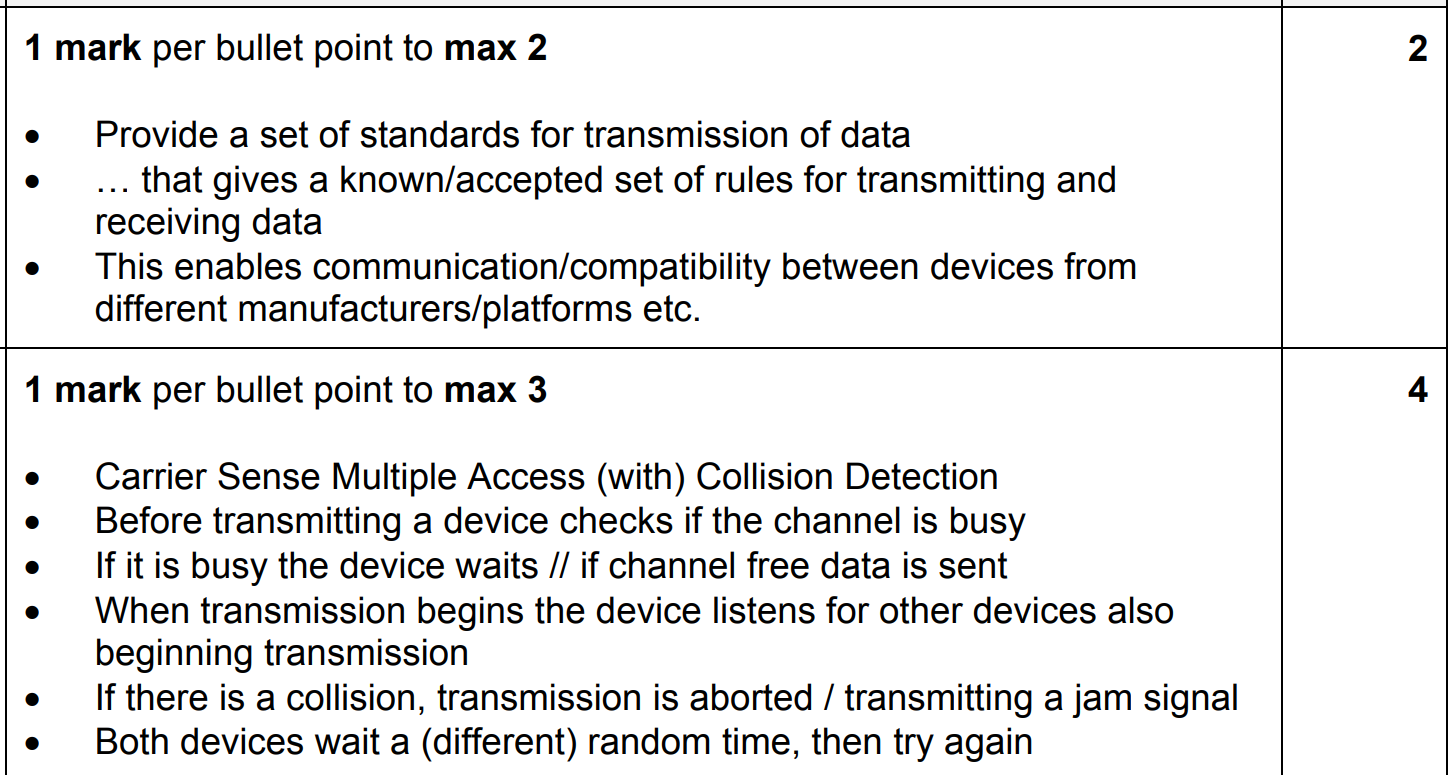
CSMA/CD is the protocol that helps Ethernet manage shared communication. Here's how it works:
Before transmitting data, a device "listens" to the network (the carrier) to check if it is in use.
If the network is busy, the device waits before attempting to send.
Multiple devices can access the network, but they must follow the rules of CSMA to avoid conflicts.
If two devices transmit at the same time, the network detects the collision through abnormal voltage levels or corrupted signals.
Both devices stop transmitting immediately.
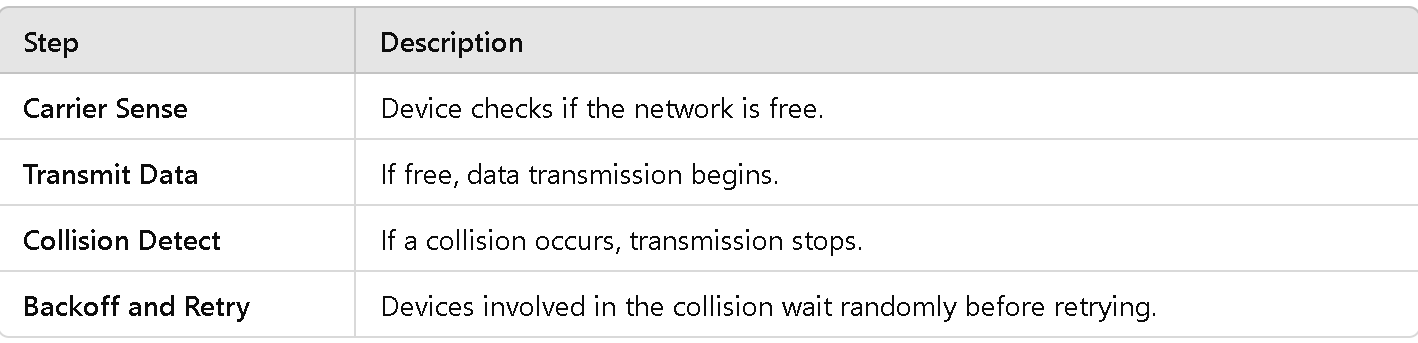
Sense the Medium: A device checks if the network is free (Carrier Sense).
Transmit Data: If the network is idle, the device begins transmitting.
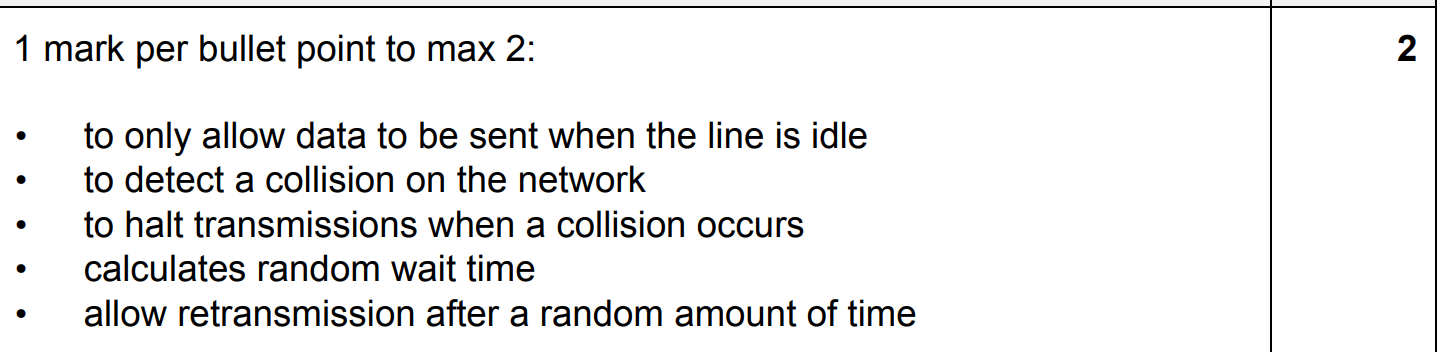
Collision Detection:While transmitting, the device monitors the network for anomalies. If a collision occurs, it stops sending data.
Backoff and Retry:After a collision, the devices involved in the collision wait for a random backoff time (measured in milliseconds). After the wait, they attempt to resend their data, repeating the process until successful.
Modern Ethernet uses switches: Modern Ethernet networks are typically full-duplex, meaning devices can send and receive data simultaneously without collisions. Each device has its dedicated channel.
Collision-free environment: With full-duplex and switch-based Ethernet, CSMA/CD is no longer necessary.
In a STAR network, explain what networking equipment you would use to ensure that CSMA/CD is not needed. Justify your choice by describing how this equipment functions to prevent collisions. [4]
Mark Scheme:
Identifying the EquipmentStates that a switch should be used in the STAR network.
Role of a Switch in Collision PreventionExplains that a switch creates dedicated communication paths between devices. Describes how switches operate using MAC address tables to direct traffic only to the intended recipient, avoiding shared transmission.
Full-Duplex CommunicationStates that switches support full-duplex communication, allowing devices to send and receive data simultaneously. Explains that full-duplex operation eliminates the possibility of collisions since devices are not sharing the same transmission medium.
Why CSMA/CD is UnnecessaryMentions that CSMA/CD is only needed when devices share a single medium (e.g., a hub or bus topology). Justifies that with a switch, each device has its own dedicated connection, removing the need for collision detection or avoidance.
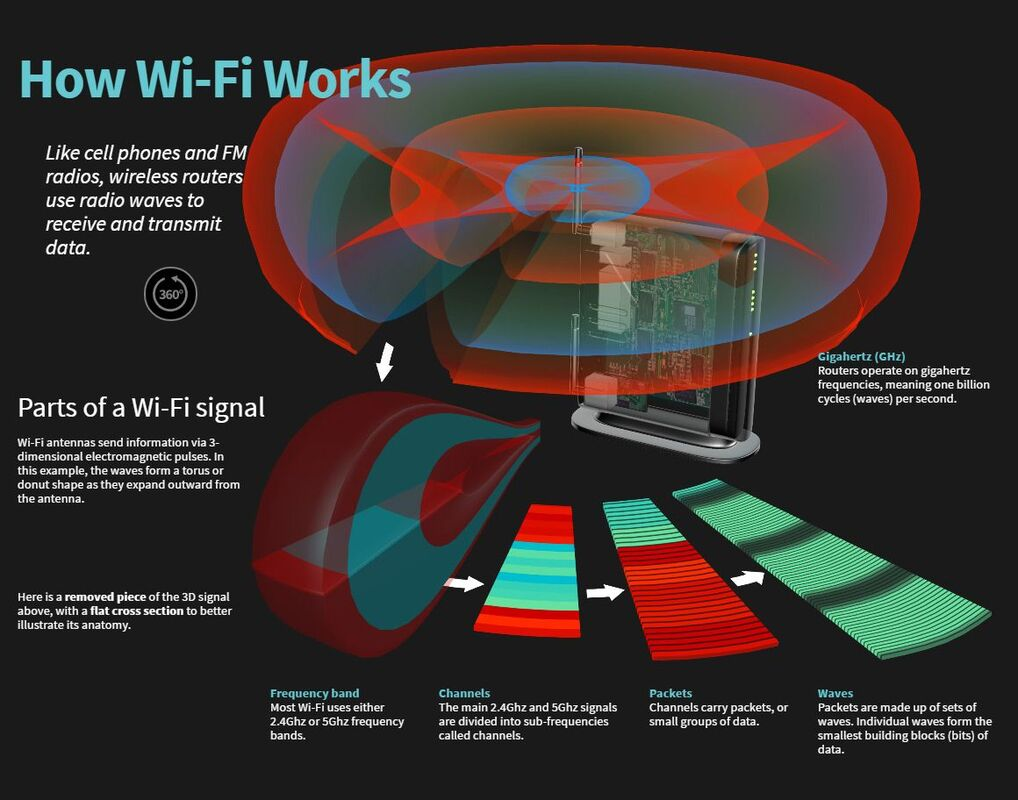
What Are Radio Waves?A type of electromagnetic radiation with frequencies ranging from 3 kHz to 300 GHz. Known for long-range capabilities and ability to penetrate through obstacles, making them ideal for broadcasting and communication
Applications in Wireless Networks:WiFi (Wireless Fidelity): A technology that uses specific radio wave frequencies (2.4 GHz and 5 GHz bands, now extending to 6 GHz with WiFi 6E) for short-range, high-speed data transfer between devices. Cellular Networks: Use radio waves to connect mobile devices to cell towers for voice, text, and internet services.
How It Works:Data is converted into electromagnetic signals by a transmitter. These signals are sent over the air. A receiver (like a smartphone or router) interprets the signals and converts them back into data.
What Are Microwaves?A subset of radio waves with frequencies between 300 MHz and 300 GHz. Typically used for point-to-point communication due to their shorter wavelength, allowing focused beams.
Applications in Wireless Networks:WiFi and Bluetooth: Short-range communication often leverages microwaves. Microwave Links: Used for high-speed, long-distance communication between cell towers, or between devices in rural or remote areas.
Advantages:High bandwidth and data transmission rates. Minimal interference with other signals when properly directed.
Challenges:Can be affected by weather conditions (e.g., rain fade). Limited penetration through obstacles like walls or buildings.
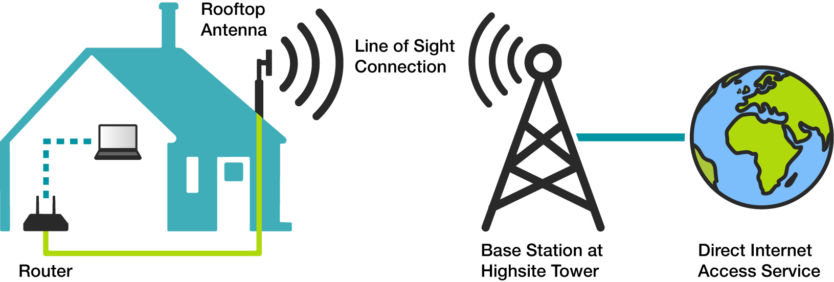
How Satellites Work in Communication:Satellites are positioned in orbit to relay signals between Earth stations and devices. They use radio and microwave frequencies to transmit data over large distances, including areas without traditional network infrastructure.
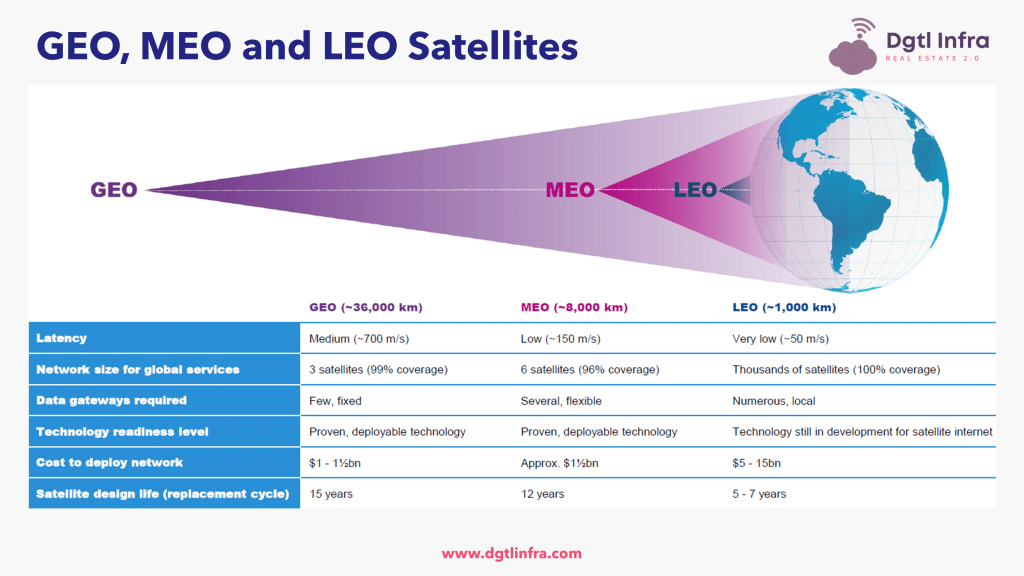
Applications:Global Positioning Systems (GPS): Provide location data using signals from satellites. Satellite Internet: Offers connectivity in remote or underserved areas using geostationary or low-earth-orbit (LEO) satellites. Broadcasting: Distributes TV, radio, and other media.
How It Works:A ground station sends a signal to the satellite using uplink frequencies. The satellite processes and retransmits the signal to another ground station or directly to a user device using downlink frequencies. This process provides global coverage and connectivity.
Advantages:Covers vast and remote areas where terrestrial networks are unavailable. Supports reliable communication for disaster response or military operations.
Challenges:High latency, particularly with geostationary satellites. Expensive infrastructure and operation costs.
Altitude: 200 to 2,000 km (124 to 1,243 miles) above the Earth's surface.
Orbit Type: Rapidly moving; satellites complete an orbit in about 90–120 minutes.
Coverage: Smaller coverage per satellite, but collectively provides near-global coverage with a constellation of satellites.
Examples:Starlink (SpaceX), OneWeb, Amazon Kuiper.
How it Works:Large constellations of satellites work together to provide high-speed internet access. Signals bounce between ground stations, satellites, and user terminals to deliver connectivity.
Applications:High-speed internet in rural, remote, and underserved areas. Low-latency applications like video conferencing, online gaming, and cloud computing.
Low Latency: Only ~20–40 milliseconds, ideal for real-time applications.
High Speeds: Supports broadband-like speeds (100 Mbps to 1 Gbps in some cases).
Global Reach: Covers areas with no terrestrial infrastructure, including oceans and polar regions.
Complexity: Requires a large number of satellites (hundreds or thousands) for continuous coverage.
Cost: High initial investment for building and maintaining a constellation.
Space Traffic: Risk of collisions and debris in crowded orbits.
In modern wireless networks, these components often work together:
Radio Waves: Used for local communication, such as WiFi in homes or offices.
Microwaves: Support backbone infrastructure between network hubs and towers.
Satellites: Extend connectivity to remote or global locations, complementing terrestrial networks.
What is cloud computing?
Cloud computing is the delivery of computing services—such as servers, storage, databases, networking, software, and more—over the internet (the "cloud"). Instead of owning and maintaining physical infrastructure or hardware, businesses and individuals can access resources on-demand, paying only for what they use.
Public Clouds Public clouds are operated by third-party providers like Amazon Web Services (AWS), Microsoft Azure, or Google Cloud. Resources such as servers and storage are shared among multiple organizations and users.
Scenario: A tech startup launches a mobile app that needs to support millions of users globally.
Why Choose Public Cloud:
Cost Efficiency:Startups often have limited budgets, and public clouds offer a pay-as-you-go model that reduces upfront costs. They don’t need to purchase or maintain expensive hardware.
Scalability:Public clouds like AWS or Google Cloud automatically adjust resources to handle traffic spikes during promotional campaigns or app launches.
Ease of Use:The startup can quickly set up the infrastructure using prebuilt tools and services provided by the cloud vendor, saving time.
Global Reach:Public cloud providers have data centers worldwide, enabling fast and reliable access for users in different regions.
Why Not Private Cloud?
The company doesn’t have the resources or technical expertise to manage its own infrastructure.
Security concerns are less critical since the app doesn’t handle highly sensitive data like medical or financial records.
Cost-Effective as Infrastructure is Shared
Example: A small e-commerce business uses AWS to host its website. Instead of investing in physical servers and maintenance, they pay only for the storage and computing power they need, which saves money and resources.
Scalable, Allowing You to Quickly Adjust Resources Based on Need
Example: An online education platform experiences a surge in users during exam season. Using Google Cloud, they can instantly scale up their resources to handle the increased traffic and scale back down afterward to save costs.
Easy to Access and Implement with Minimal Setup
Example: A marketing agency adopts Microsoft Azure to store shared project files. The team accesses these files from anywhere, enabling seamless collaboration without needing IT staff to set up or maintain complex infrastructure.
Less Control Over the Infrastructure
Example: A game development studio uses a public cloud to host its multiplayer servers. If the cloud provider experiences an outage or changes its terms of service, the studio has limited control over mitigating these disruptions, potentially impacting their users.
Potential for Security Concerns as Resources are Shared Among Many Users
Example: A healthcare startup uses a public cloud to manage patient appointment data. Although the data is encrypted, the startup worries about potential breaches because multiple organizations share the same underlying infrastructure. This could expose them to risks if another user within the shared environment faces a security attack.
Private Clouds Private clouds are dedicated to a single organization. They can be hosted on-site (at the company's own data center) or by a third-party provider but are not shared with other users.
Example: A healthcare provider might use a private cloud to securely manage patient records.
Scenario: A large financial institution handles millions of client transactions daily, including sensitive data like bank account details and personal identification.
Why Choose Private Cloud:
Data Security and Compliance:Financial institutions must comply with strict regulations like GDPR or PCI-DSS, requiring tight control over data handling. A private cloud ensures that sensitive data is not stored on shared servers, reducing exposure to potential breaches.
Control and Customization:Private clouds allow full control over the infrastructure, enabling custom configurations to meet the institution’s specific security and operational needs.
Performance and Reliability:The organization can ensure consistent, high-speed access to its services by dedicating resources exclusively to its operations.
Why Not Public Cloud?
Shared infrastructure in a public cloud might pose risks of data leakage or compliance violations.
The company can afford the higher costs of building and maintaining a private cloud because it prioritizes security and reliability over cost savings.
Greater Control Over Resources and Data Security
Example: A government agency stores confidential defense-related data in a private cloud hosted in its own secure data center. By owning and managing the infrastructure, they ensure the highest level of control over access and data protection, reducing risks of leaks or unauthorized access.
Can Be Tailored to the Specific Needs of the Organization
Example: A financial institution creates a private cloud customized to handle millions of real-time transactions daily. The system is designed with advanced encryption, redundant backups, and high-speed processing to meet their operational and regulatory requirements.
More Expensive, as It Requires Dedicated Hardware and Maintenance
Example: A global retail company opts for a private cloud to centralize its inventory and supply chain management. While it meets their security needs, the company incurs significant costs for purchasing servers, maintaining hardware, and hiring specialized IT staff to manage the system.
Less Scalable Compared to Public Clouds
Example: A law firm using a private cloud to store client case files faces challenges when needing to expand storage quickly due to a surge in cases. Unlike a public cloud, where resources can be scaled up on demand, they need to purchase and install additional hardware, causing delays and higher costs.
Cost Savings No Need to Invest in Expensive Hardware or Infrastructure Example: A startup focused on AI research uses Amazon Web Services (AWS) for its computational needs instead of purchasing high-end servers. This reduces their initial investment, allowing them to focus resources on hiring talent and development. Pay-as-You-Go Pricing Ensures You Only Pay for What You Use Example: An event management company uses Microsoft Azure to run an app for event ticketing. During off-seasons, they scale down their usage, paying significantly less. When hosting large-scale events, they scale up resources temporarily, avoiding unnecessary costs when not in use.
2. Scalability Easily Increase or Decrease Resources Based on Demand Example: A retail website hosted on Google Cloud experiences a spike in traffic during Black Friday sales. The platform automatically scales resources up to handle the surge and scales down afterward, ensuring smooth performance without overpaying for unused resources. Ideal for Businesses with Fluctuating Workloads Example: A university's online learning platform sees increased demand during exam season. Using a scalable public cloud service, they can support thousands of concurrent users during peak times and return to lower capacity afterward.
3. Accessibility Resources Can Be Accessed from Anywhere with an Internet Connection Example: A remote design team uses Adobe Creative Cloud for collaboration. Designers across different cities can access the same tools and files, ensuring seamless project development. Encourages Collaboration by Allowing Multiple Users to Work on Shared Files and Applications Example: A software development company uses Atlassian's cloud-based tools like Jira and Confluence. Multiple team members collaborate on planning, tracking, and documenting projects in real-time, improving productivity.
4. Automatic Updates and MaintenanceProviders Handle Software Updates, Patches, and Infrastructure Maintenance, Reducing IT Workload Example: A nonprofit organization uses Salesforce, a cloud-based CRM platform, for donor management. They never have to worry about updating the software, as Salesforce automatically deploys improvements, saving their small IT team valuable time and resources.
Dependence on Internet Requires a Stable and Reliable Internet Connection Example: A digital marketing agency heavily reliant on cloud tools like Google Drive and Slack faces productivity losses during an internet outage, as team members cannot access their files or communicate effectively. Downtime or Slow Connections Can Disrupt Operations Example: A logistics company managing shipments in real-time through a cloud-based platform encounters delays when their internet slows down, causing disruptions in tracking and delivery updates.
2. Security Concerns Data Stored in Public Clouds Could Be Vulnerable to Breaches if Not Properly Secured Example: A small e-commerce business stores customer data in a public cloud. Without implementing strong encryption and access controls, they risk data breaches that could compromise customer trust and result in legal consequences. Organizations Must Follow Strict Compliance Requirements for Sensitive Data Example: A healthcare provider storing patient information in the cloud must comply with HIPAA regulations. This requires careful planning to ensure data is encrypted and audit trails are maintained to avoid hefty fines.
3. Limited ControlIn Public Clouds, the Provider Controls the Infrastructure, Which May Limit Customization Example: A manufacturing company uses a public cloud to host a supply chain application. When they need custom integrations with legacy systems, they face difficulties because the cloud provider restricts certain configurations, slowing down operations.
4. Potential Costs for High UsageCosts Can Escalate Unexpectedly with High Data Usage or Advanced Features Example: A video production company uses a cloud-based rendering service for high-definition projects. While the service is cost-effective for small jobs, a large project involving hours of 4K footage unexpectedly drives up their bill due to high computational demands.
You are part of a startup that plans to launch an online marketplace for local artisans. Your team is deciding whether to use cloud computing or a traditional client-server model to host your website and manage operations. Argue which option you would choose and explain your reasons.
I would choose cloud computing for the following reasons:
Cost Efficiency: Cloud computing offers a pay-as-you-go pricing model, which is ideal for a startup with a limited budget. Unlike traditional client-server models, which require upfront investments in hardware and server space, cloud providers like AWS or Google Cloud allow us to pay only for the resources we use.
Scalability: As an online marketplace, we anticipate fluctuating demand, especially during promotional campaigns or holiday seasons. Cloud computing can easily scale up resources to handle traffic spikes and scale down during slower periods, ensuring optimal performance without overspending.
Accessibility and Collaboration: Cloud computing enables us to work remotely and access resources from anywhere. This flexibility is especially important for a startup where team members may work from different locations.
Reduced Maintenance: With cloud computing, the provider handles infrastructure updates and maintenance, freeing our small team to focus on improving the platform rather than managing hardware or dealing with server issues.
While a traditional client-server model might give us more control over our infrastructure, it comes with higher upfront costs, limited scalability, and increased maintenance requirements. Cloud computing aligns better with our need for flexibility, cost control, and ease of use.
You are an IT manager at a mid-sized law firm deciding whether to store your case management system on a public cloud or a private cloud. Argue for the option you would choose and justify your decision.
I would choose a private cloud for our case management system for the following reasons:
Data Security and Confidentiality: As a law firm, we handle sensitive client information and must ensure strict confidentiality. A private cloud gives us greater control over data security, reducing the risk of breaches that could occur in a public cloud where resources are shared.
Regulatory Compliance: Legal data is subject to stringent regulations regarding storage and access. A private cloud allows us to tailor the environment to meet these compliance requirements, such as encrypted storage and detailed audit trails, which are critical for our industry.
Customizability: Our case management system requires specific integrations with our internal tools and processes. A private cloud provides the flexibility to customize the infrastructure according to our unique needs, which a public cloud might not easily accommodate.
While a public cloud could offer cost savings and scalability, these benefits are outweighed by the importance of security and regulatory compliance in our industry. The higher cost of a private cloud is justified by the need to protect client trust and avoid legal or financial penalties.
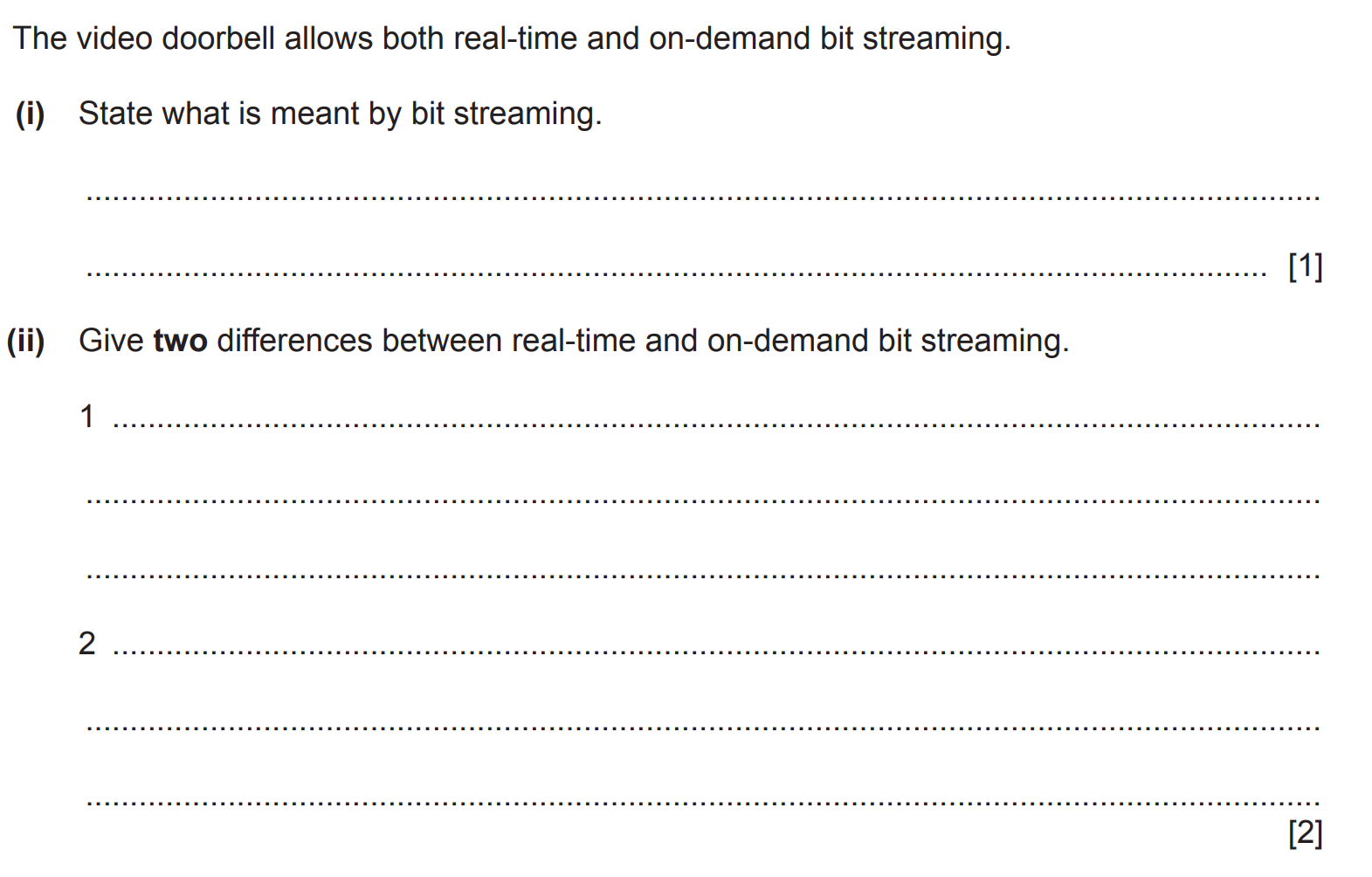
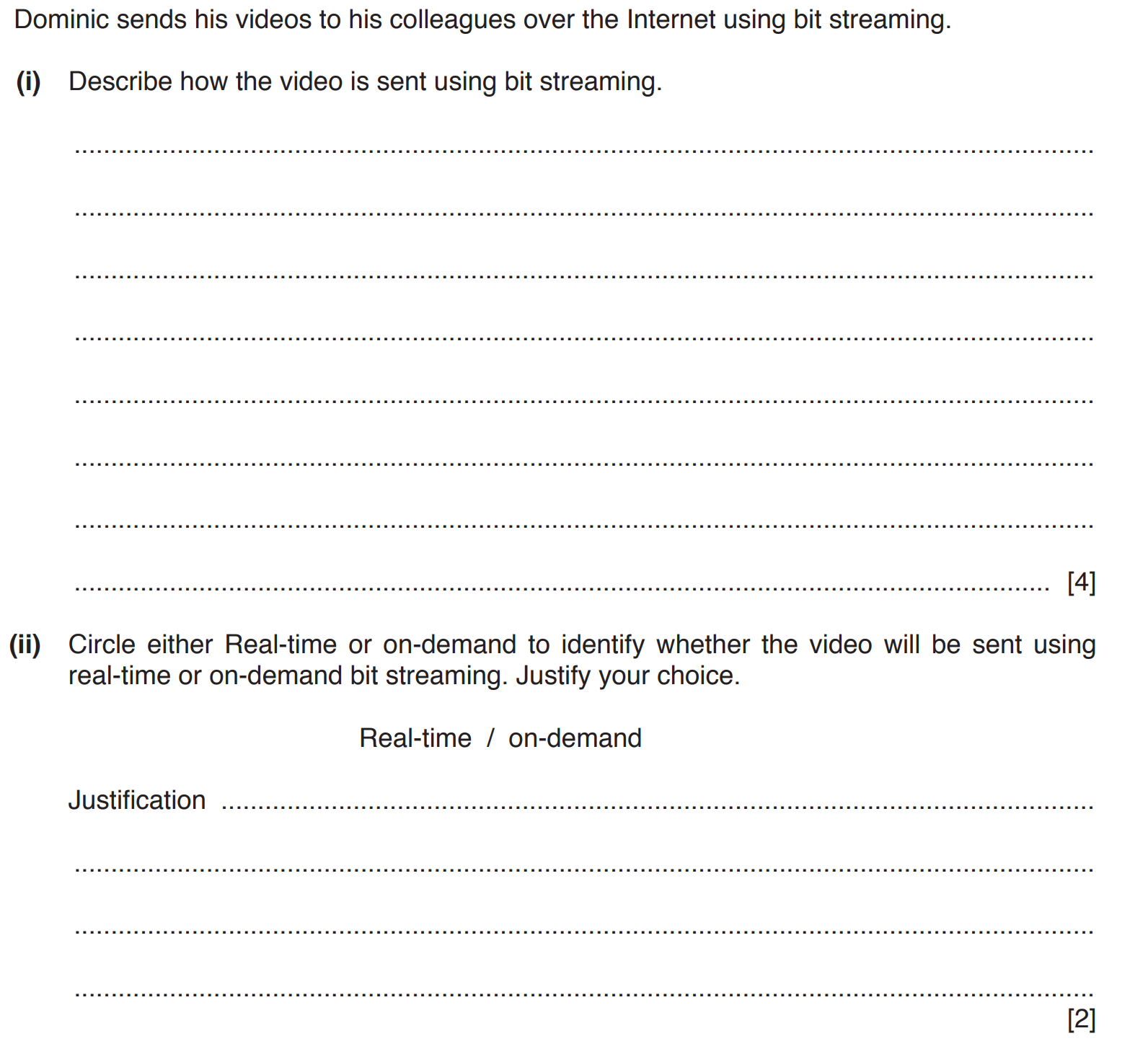
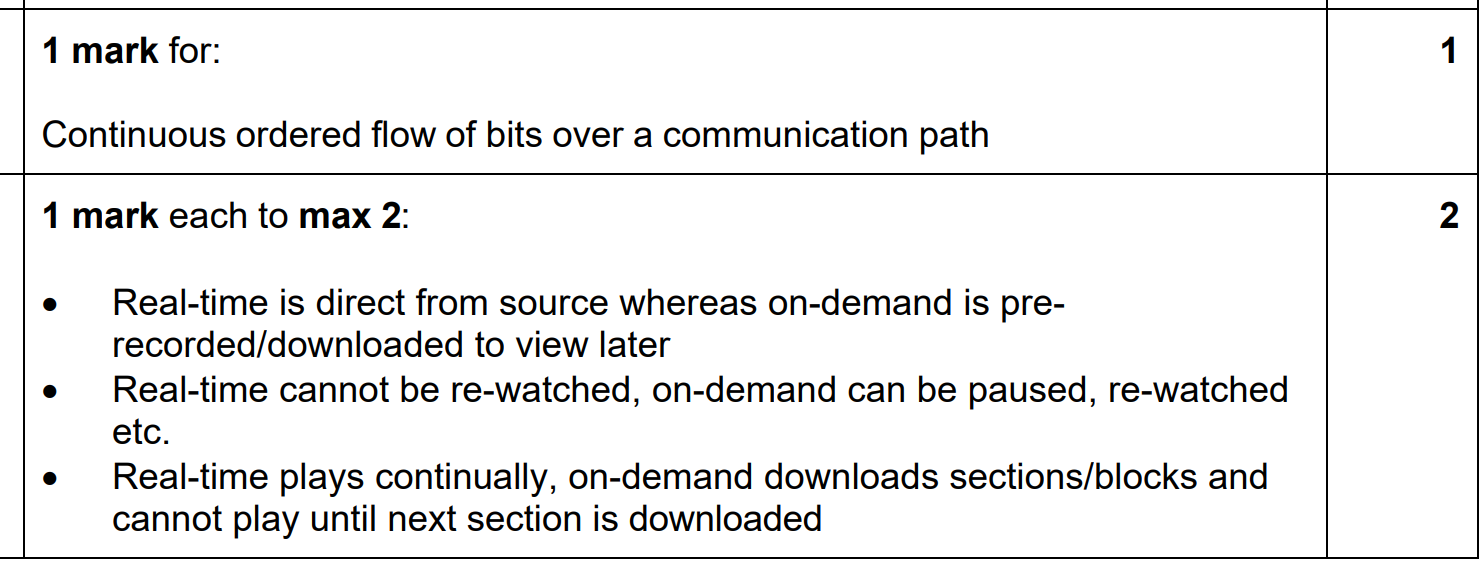
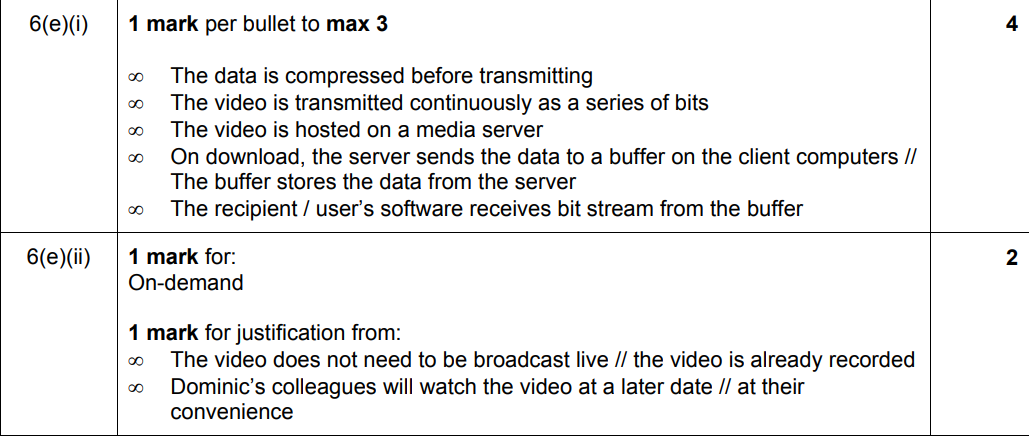
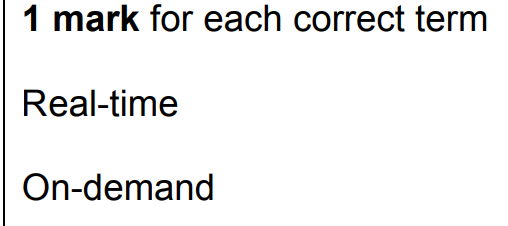
Bit streaming is the process of continuouslyly streaming ORDERED data audio or video data over the internet which is a communication path. It allows users to enjoy media without downloading the entire file. Two main methods are used for bit streaming: real-time streaming and on-demand streaming.
Definition: Media is streamed and played simultaneously as it is transmitted.
Examples:Watching a live sports match. Participating in a video call.
Key Features:Requires stable internet because there's little to no buffering. Data arrives in a continuous stream, allowing for live interaction.
Definition: Media is streamed at the user's request and can be paused, rewound, or fast-forwarded.
Examples:Watching a YouTube video. Streaming a movie on Netflix.
Key Features:Often uses buffering, where part of the media loads in advance to ensure smooth playback. Flexible timing—watch anytime.
The bit rate is the amount of data transmitted per second, measured in bits per second (bps). For streaming, higher bit rates usually mean better quality but require more bandwidth.
QualityBit Rate (Mbps)480p (Standard Definition)1-2 Mbps720p (HD)3-5 Mbps1080p (Full HD)5-8 Mbps4K (Ultra HD)15-25 Mbps
High Bit Rate, Low Speed:Results in buffering or interruptions. Media quality is often reduced to match the available speed.
Low Bit Rate, High Speed:Playback is smooth, but the video quality may not fully utilize the available bandwidth.
Balanced Bit Rate and Speed:Ensures smooth playback with high-quality visuals and sound.
For Real-Time Streaming:Use a stable internet connection with sufficient speed. Reduce background internet usage (e.g., other devices downloading files).
For On-Demand Streaming:Choose a resolution appropriate for your internet speed (e.g., 720p for slower speeds). Use platforms with good compression technology like H.265 codecs.
How bit streaming works
Netflix streaming leverages advanced technologies to deliver high-quality video efficiently and seamlessly to users. Here's a breakdown of how it works, incorporating buffer watermarks:
What Happens:Before a video is sent, Netflix compresses it using codecs (e.g., H.264, H.265) to reduce file size while maintaining quality. This makes it easier to transmit the data over the internet and minimizes bandwidth usage.
Example:A full HD (1080p) movie that could be several gigabytes in size is compressed into a smaller stream requiring only 5-8 Mbps for smooth playback.
What Happens:Netflix breaks the video into small packets of data, transmitting them as a bit stream over the internet. The video is streamed in real-time or buffered ahead to avoid interruptions.
Example:Each packet contains a small piece of the video, arriving sequentially at the client’s device.
What Happens:Netflix stores video files on powerful servers distributed across the globe. These servers, often part of a Content Delivery Network (CDN), ensure users receive data from the nearest server to reduce latency and improve speed.
Example:If you’re in New York, Netflix’s CDN routes your request to the nearest server in the region for faster delivery.
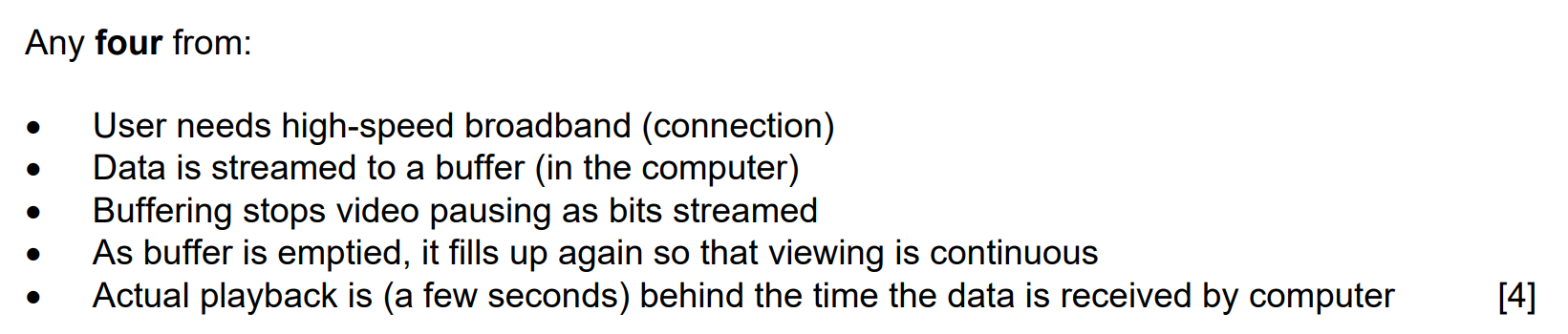
What Happens:Netflix transmits the video packets to the client’s device, where they are temporarily stored in a buffer. The buffer is a reserved section of the device’s memory, used to preload a portion of the video for smooth playback.
Example:When you hit "Play," Netflix quickly buffers 5-10 seconds of the video before starting playback.
What Happens:The buffer manages incoming data packets, holding enough video to compensate for delays or fluctuations in internet speed.
Buffer Watermarks:Low Watermark: If the buffer falls below this level (e.g., less than 2 seconds of video), Netflix pauses playback to refill the buffer. High Watermark: If the buffer reaches its maximum capacity (e.g., 30 seconds of video), Netflix stops downloading temporarily to conserve resources.
What Happens:The Netflix app reads data from the buffer, decoding the video packets using the same codec used for compression. The decoded packets are rendered as video and audio for the user to watch.
Example:The app continuously pulls data from the buffer, ensuring smooth playback even if internet speed temporarily drops.
Netflix’s system dynamically adapts to internet conditions:
Slow Internet:If the connection slows and the buffer nears the low watermark, Netflix reduces the video resolution (e.g., 1080p → 720p) to maintain playback without interruptions.
Fast Internet:The buffer quickly fills to the high watermark, and Netflix provides the highest quality available for your bandwidth (e.g., 4K if supported).
Explaining the Hardware That Supports the Internet
The internet is a vast network that connects millions of devices worldwide. To ensure seamless connectivity, several types of hardware components play crucial roles in its operation. This explainer describes key hardware elements, including modems, the Public Switched Telephone Network (PSTN), dedicated lines, and the cell phone network.
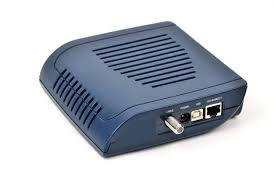
A modem (short for modulator-demodulator) is a device that enables digital data transmission over analog communication lines. It converts digital signals from a computer into analog signals for transmission over telephone lines and vice versa. There are several types of modems:
Dial-up Modems: Used in the early days of the internet, dial-up modems connect to the internet via a standard telephone line, providing speeds up to 56 Kbps.
DSL (Digital Subscriber Line) Modems: Provide higher-speed internet over telephone lines, offering speeds ranging from Mbps to Gbps (USED IN RURAL AREAS). Copper!
Cable Modems:
Connect to the internet using coaxial cables from cable television providers, typically offering faster speeds than DSL.
Fiber Optic Modems: Use light signals over fiber optic cables to deliver ultra-high-speed internet.
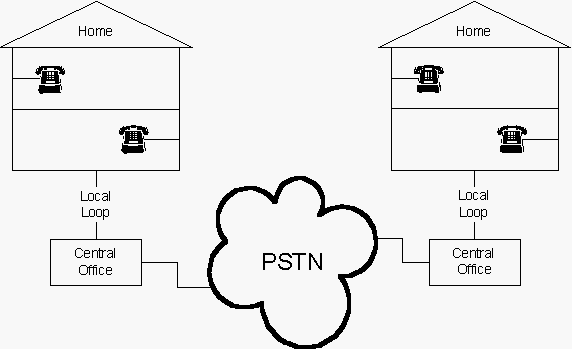
The PSTN is the traditional telephone network that facilitates voice and data transmission worldwide. It consists of copper wire infrastructure, switching centers, and transmission links. Although originally designed for voice communication, it
was later adapted for internet connectivity through dial-up and DSL technology.
Today, PSTN is largely being replaced by modern broadband and fiber-optic networks.
Dedicated lines are private, always-on connections used for internet access and communication between two fixed points. These lines offer higher reliability and performance compared to standard broadband services. Types of dedicated lines include:
Leased Lines: Private connections leased by businesses for consistent internet speed and security.
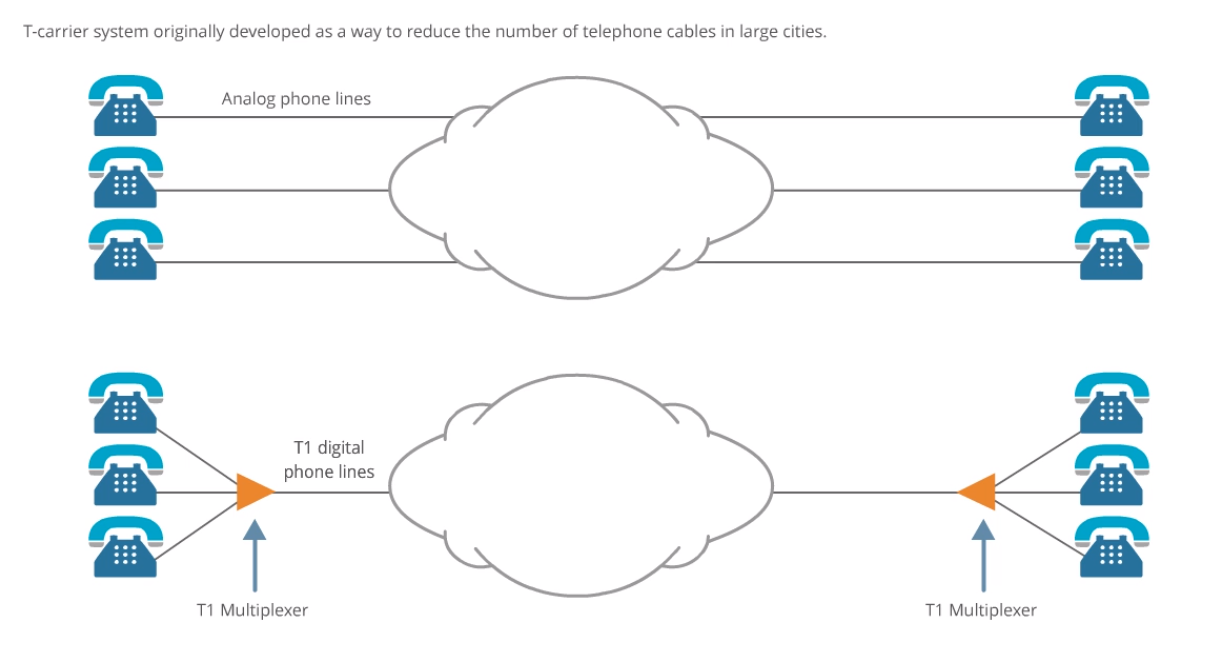
T1 and T3 Lines: High-speed dedicated circuits used primarily by enterprises for stable connectivity. T1 and T3 are dedicated telecommunication lines that provide consistent and reliable data transmission, mainly used by businesses and enterprises - speeds up to 44Mbps.
Top Section - Analog Phone Lines:Each telephone is directly connected through individual analog phone lines. These lines operate independently, requiring separate wiring for each phone connection. This system is inefficient as more phone lines require more physical cables, making large-scale communication cumbersome.
Bottom Section - T1 Digital Phone Lines:A T1 multiplexer is introduced, which combines multiple voice signals into a single T1 digital phone line. This reduces the number of physical cables needed while still supporting multiple calls. At the receiving end, another T1 multiplexer separates the signals back into individual phone lines. The T1 system enables 24 voice channels (each 64 Kbps), making it far more efficient than individual analog lines.
Reduces cable clutter: Multiple phone lines are consolidated into a single digital connection.
Higher efficiency: Instead of separate analog lines, digital signals share bandwidth dynamically.
Scalability: Easier to expand without requiring additional physical infrastructure.
Improved voice quality: Digital transmission reduces noise and enhances call clarity.
Fiber Optic Lines: Provide high-bandwidth internet access with minimal latency.
Example 1: A Financial Institution
A bank or stock trading company uses a leased line to ensure secure, high-speed, and always-on internet for transactions.
Helps avoid latency issues that could impact stock trading performance.
Example 2: A Large Corporate Office
A multinational company leases a dedicated line between its headquarters and branch offices to ensure reliable and uninterrupted data transfer.
Ensures that remote employees can access company databases without slowdowns.
Example 1: A Call Center
A customer service call center uses T1 or T3 lines to support hundreds of phone calls and internet-based applications simultaneously.
Ensures zero downtime, preventing disruptions in client communications.
Example 2: A University or Research Facility
A university campus uses T3 lines to support thousands of students accessing online learning platforms, video conferencing, and large file transfers.
Provides consistent bandwidth, even during peak hours.
Example 1: A Media & Entertainment Company
A video streaming service (like Netflix or Disney+) uses fiber optic lines to transfer and deliver high-quality 4K and 8K video content globally.
Minimizes buffering and ensures ultra-fast content delivery.
Example 2: A Medical Facility (Telemedicine & Remote Surgery)
A hospital using telemedicine and robotic surgery relies on fiber-optic lines to transmit real-time, high-definition medical imaging and video consultations.
Ensures minimal latency, which is critical for remote surgeries.
Cellular networks provide wireless internet connectivity using mobile technology. They operate through a series of cell towers that transmit signals across different generations of mobile networks:
2G (Second Generation): Early mobile networks that supported basic internet access via GPRS and EDGE.
3G (Third Generation): Improved speeds, enabling mobile web browsing and video streaming.
4G LTE (Fourth Generation): Offers high-speed internet with enhanced data capacity, supporting HD streaming and gaming.
5G (Fifth Generation): The latest advancement, providing ultra-fast speeds, lower latency, and greater connectivity for IoT devices.
What is a disadvantage of public clouds for users?
Why can public clouds handle traffic spikes efficiently?
What is a potential concern when using public clouds?
Why might a financial institution choose a private cloud?
What advantage does a private cloud offer in terms of customization?
What is a common disadvantage of private clouds mentioned in the passage?
Why might a law firm face challenges with a private cloud's scalability?
Which benefit of cloud computing allows a business to scale resources?
What aspect of cloud computing eases IT workload regarding updates?
In what situation can dependence on the internet be a challenge with cloud computing?
What potential drawback involves limited control over infrastructure customization with cloud computing?
What is the key feature of real-time streaming?
Which method of bit streaming allows pausing and rewinding?
What could happen with a high bit rate and low speed?
How to optimize on-demand streaming for slower speeds?