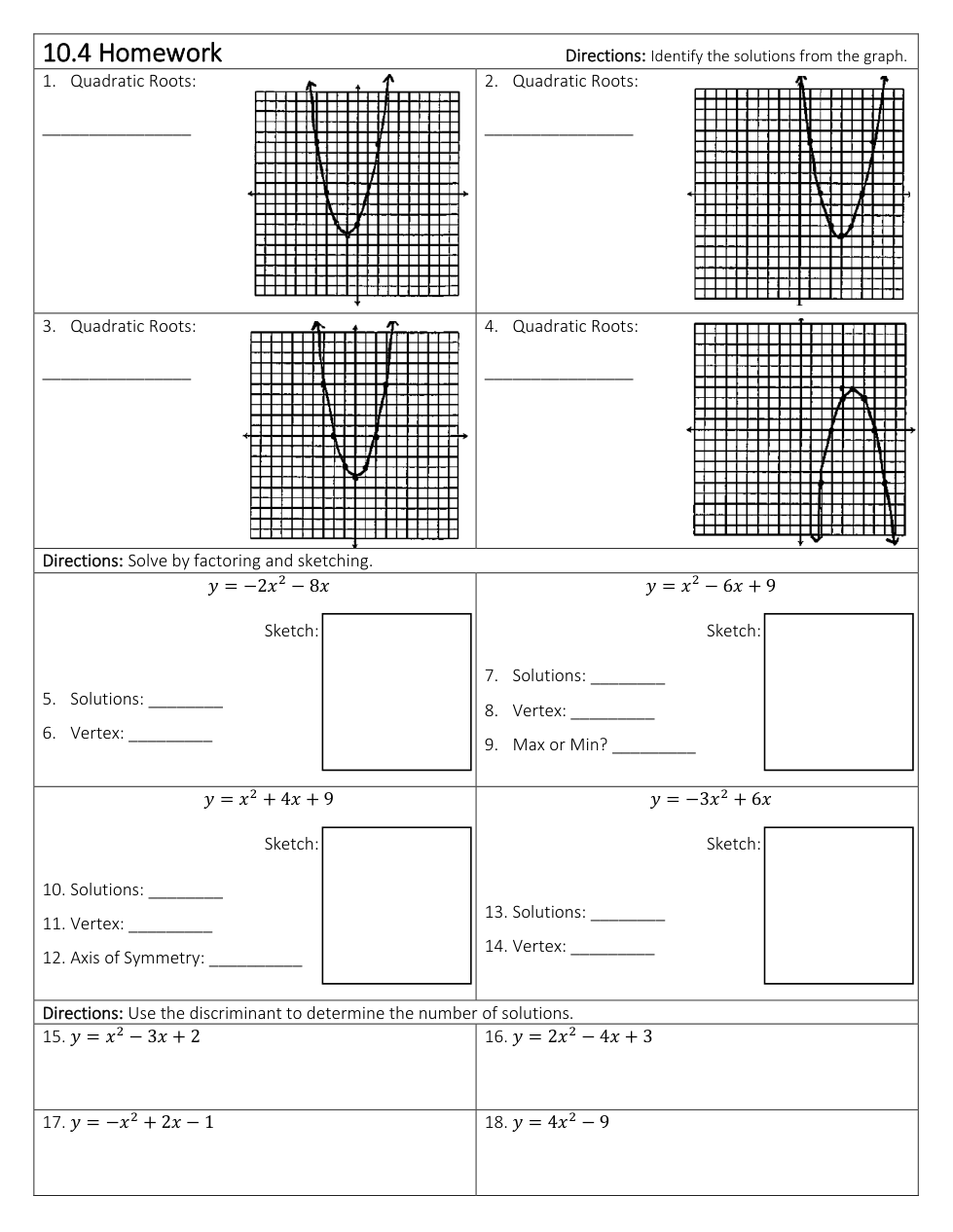
Click a Graph tab (Graph 1, Graph 2, and so on) for each graph you need to plot.
Click on the graph background to add a point. Add two points to create a graph. Drag a point or type in x and y coordinates to edit its position. Click on a point to delete it.
After creating your graph, you can check the dashed line box.
Question 8
8.
Find the solutions
Question 9
9.
Vertex
Question 10
10.
Max or Min?
Question 11
11.
Graph the Equation
Click a Graph tab (Graph 1, Graph 2, and so on) for each graph you need to plot.
Click on the graph background to add a point. Add two points to create a graph. Drag a point or type in x and y coordinates to edit its position. Click on a point to delete it.
After creating your graph, you can check the dashed line box.
Question 12
12.
Find the Solutions (Hint: Find the discriminant first)
Question 13
13.
Axis of Symmetry
Question 14
14.
vertex
Question 15
15.
Graph the Equation
Click a Graph tab (Graph 1, Graph 2, and so on) for each graph you need to plot.
Click on the graph background to add a point. Add two points to create a graph. Drag a point or type in x and y coordinates to edit its position. Click on a point to delete it.
After creating your graph, you can check the dashed line box.
Question 16
16.
Find the Solutions
Question 17
17.
Vertex
Question 18
18.
Graph the Equation
Click a Graph tab (Graph 1, Graph 2, and so on) for each graph you need to plot.
Click on the graph background to add a point. Add two points to create a graph. Drag a point or type in x and y coordinates to edit its position. Click on a point to delete it.
After creating your graph, you can check the dashed line box.
Question 19
19.
Find the number of solutions using the discriminant.
Question 20
20.
Find the number of solutions using the discriminant.
Question 21
21.
Find the number of solutions using the discriminant.
Question 22
22.
Find the number of solutions using the discriminant.