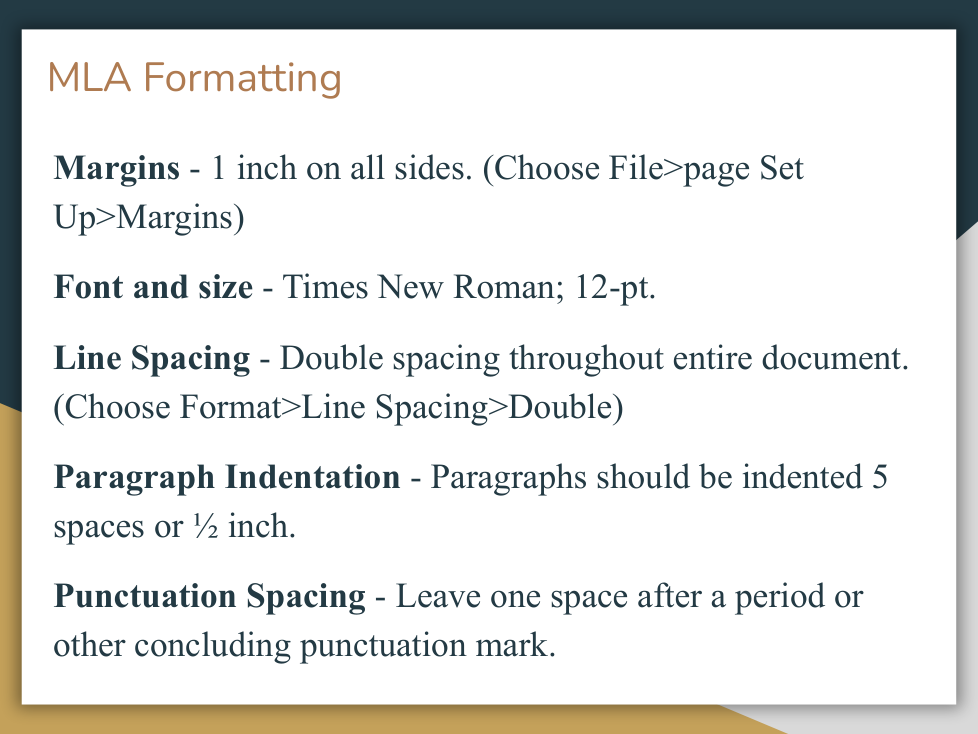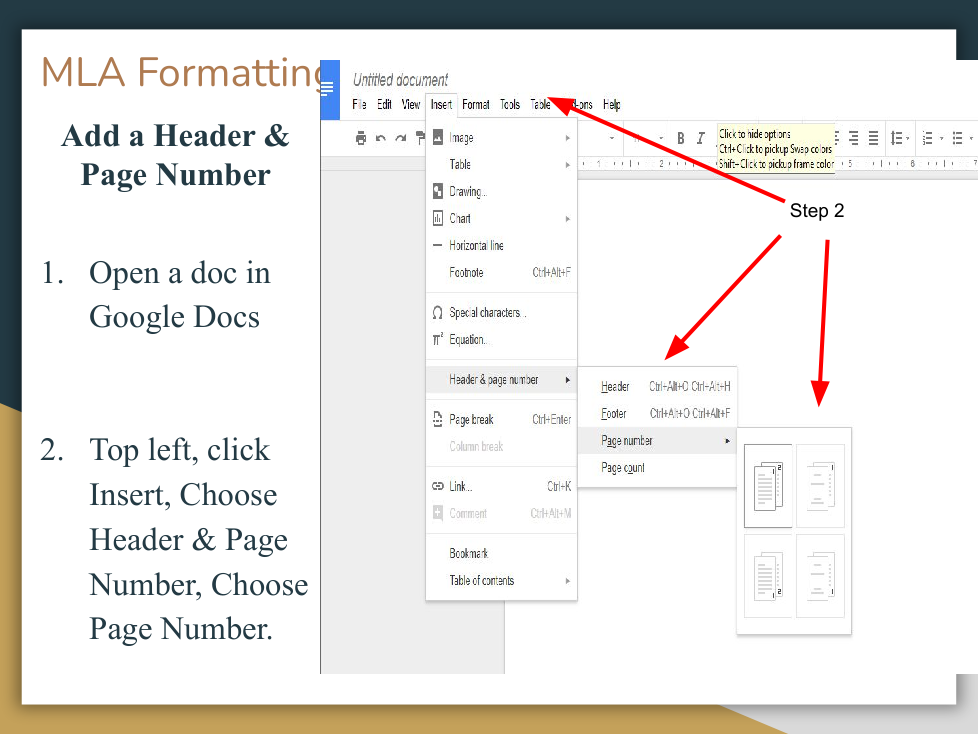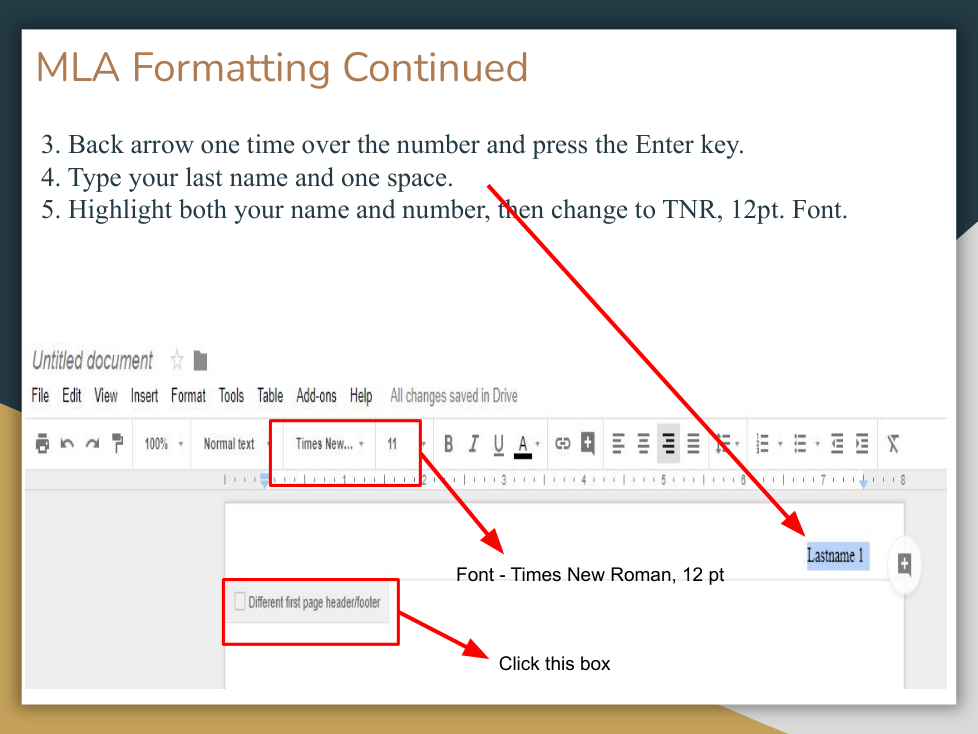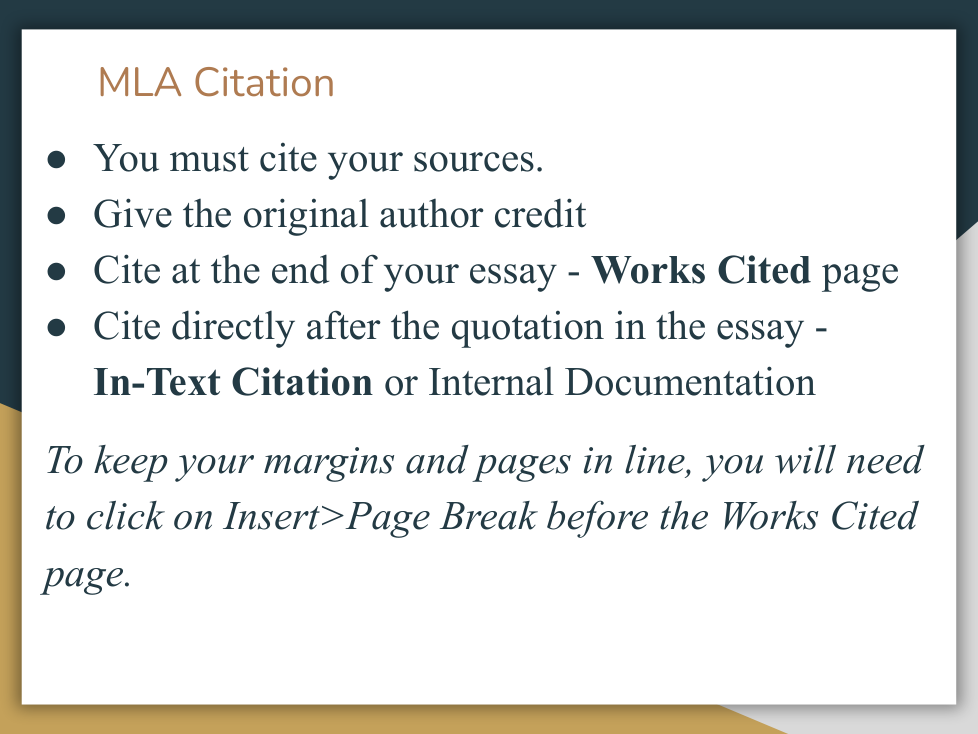
Lesson 7: General MLA Format and Works Cited

Last updated 6 months ago
8 questions
Note from the author:
Complete the tasks and answer questions as you review the slides and watch the informational video on how to use mybib.com.
DO NOW:
Required
5

Think about the last time you had to include a Works Cited or Bibliography in an assignment. Respond in at least 3 sentences.
  • What was easy about it?
  • What was confusing or frustrating?
  • If you've never done one, what do you think it should include?
Watch the video about how to use mybib.com and format your own Works Cited electronically according to the instructions.
Open mybib.com in another window and follow along with video while the website is explained.

Go to the top right corner of the mybib.com page and create an account. DO NOT SIGN IN WITH THE GOOGLE OPTION!!!!!! Enter your email and password manually and click create account or you will be blocked by CPS.
Choose MLA 9 format for your Works Cited.
On your mybib.com screen, click on Add Citation and then choose Journal.
Enter the following link in the search bar and then click search: https://www.mdpi.com/2673-5172/3/1/2

Select the journal article and press Save. If information is missing, such as a date accessed, you can add it during this stage. Click on the world icon to the right of the citation in order to go to the website directly to look for more information.
Add another citation for a journal article that you only have the DOI number for. Find the DOI number on the document (can be located almost anywhere on document) or on the information about the document such as on a search engine or EBSCO.

Here is the website: https://crl.acrl.org/index.php/crl/article/view/15806

Find the DOI and plug it into your mybib.com page search bar for journal and add it to your page.
Citations do not always automatically pop-up on mybib.com.

Manually create a citation to add to your page using the following information by selecting journal and then clicking "enter manually" under the search bar:

Author: Julie Miller
Journal: Medical Economics
Article Title: Working with Non-Physician Providers
Date: Feb. 10, 2019
Volume Number 96
Issue Number 3
Website: https://www.medicaleconomics.com/view/working-non-physician-providers
Add another citation for a website on your mybib.com works cited page. You may have to fill in additional information such as date accessed (press TODAY).

Add this website: https://www.nih.gov/news-events/nih-research-matters/how-dietary-factors-influence-disease-risk
Required
5

Where can you find the in-text citation format on the works cited you have created?

Required
5

What is the in-text citation format for the article entitled “Working with Non-Physician Providers”?

1) Go to your mybib.com works cited page.
2) Click Download Works Cited in blue box.
3) Click copy and paste to the left of the menu that pops up.
4) Click on Click to copy on top right.

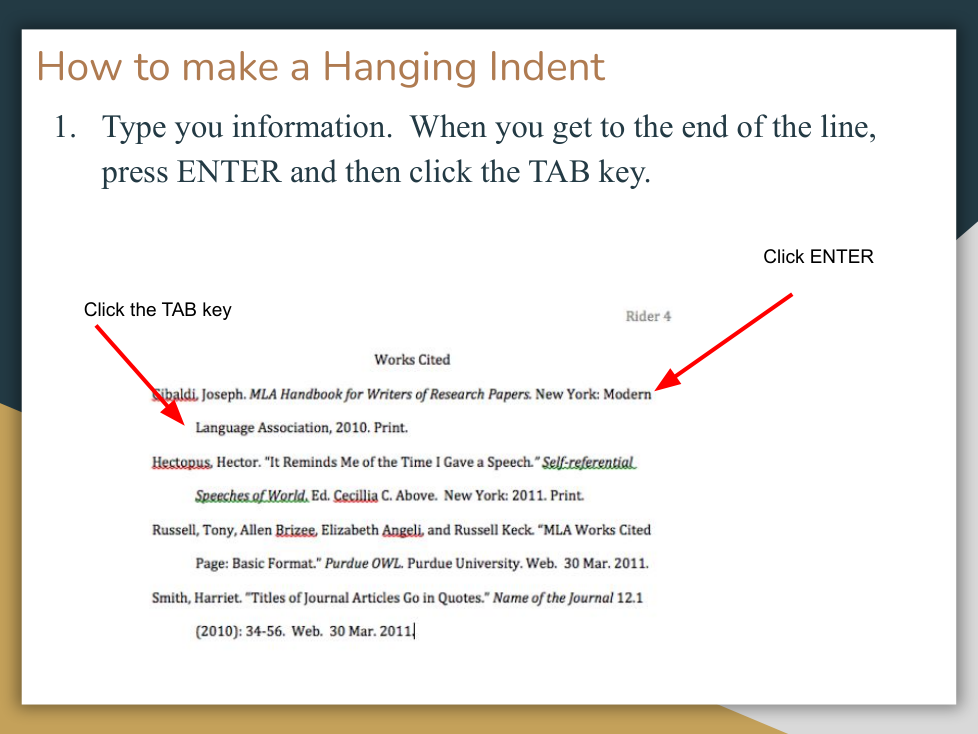
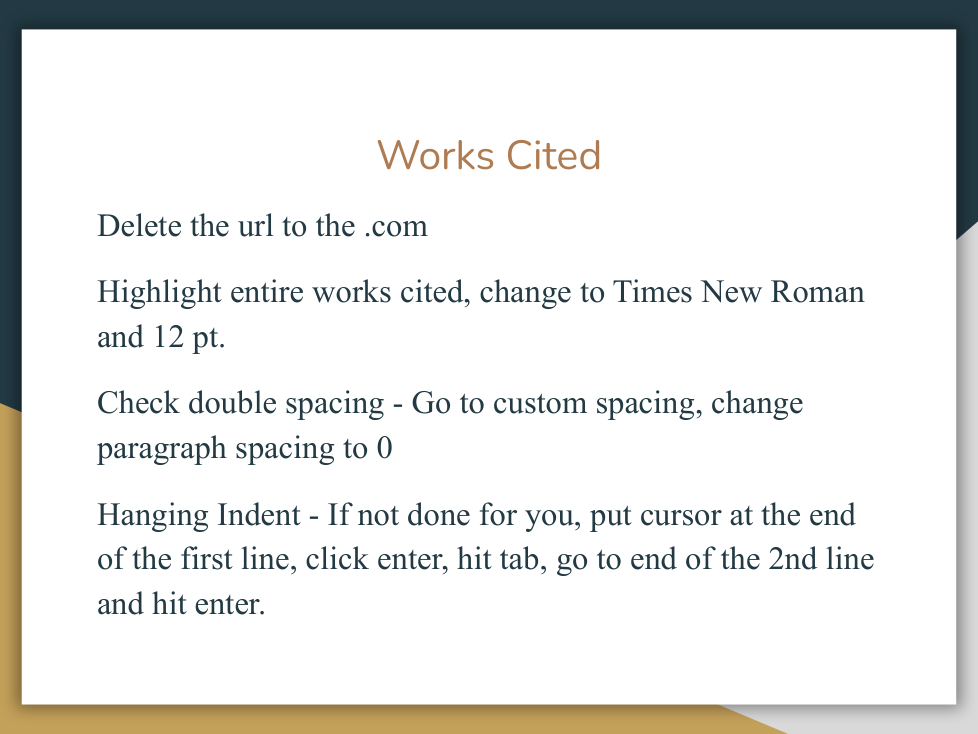
Now you are ready to paste the page into your Google Doc. Open a new Doc and copy it in using the method above ONLY.

*Do NOT be tempted to just highlight and copy because the format will not translate to your Doc correctly.
Rename your Works Cited page by clicking the three dots next to the project on the left side of the page.
Required
5

How do I make sure that my works cited page is saved in case I need to go back and add citations?

Required
5

Why is it important to double-check your work on this generated Works Cited?

Next, turn in the Google Doc Works Cited that you created in the above exercise on Google Classroom. Remember to download it according to the instructions!

65 points
Required
65

Did you turn in your Works Cited to Google Classroom?

EXIT TICKET:
Required
5

When using MyBib.com to create a Works Cited page, what is the correct way to organize your list of sources?

Required
5

Which of the following is the most important step to take after generating a citation on MyBib.com before adding it to your Works Cited page?