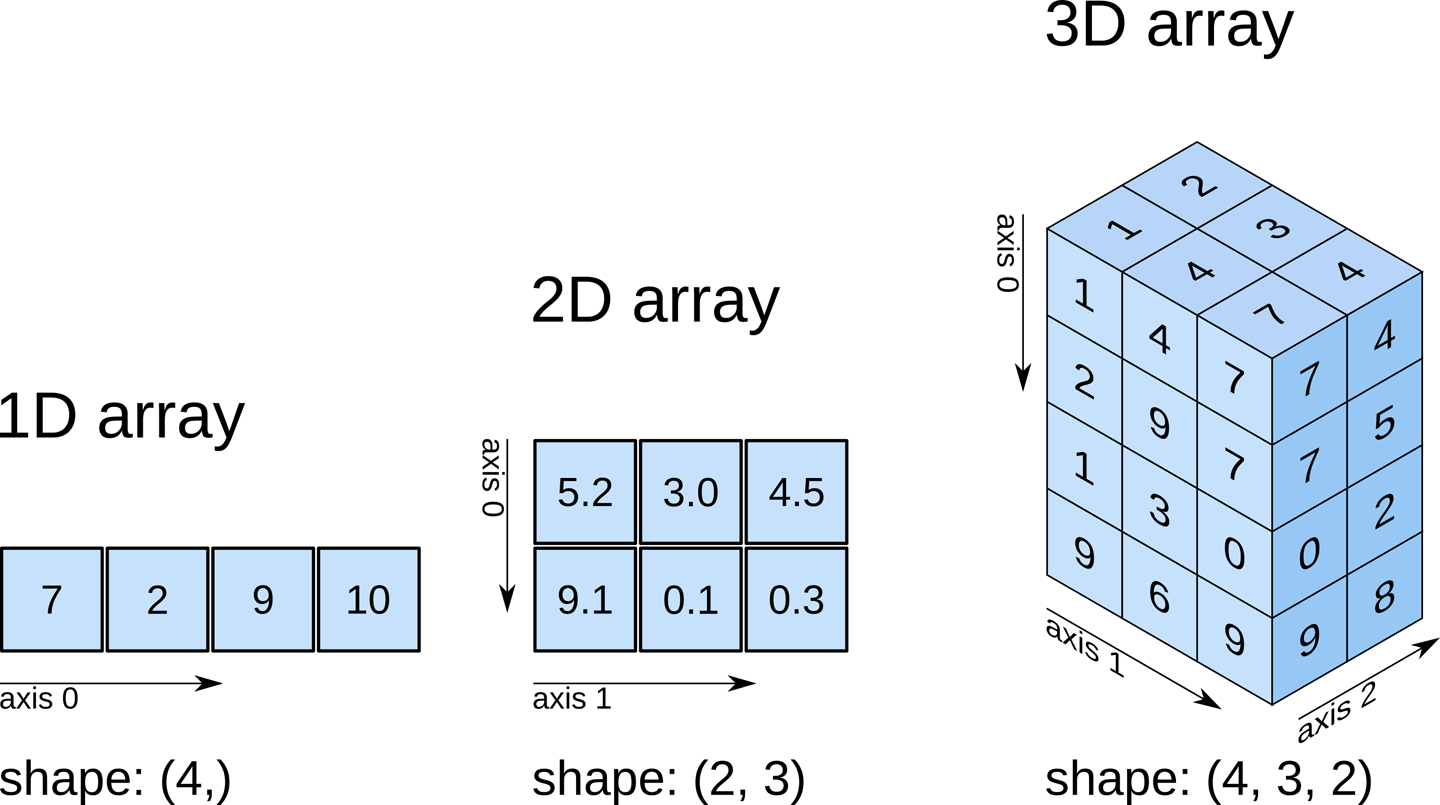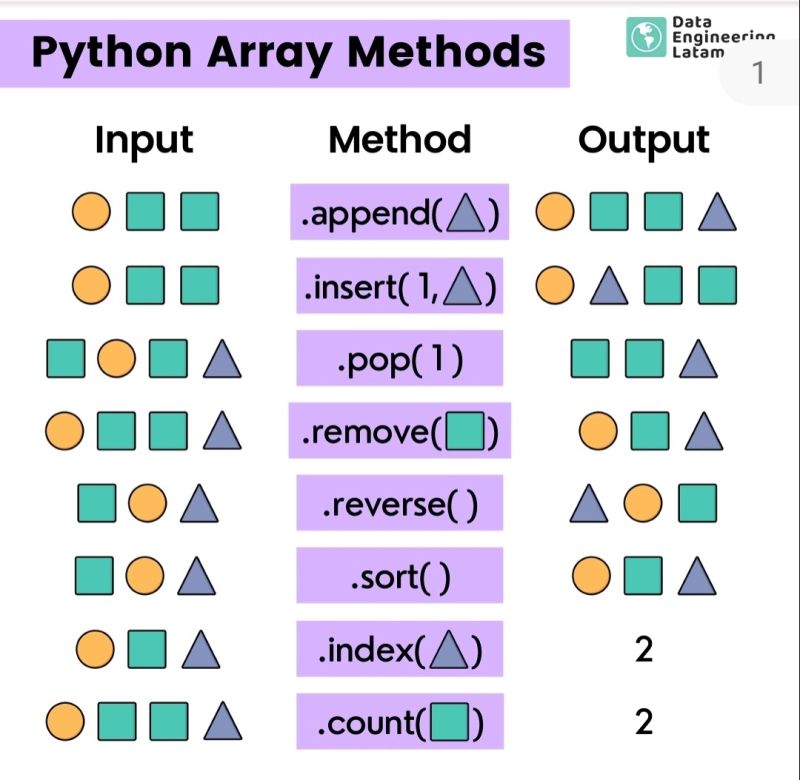
Array: A collection of similar data of a fixed length. E.g. myArray = ["Apple", "Banana", "Cherry"]
List: A collection of different data types of any size. E.g. myList = ["Apple", "B" , 3.142, ]
Data Structure: A storage that is used to store and organize data (such as Arrays)
One-dimentional Array: An array that holds a "row" of data
two-dimentional Array: An array that holds a "rows" and "columns" of data
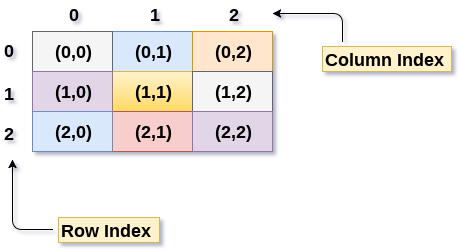

See Icon 1 - what position might this be in a 2D array?
Look at the code for each question.
What do you think will be the output?
What is the actual output?
What is the output:
myArray = [["Adam","Bianca","Chase"],[1,2,3]]
print(myArray)
Look at the code on the right.
Run it and see what it does.
Click on the pencil icon at the top to see the code again.
FIRST EXAMPLE:
Run the program and see what it does
If you were to print myArray, what would be the output?
What happens if you output row on line 8?
What happens if you added another name to the first row?
Extra Knowledge: https://www.tutorialspoint.com/python_data_structure/python_2darray.htm
Help:
print ( ) is used to output text
input( ) is used to get the user to type something
Variables store values that can change.
Name = Value here
To manipulate "Strings":
len( word ) returns how long it is
.upper() turns it to upper case
.lower() turns it to lower case
variable[x] returns the letter at position x
int( string) turns it to a string (if possible)
float (string) turns it to a float (if possible)
str (variable) turns it to a string " "
Boolean: a data type that can hold one of two values (true or false)
> Symbol: Greater than
< Symbol: Less than
== Symbol: Compares if both values are the same
!= Symbol: Not equal to
>= Symbol: Greater than or equal to
<= Symbol: Less than or equal to
Selection -
if (condition) :
(indent) program here....
Iteration -
for varName in range (start, end, increment):
(indent) program here....
while (condition) :
program here ....
Lists:
myList = [ "item1", "item2", "item3"]
print (myList)
print (myList[0]) #Outputs 1st item
myList.append("Item4") #Add new item
myList.remove("Item4") #Removes "item4"
myList[0] = "newItem" #Changes value in 0
twoDimensionalList = [ [row1Item], [row2Item]]
Create a 2D array for a row of names, and another row for their scores.
print out each of the names and the scores
Create a 2D array for a row of adjectives (describing words) and a row of nouns.
Ask the user to enter a number that helps chooses an adjective, and another number to choose the noun (person/place/thing).
See Icon 2 - what position might this be in a 2D array?
See Icon 3 - what position might this be in a 2D array?
What is the output:
myArray = [["Adam","Bianca","Chase"],[1,2,3]]
print(myArray[0][0])
What is the output:
myArray = [["Adam","Bianca","Chase"],[1,2,3]]
myArray[0][0] = "Albert"
print(myArray[0][0])