In your own words, describe what changed and how it changed.
Intro Trial Set-up | |
|---|---|
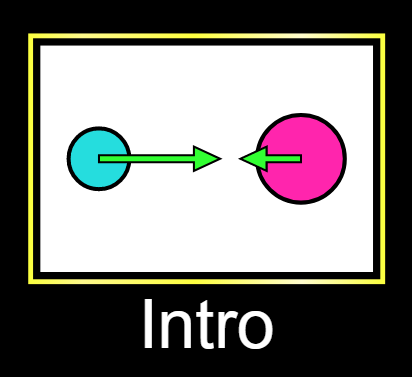
1) Click "Intro" |
|
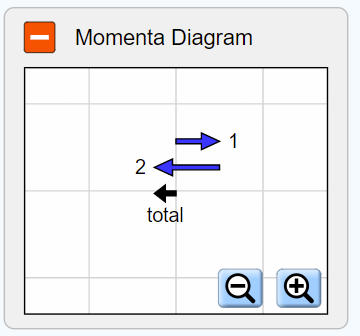
2) Click the “+” button to expand the momenta diagram. |
|
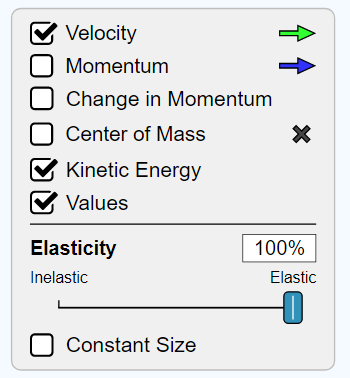
3) Make sure that “Velocity” and “Kinetic Energy” and “Values” are checked. Make sure that Elasticity is set to 100% |
|
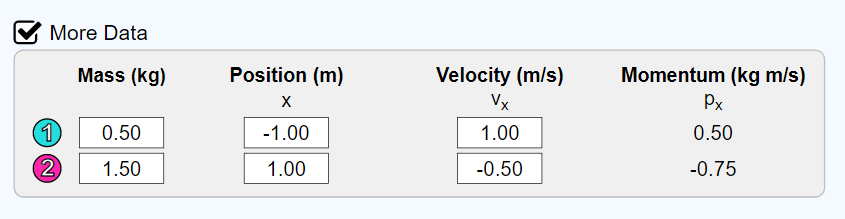
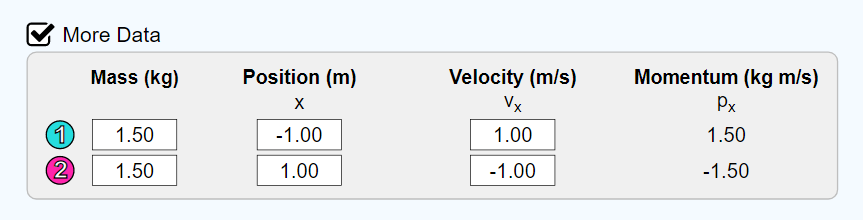
4) Check the box next to “More Data.” Fill out the table as it is to the right. |
|
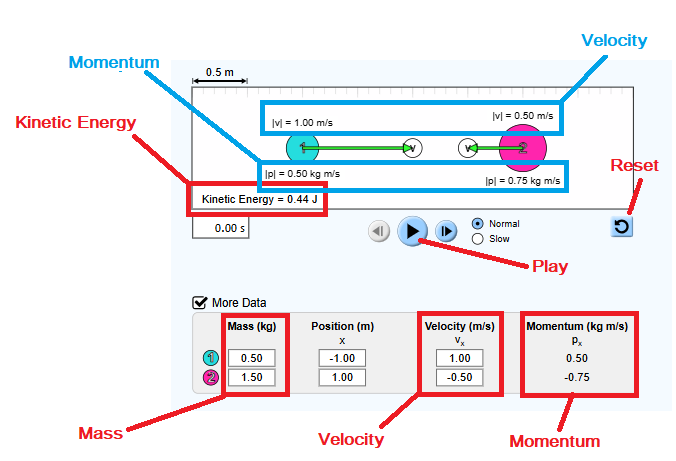
5) Click "Slow" and then the “Play” button. A few moments after the balls impact, click "Pause" so you can observe changes in the data. Hint - ignore position, as this will constantly change as the balls move. | Pay special attention to the following.
|
*KE = Kinetic Energy
*Do not change the position
Mass (kg) | Velocity (m/sec) Before Collision | Velocity (m/sec) After Collision | Momentum (kg m/sec) Before Collision | Momentum (kg m/sec) After Collision | KE (J) Before Collision | KE (J) After Collision | |
|---|---|---|---|---|---|---|---|
Trial 1 | -------- | -------- | -------- | -------- | -------- | 0.75 | |
Ball 1 | 1.00 | 1.00 | 1.00 | -------- | -------- | ||
Ball 2 | 0.50 | -1.00 | -0.50 | -------- | -------- | ||
Trial 2 | -------- | -------- | -------- | -------- | -------- | 1.25 | |
Ball 1 | 1.00 | 0.50 | 0.50 | -------- | -------- | ||
Ball 2 | 1.00 | -1.50 | -1.00 | -------- | -------- | ||
Trial 3 | -------- | -------- | -------- | -------- | -------- | 3.75 | |
Ball 1 | 1.50 | 1.00 | 1.50 | -------- | -------- | ||
Ball 2 | 1.50 | -2.00 | -3.00 | -------- | -------- | ||
Trial 4 | -------- | -------- | -------- | -------- | -------- | 7.00 | |
Ball 1 | 2.00 | 2.00 | 4.00 | -------- | -------- | ||
Ball 2 | 1.50 | -2.00 | -3.00 | -------- | -------- | ||
Trial 5 | -------- | -------- | -------- | -------- | -------- | 13.00 | |
Ball 1 | 2.00 | 2.00 | 4.00 | -------- | -------- | ||
Ball 2 | 2.00 | -3.00 | -6.00 | -------- | -------- | ||
Trial 6 | -------- | -------- | -------- | -------- | -------- | 22.50 | |
Ball 1 | 2.00 | 3.00 | 6.00 | -------- | -------- | ||
Ball 2 | 3.00 | -3.00 | -9.00 | -------- | -------- |
Trial 1 Set-up | |
|---|---|
1) Click "Intro" |
|
2) Click the “+” button to expand the momenta diagram. |
|
3) Make sure that “Velocity” and “Kinetic Energy” and “Values” are checked. Make sure that Elasticity is set to 100% |
|
4) Check the box next to “More Data.” Fill out the table as it is to the right. |
|
5) Click "Slow" and then the “Play” button. | A few moments after the balls impact, click "Pause" so you can observe changes in the data. Hint - ignore position, as this will constantly change as the balls move. |